
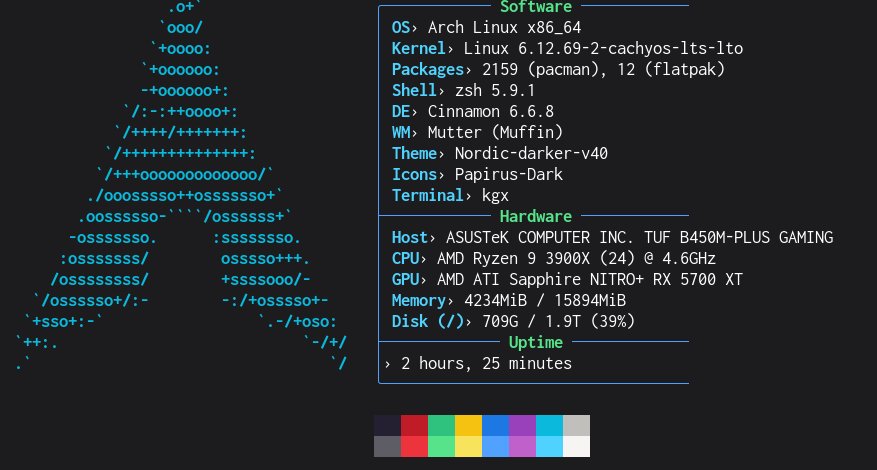
Now here’s a short one if I ever saw it.
I know I’ve been a little on the busy side again as of late, though it has largely come down to a few things in both my personal and work life. I’ve become preoccupied with life and projects here and there, including getting much more out of my personal Mac mini server (Seriously, I’ll likely write a big update on it soon.) and taking Cinnamon on more of a spin again because I got XLibre installed successfully.
But here’s a neat thing I decided to try last month.
What’s CachyOS?
I’ll let their homepage explain for itself:
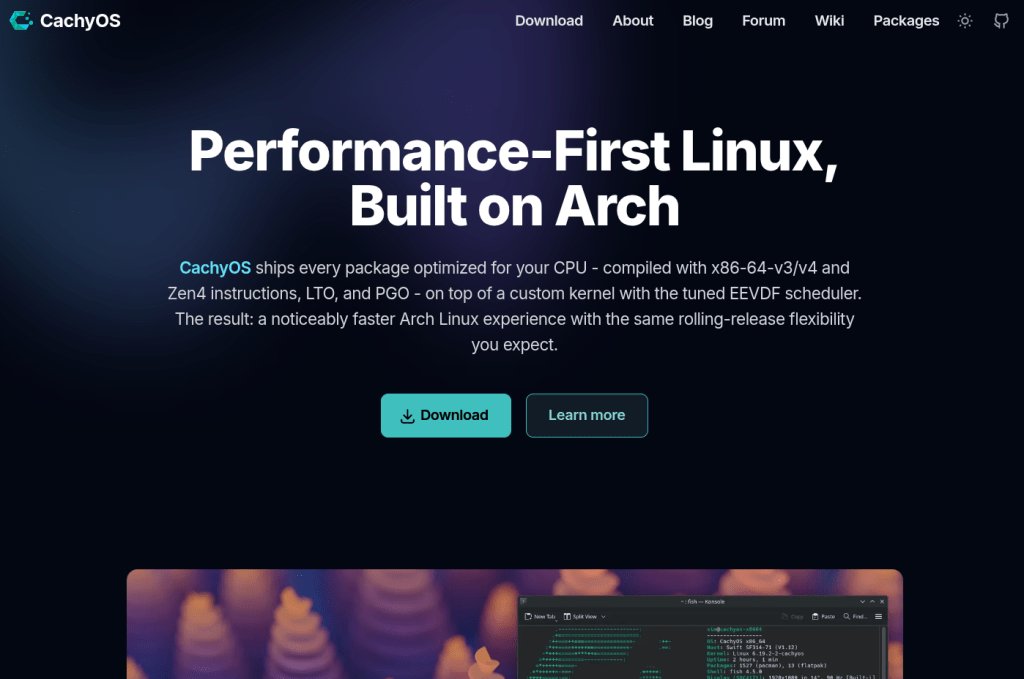
In short, I kept hearing in passing about how great CachyOS is because everything is much more optimized, resulting in a similar experience to Arch without sacrificing the overall advantages and structure of an Arch distro. How could I not want that?
To add to my sense of intrigue, I saw a lot of comments in passing about how great it was, how the performance difference was there. I even saw DistroTube acknowledge it as a great choice of distro.
While my curiosity was piqued, I still wanted to stay with my vanilla Arch setup. After all, I installed it years ago, and I will, God willing, continue to run it for years to come. Besides, I even stated in the past how I don’t distro hop for multiple reasons.
But that was before I discovered something amazing. Just like vanilla Arch users can migrate to the systemd-free Artix Linux by switching repos and running an update, it turns out Arch users can also do something similar to switch to CachyOS!
How I Switched (And You Can, Too)
It didn’t take long for me to look online once this idea, this possibility caught my attention. After a short search, I stumbled across this helpful video by YouTuber A1RM4X:
I largely followed the instructions in the video with only a few minor deviations here and there. In short, you simply edit your pacman.conf file to account for new repositories, then run an update.
[cachyos-v3]Include = /etc/pacman.d/cachyos-v3-mirrorlist[cachyos-core-v3]Include = /etc/pacman.d/cachyos-v3-mirrorlist[cachyos-extra-v3]Include = /etc/pacman.d/cachyos-v3-mirrorlist[cachyos]Include = /etc/pacman.d/cachyos-mirrorlist[core]Include = /etc/pacman.d/mirrorlist[extra]Include = /etc/pacman.d/mirrorlist
My repositories section in my pacman.conf looks something like this now.
There is a little more to it than that, of course, including the possible installation and use of the CachyOS Kernel Manager (listed on the main repo as cachyos-kernel-manager), but before I knew it, I had successfully installed the kernel that best suited my needs and wants!
Of course, as anything I’ve come to expect from being a Linux power user, this wasn’t 100% smooth. For instance, I did need to update my systemd-boot to account for my new kernel, the lts-lto, although you could generally use whatever kernel you find best. Regardless, this is something I fully expected to do, so I really can’t complain.
In terms of less pleasant adjustments:
- I had to reconfigure my
fstabto play nicely with my setup again because a lot of my drives wouldn’t mount on startup or give me write permissions. - And I still needed to tweak and tinker with Wine to get everything back to normal because the migration switched me to the CachyOS Wine packages.
Still, that was generally the worst of it, and I had advice every step of the way. Besides that, my standard Arch kernels remained installed alongside my new CachyOS kernel in case I need a backup plan.
Was Everything Fine in the End?

This is an interesting question, although if I had to be perfectly honest: Yes, everything was fine.
However, here’s the thing: I didn’t really notice any obvious performance gains or smoothness. Maybe I’d see a discrepancy if I decided to compare benchmarks between it and my vanilla Arch kernel, but that largely feels like splitting hairs to me, and it’s really not my style if it’s this hard to perceive. Maybe if I upgrade some of my hardware? At that point, it might be worth a closer look to investigate a performance bump, but with PC part prices these days (especially RAM), I’m not holding my breath right now.
Granted, I don’t see any slowdowns, crashes, or the like when running it, so it’s not hurting anything. Thus, migrating didn’t hurt, and I still thought this was worth trying.
Plus, thanks to how I migrated, I’m technically running CachyOS without a lot of the baggage that normally comes from distro hopping (specifically setting everything up from scratch all over again). I would still suggest this for nearly anyone on Arch who’s feeling adventurous enough to give CachyOS a shot without wanting to start with a clean slate. Granted, just be sure to remember:
- Make some sort of backup before you actually get to work! (I still use Timeshift.)
- Be prepared for at least a few small things to break.
- Leave your existing vanilla kernels installed in case you need to fallback on them for whatever reason.
- Pick whichever CachyOS kernel suits your needs best.
However, if a lot of this seems daunting, especially to someone who may be newer or less experienced with Linux in general, I would likely recommend downloading the CachyOS desktop ISO straight from the site instead.
In short, if you already run vanilla Arch and know what you’re doing, it’s not that difficult to give CachyOS a try!
What About You?
Have you heard about the hype behind CachyOS at this point? What do you think of it? Did you switch, or are you more content with a different distro? If you did switch, did you notice any performance increases? If not, are you still on vanilla Arch or a different distro entirely? Would you consider trying it out or not? Whatever’s on your mind about this, feel free to leave a comment down below.


One response to “So I’m Technically Running CachyOS”
[…] screwed up my system, I still saw vanilla Arch as my daily driver this entire time. Although I was technically running CachyOS on a kernel and repo level as of late, I used my Arch installation loyally for […]
LikeLike