

It’s no secret that I prefer keyboard phones over standard smartphones. I’ve written enough about BlackBerry on this site, and I’ve expressed how God’s year of 2026 is the keyboard phone renaissance.
That is why I perked up when I heard that Clicks was going to make a dedicated keyboard phone running Android. However, almost as if it was perfectly timed, Unihertz, a company I previously slept on for a long time, announced the Titan 2 Elite, a successor to the BlackBerry Passport-esque Titan 2. The Elite, on the other hand, more closely resembled the BlackBerry Classic to an extent.
That said, considering how unhappy I was with the Clicks’ keyboard, I thought it made more sense to go with Unihertz this time around. When my birthday was fast approaching, I put down a pledge on the Kickstarter back in May, expecting to get my phone by the end of June.
The Wait
I previously read in advance about how Unihertz did a fairly good job shipping out units on previous crowdfunding campaigns, so I thought I wouldn’t be waiting all that long.
Imagine how dismayed I was to get an update on June 30th (you know, the very last day in June) about how phones were delayed and scheduled to ship in late July this time. A lot of radio silence came and went, and before I knew it, I went through the majority of August with no real information.
Yes, I get that delays happen, but honestly, had I known it was going to take this long, I likely wouldn’t have bothered. That’s not because of impatience, but rather because it was already so close to the promised release of the spec-bumped Titan 2 Elite Pro. Or better still, I could have weighed out other options like the Minimal Phone 2 or whatever else Zinwa was cooking up.
But eventually, after wondering for a few weeks if I would ever receive my phone, I finally unboxed my Titan 2 Elite on September 3rd this year. About time.
First Impressions
I wrote down a lot of my first impressions around the time the device arrived.
- The phone did impress me in terms of overall feel and build quality out of the box. It had a premium feel that almost (almost!) rivaled the feeling of unboxing a brand new BlackBerry device back in the day.
- I became enamored with the size of the phone right away. It is so much smaller and easier to carry around than any other phone I’ve used, sans my iPhone 12 Mini that I last used in 2021.
- It came with a pre-applied screen protector and a TPU case, so that was awfully convenient, I suppose.
- Migrating everything over from my Pixel 9 was, as expected, quite simple.
Those were my initial impressions upon setting the device up. Of course, despite migrating everything in terms of apps over, I still had to login to so many different apps all over again to try and get my phone back to a semblance of what it felt like before. To top it all off, it turns out that a few of my apps didn’t exactly play nice with the 1:1 screen aspect ratio.
Thankfully, “Mini Mode” was included for situations like this. Enabling it did crunch down some apps into a slim format, yes, but it did act as a good workaround to let me interface with apps that would have otherwise broke entirely. Aside from switching my eSIM over, nothing really gave me serious issues where I absolutely needed Mini Mode. I still think this was an excellent option to include with the device, as not every app is going to be compatible with the aspect ratio.
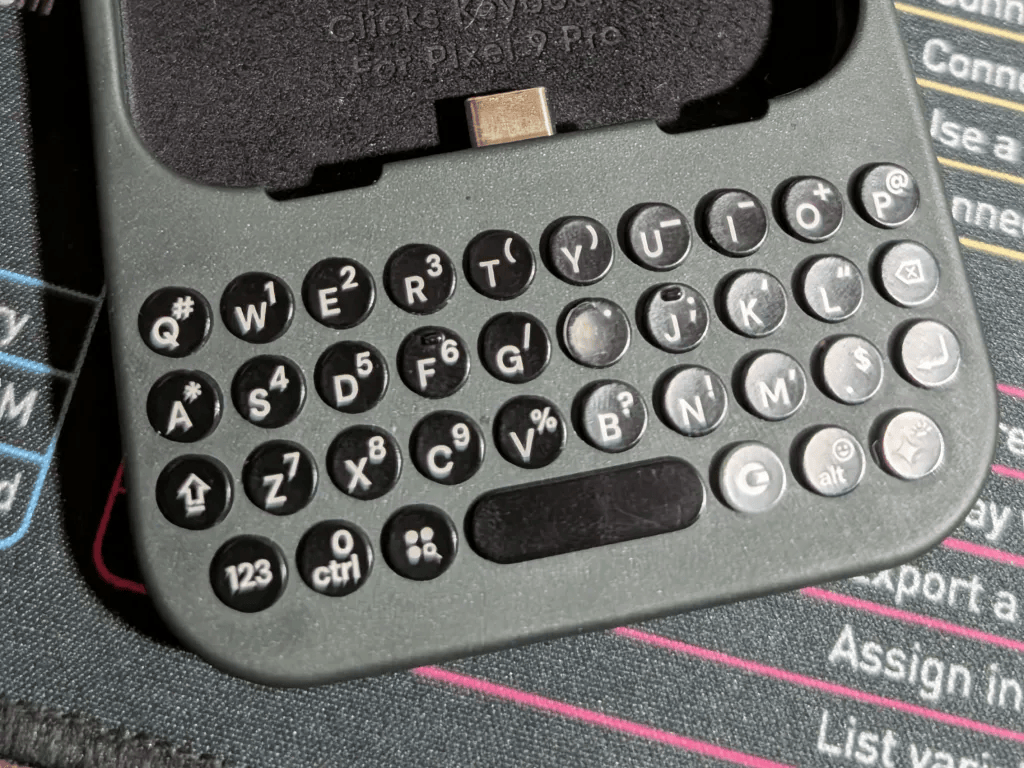
Furthermore, while my initial impressions told me that the keyboard could have been better, I still largely think this was a better keyboard than what I used on my Clicks for Pixel 9. Again, my experience with that Clicks product was why I thought the Communicator was worth passing up on.
But from there, I knew it would take a lot more than simply unboxing it to really have solid thoughts about it. I could have easily written first impressions and considered that a good enough analysis of the device and what it’s like in daily use, but of course, that’s not my style. I really like to spend a good amount of time getting use out of something before I decide how I feel about it. With that, I took a bit more time to let myself get a good idea what it was like to use the Titan 2 Elite as my daily driver.
The First Month: September
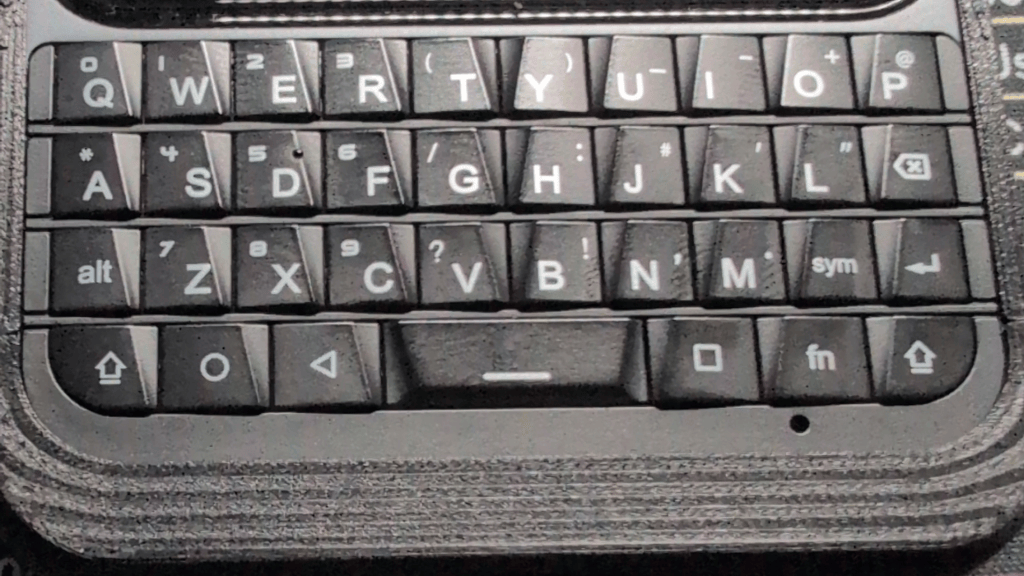
I was still initially disappointed with one major thing about the phone: the keyboard itself. Yeah, considering I bought this phone specifically for its keyboard, it was a letdown because it felt like so many keys would only register most of the time instead of the expected all of the time.
I’ve largely noticed it with keys such as R, T, and A. I thought it was just me at first, but after using the phone for a week or two, I noticed it was a pretty consistent issue unless I made sure I seriously registered a strong press on the key. Otherwise, the keys wouldn’t register, and I’d end up with typos like “egister,” “reained,” or “evded.” To make matters more annoying, I would sometimes hit the key so decisively that it registered twice.
This is also where I should mention that I saw a few vids beforehand on what to expect from the phone, sure, but none of them really prepared me for typos this bad from unregistered keys. In the meantime, I found myself wanting to switch from the default onboard keyboard, Kika, to something else. That was when I decided to try other keyboards, which is something I did do with the Clicks for Pixel 9.
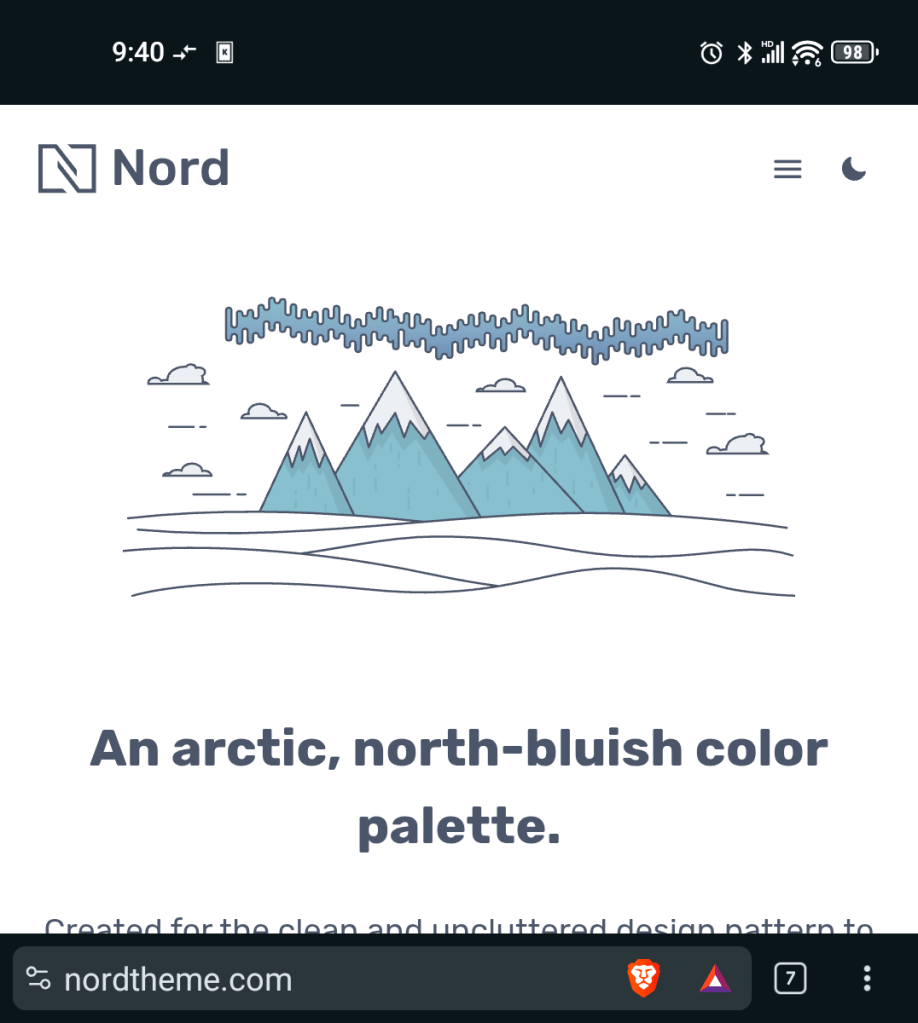
I decided to give Pastiera a try because it was the one everybody recommended in the YouTube videos. Plus, they had a Nord skin included out of the box to boot, so they had me right then and there.
Still, aside from input issues, I did notice that my call quality was not that great at times. On the very same day I received the phone, I had a bit of a situation where I was forced to call the police. Thankfully, I only had to call the non-emergency line directly to the local police station, which should say volumes considering I did not have to resort to calling 911, but despite that, I had a very hard time hearing the person who answered me and dispatched an officer to my location. That alone made me wonder if if maybe the call quality on the Titan 2 Elite was simply not as good. I initially thought this for a few weeks after that call, especially considering how important it was.
Furthermore, I started to realize the longer I used the phone that I really did not like the TPU case the phone came with. In fact, the longer I used it, the more I began to despise it. I looked online for cases, but of course, using a niche phone meant I had fewer options than anyone else. I’ve owned a lot of different phones over the years, including actual Windows Phones back in the early 2010s, but the selection for the Titan 2 Elite was nonexistent, even on the likes of Amazon’s third-party offerings.
But speaking of Amazon, I did find a MagSafe ring to attach to the TPU case. I gave it a shot and found it was compatible with both my magnetic Pop Socket and my phone mount in my car, which was a very welcome surprise. Still, the TPU case itself was awful for one fact: It easily felt oily and greasy the longer I used it, and I never had this oily feel when using the TPU case I bought for my Pixel 9 a few years ago. As a result, I found myself having to take the case off and clean it thoroughly with rubbing alcohol, glass cleaner, and a microfiber cloth depending on how bad it was in specific spots.
Aside from that, I started to notice that the camera was an obvious step down. To be fair, I think just about any camera is a step down from that of the Pixel 9. I was somewhat spoiled by how great that camera shot photos to the point where using the onboard Titan 2 Elite’s camera felt extremely noticeable, although I didn’t buy this phone for its camera.
Still, I think adding the cheap MagSafe ring I found for it was one of the smartest decisions for it, as mounting it in my car while using Google Maps or listening to music on my Jellyfin server was one of the biggest quality of life improvements I could have made to my experience using the Titan 2 Elite.
On a more positive note, I decided to start using Niagara Launcher as my default on the Titan 2 Elite considering it was already my default over on the Pixel 9. From there, I planned to see how things would change as I kept using it going from September to October.
The Second Month: October
Alright, the first thing I noticed as I came into the month was how sick I was getting of the TPU case. I started to go from disliking the case to outright abhorring it. It got greasy far too easily, which meant that any moment could result in me dropping it and risking serious damage to it. Considering that was the fate that befell my last OnePlus phone a few years ago, I started to seriously have a bone to pick with this particular TPU case.
Aside from that, I realized soon enough that Pastiera was not cutting it for me. I did briefly switch back to Kika, but its predictions were garbage, and no amount of being able to swipe up along the keyboard was going to cut it for me if every option to swipe up on was terrible.
There were a few too many features for me to handle in the Pastiera app’s settings, and it became too difficult to tell what I could toggle that wouldn’t interfere with something else. It was that thorough and complicated. It’s a shame because out of all the keyboards I had tried up to this point, it looked the best because it offered Nord as a color scheme. Same with Dracula and a few other color schemes I would normally see on the likes of a Linux system or somebody’s Nvim setup. Not that the themes alone would make the keyboard worth it, but more so that the developers intentionally gave the user a lot of control.
It did occur to me that I could just go back to using SwiftKey again for predictions on the things I was typing, and for a short while, that was a perfect solution! However, I soon ran into an issue: I couldn’t reach a lot of special keys, emojis, or other character in general so easily. Still, this was a general problem I had with the Clicks for Pixel 9 as well, and it took me a while to realize this well after the fact.
Switching to GBoard did let me reach a lot of those characters I otherwise would not have been able to reach with SwiftKey, but the predictions weren’t as good. Furthermore, it had the same annoying issue I really hated, where pressing Alt and hitting Backspace cleared everything. I can’t tell you how aggravating that is, to type so much of a message, realize I accidentally hit Alt instead of Shift, hitting Backspace once, and seeing the entire message disappear.
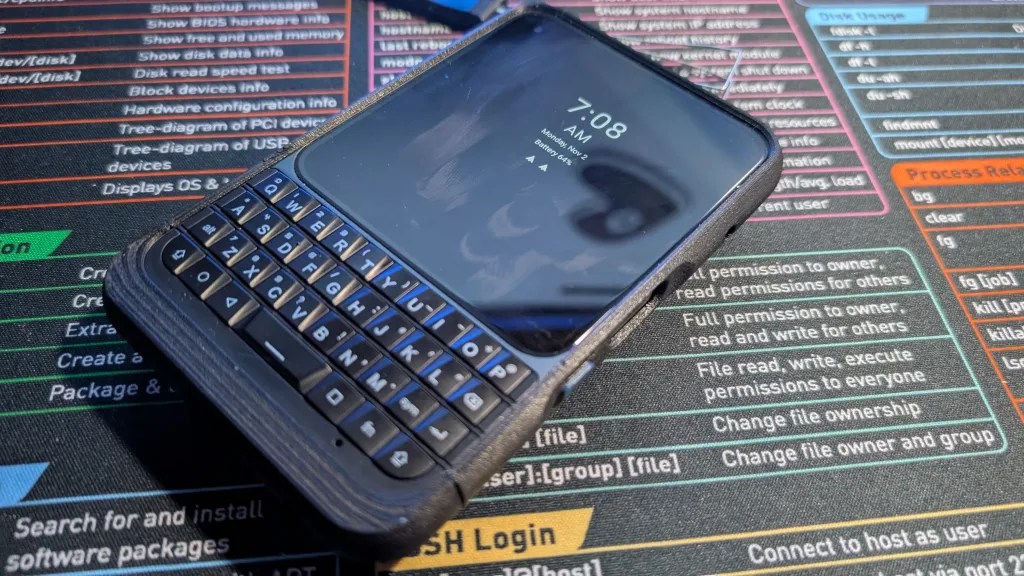
I wasn’t sure what else to go with, but in the end, I ultimately settled on Flux Keyboard, a fork of Pastiera that seemed to simplify and fix a few issues I had with Pastiera. It didn’t have a Nord theme built-in, so I consulted ChatGPT to help make one for me, and that has been largely working quite well for me since then.
Still, notice that the key word is “settled,” as in this is just a good enough option rather than the choice I’m happiest with. I largely haven’t found a software or prediction app that makes me 100% happy with the keyboard up to this point, and I have already used the phone longer than a month.
But aside from that, I was getting a little better at typing with the physical keyboard, especially upon trimming my thumbnails. Yes, that is something I did try doing when I was using the Clicks for Pixel 9 at a few points here and there. It especially made sense considering my first Clicks for Pixel 9 unit had chipped keys that made me wonder if perhaps my thumbnails were just too long sometimes.
Regardless, even though I’m getting better at typing on this keyboard, relying less on the software suggestions, I still get occasional typos here and there. Again, these are from how my key presses are not always registered 100%, so that does make it somewhat aggravating to say the least. It also led to me realizing that my Left Shift and Alt keys are occasionally unreliable as well, so that’s another thing I really don’t like about using the phone.
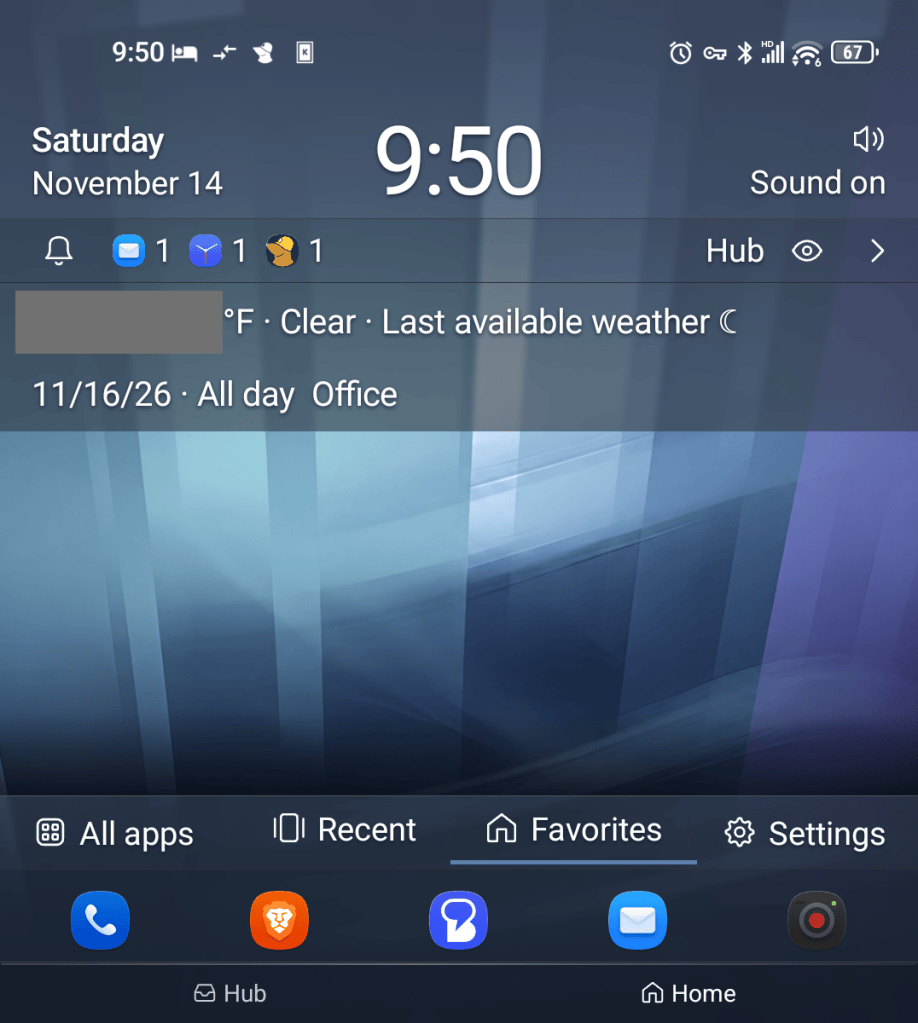
I later found a third-party camera app that takes better photos than the built-in camera app, and I have since set it up as a default camera. While it’s still not the best, it’s a better camera than the stock one on a software level at the very least. Furthermore, I found myself switching from Niagara Launcher to KwaakBerry, which seems like yet another BlackBerry wannabe launcher. However, I largely stuck with it because it takes full advantage of the keyboard on the home screen, allowing me to set shortcuts. As a result, I’ve set the following on my KwaakBerry launcher:
- Hold M to launch Symfonium, the music player.
- Hold W to launch Google Wallet.
- Hold O to open Obsidian.
- Hold C to open DigiCal, my calendar app.
I could use more of the keyboard, and there are even more features available within KwaakBerry, I am more than well aware of that. I have been thinking of a few ideas for additional shortcut keys, but this launcher makes a tremendous difference for me making the phone more useful, like a deliberate tool rather than something I simply pull out of my pocket the moment I become bored.
I suppose this could be a reason why others would want a phone like the Titan 2 Elite. Still, when it comes right down to it, this device is still running Android, and nothing really stops somebody from deciding to use it unproductively unless the user really finds the square aspect ratio particularly unrewarding. I wouldn’t know, as I don’t use social media. As a result, I’m still using KwaakBerry right now, as I haven’t really found anything that feels more appropriate for a device like this.
The Third Month: November
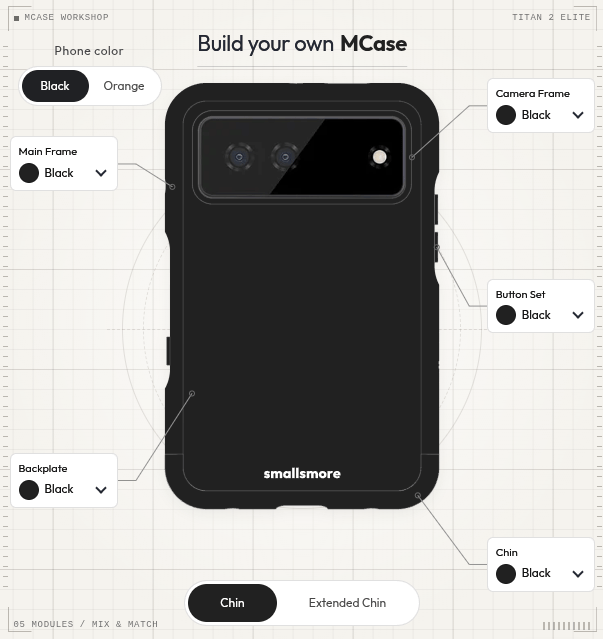
Aside from the keyboard front, the screen protector started to misbehave on occasion, only peeling up slightly on the corner before going back down at other times. I really didn’t want to mess with it, but by the time I finally received a new case from smallsmore, I noticed the screen protector was already seriously starting to peel on the top. I decided to get it over with and peel the whole thing off, throwing it away promptly.
While I really like this smallsmore case, the Mcase, there are only a few minor gripes I have with it:
- It requires a screwdriver to disassemble.
- The volume and action button keys are annoying to manage if you disassemble it. I got around this using two strips of tape to keep the buttons from falling out of the frame as I temporarily disassemble the case.
- These are very clearly 3D-printed parts, and it shows, although considering how solid it is compared to the TPU case, I’ll gladly take what I can get.
- Likely the biggest nothingburger for most people, but none of the selectable parts are available in yellow, my favorite color.
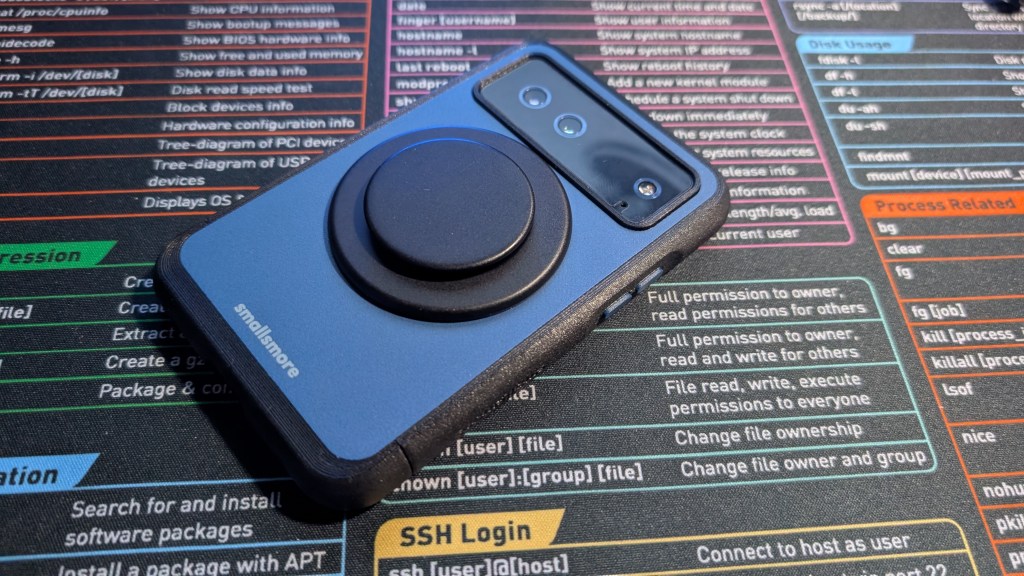
Still, this case is leaps and bounds better than the included TPU case, and I have zero plans to ever return to using that stock case ever again. Plus, unlike the TPU case, this one has built-in Magsafe with a little crevice inside the case that fits a magnetic ring. My Popsocket fits on it perfectly as well.
Of course, disassembling the case doesn’t seem like something anybody would do all that often, but I did recently bite the bullet on a tempered glass screen protector from Unihertz themselves. Upon receiving it in the mail after waiting about two weeks, I realized it was one of those easy-install kits you mount over the phone and pull the tab on. The case made it too fat to fit into this kit, so I had to remove it and hope that I didn’t lose the little buttons.
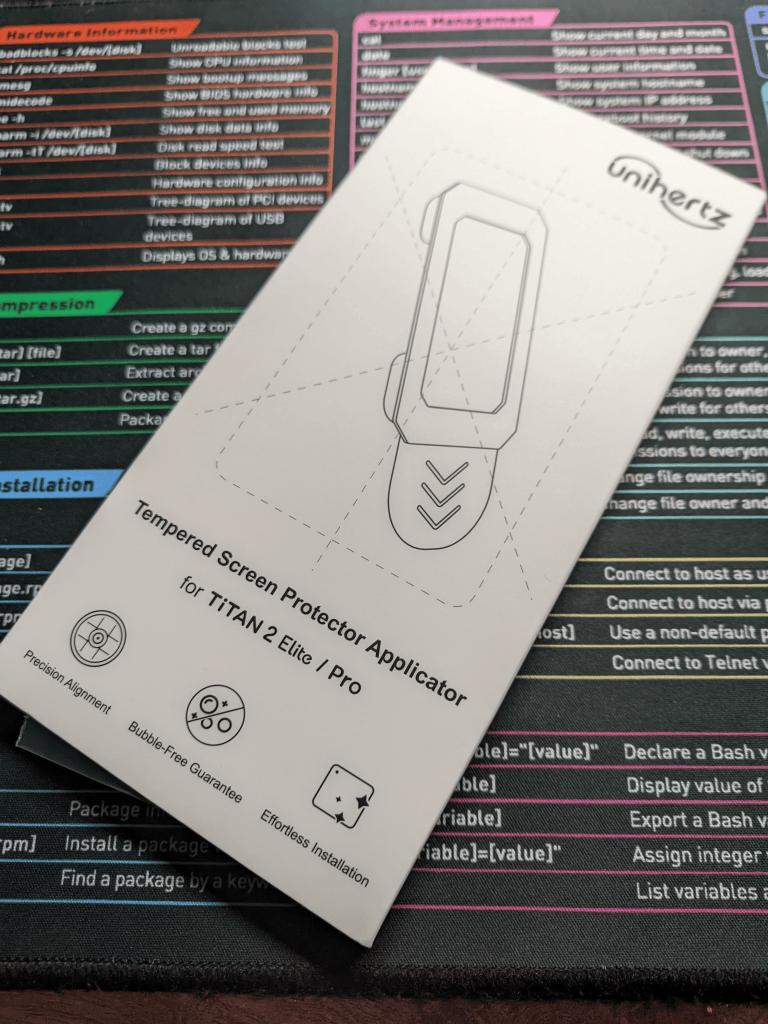
Despite that, the screen somehow didn’t align correctly on the first try, forcing me to peel it up and realign it with a tiny speck of dust in the top-right corner under the protector. I forget it’s there most days, although this would have definitely bothered me a lot more a few years ago.
Now with my tempered glass screen protector and this smallsmore case, I largely feel as if my investment is protected in case of a nasty, careless drop, much like the one that ended the life of my last OnePlus phone a few years ago.
But speaking of drops, it was one of the reasons I actually used my Popsocket, as it would give me a little extra grip to hold the phone. However, after using it for a while now, I’ve largely found myself unsatisfied using it on my Titan 2 Elite, and I have gone back to using the device without a Popsocket, which was just as simple as slipping it off the back of the phone.
My Conclusions
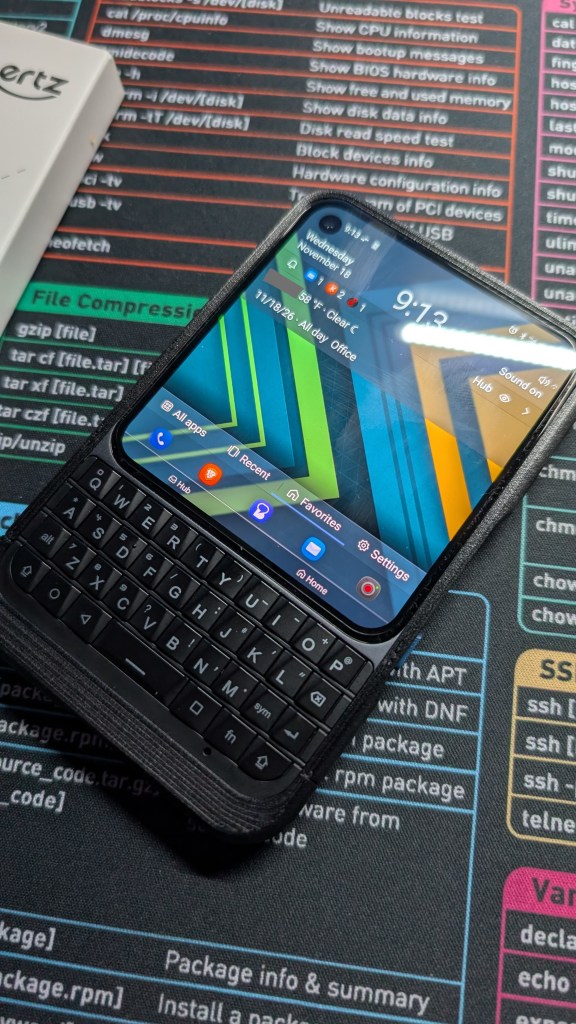
Yeah, after using the phone for a couple of months, I generally do like it. That’s also despite how I did initially have much higher expectations for it when I first ordered it as well. On top of that, it does a good job as a conversation starter. When I was at an airport, a woman working there approached me to ask if I was a citizen. Upon me answering, she saw my phone in my hand and was almost immediately sidetracked, asking if I was actually still using a BlackBerry. I had a short conversation with her on how it was a phone released by Unihertz, and then she seemed interested enough in going off to search for it on her own.
Aside from that, earlier this month, my music instructor noticed on my weekly lesson that my phone had physical keys on it. He stopped and asked me if I was actually using a BlackBerry, and I had to explain that it was from Unihertz, a company largely trying to replicate the feel of BlackBerry’s keyboard phones.
In other words, the phone is a great conversation-starter as a whole. But even if you get past that, it does have a few shortcomings overall. I didn’t mention this until now, but after using the phone for this long, I do find it has issues with the power button accidentally reading my fingerprint when I only meant to grab it from my pocket. Sometimes, at other points when I’m trying to call others or use it in general, it managed to think that I still had the phone in my pocket, asking me to remove my fingers from the volume buttons or whatever else. (The warning always came too quickly for me to adequately read, and it even still pops up when I’m doing small things with my phone here or there.)
But after using the device for a couple of months, I started to wonder if this was really the ideal PKB phone for me after all, especially since I started to see information about the Zinwa Q27. While I didn’t really have all that much interest in the Q25, the Q27 seems to fix a lot of issues I otherwise had with these BlackBerry-inspired phones, especially since it looks a lot more promising at the moment than the Titan 2 Elite does. Perhaps I didn’t wait long enough to upgrade? Perhaps the grass is always greener? But only time will tell, and I’ll wait for more detailed reviews of that device first.
On another interesting note, I booted up my Pixel 9 for the first time these past two months, as I kept it around in case anything happened to the Titan 2 Elite. Upon taking it out of the drawer and charging it, I was astonished at how large the device felt. Keep in mind that this is the regular, bog-standard version of the Pixel 9, not an XL or Pro or anything like that. It still astonished me that this device feels so big now, so unwieldy and massive, and how I ever used it for so long. I can’t help but wonder if using my Titan 2 Elite for this long has changed my perception over how big or small an otherwise standard smartphone feels.
Have you ever been interested in a PKB phone, or are you satisfied enough with a modern, glass slab smartphone? If you had to pick a PKB phone, which one interests you the most out of everything you’ve seen or read? Whatever you have to say about the subject, I wouldn’t mind if you shared your thoughts down below in the comments.

