
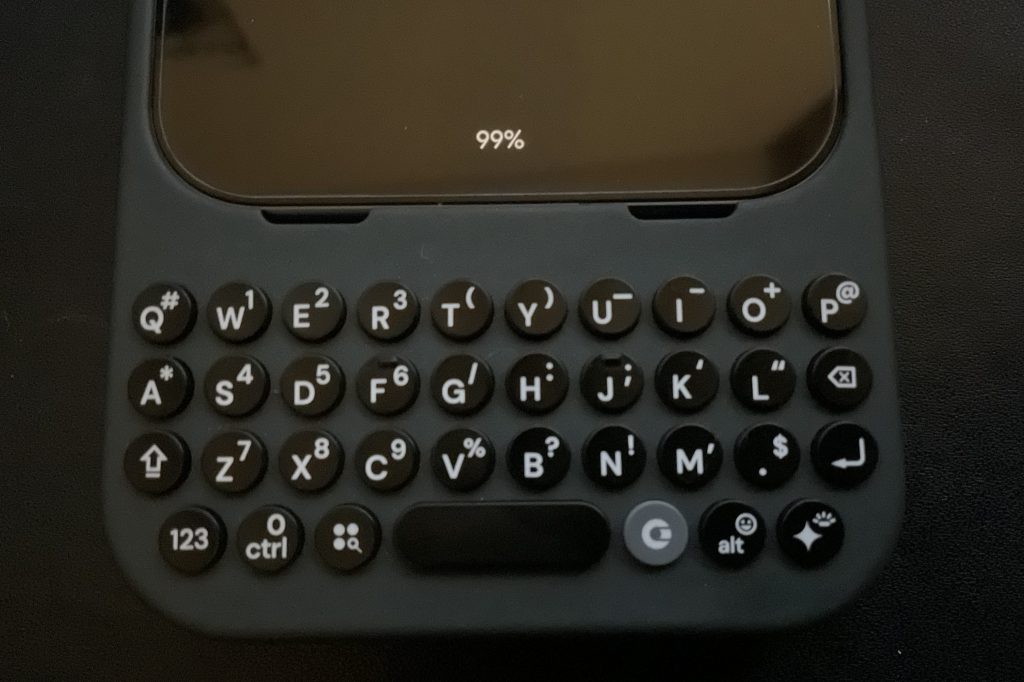
Disclaimer: This is not a paid promotion. I paid for the Clicks keyboard in this review out of my own pocket. Thus, I can be as critical and honest about the product as I like. I hope you enjoy.
I hinted at it way back when I first started writing about how I turned “The 12 Week Year” into a game, but it’s easy to forget since it has been a long time. In short, I mentioned setting up a temporary reward for myself if I reached level 50 in a specific amount of time. If I ran out of time, the reward would expire and I would just have to go without. With this, I found myself more motivated to level up until I successfully unlocked it.
Fast forward to the surprise arrival of my reward, the Clicks Keyboard for Pixel 9. I preordered it back in mid-March with the promised shipment date of “by April 30th.” Unfortunately, it actually arrived on May 22nd. I almost forgot I even ordered it because of the delays.
I get that delays can happen, sure; I understand that they can be unavoidable sometimes. What I didn’t like, however, was how each delay was only announced only after the promised deadline instead of beforehand. It’s good communication to keep customers who preordered your product in the loop before a delay. But instead, the Clicks team would wait for a deadline to pass before announcing a day or two later that they needed more time for one reason or another. They were even hit by tariffs, and they at least swallowed the cost in the end to ensure we wouldn’t have to pay any extra money to receive our preorders. That itself is cool, so good on the Clicks team for that. Still, I only wish they had communicated more openly before the fact. Sometimes, they only went radio silent until enough people complained, forcing me to search online for updates. I don’t know about you, but I am loathe to clicking Reddit links just to try and get to the bottom of news like this.
Wait, What Is the Clicks?
In short, there’s a YouTuber who goes by “MrMobile” on YouTube. He typically does videos on smartphones and other related gadgets, and I have been recommended some of his videos from time to time on my YouTube home page, most notably with my old workplace account, which has since been deactivated after I quit and was hired elsewhere.
I had almost forgotten about him until a few months back, but he was gaining fame for starting “Clicks,” a physical keyboard for the iPhone to help users relive their BlackBerry glory days of typing on a hardware keyboard. It appealed to me, sure, but I had already moved on from my brief stint as an iPhone user by the time he announced this product, so I just shrugged it off and moved along with my life.
Then a considerable amount of time passed. I learned that Clicks was finally coming to Android, specifically for the Pixel 9, the latest Razr, and the Samsung S25. By sheer serendipity, I actually own a Pixel 9! Now I was interested. I already mentioned it above, but I made it a temporary goal for myself to work as hard as I could to help myself feel like I earned this product fair and square, and that goal came to pass.
How Was The Clicks After All?
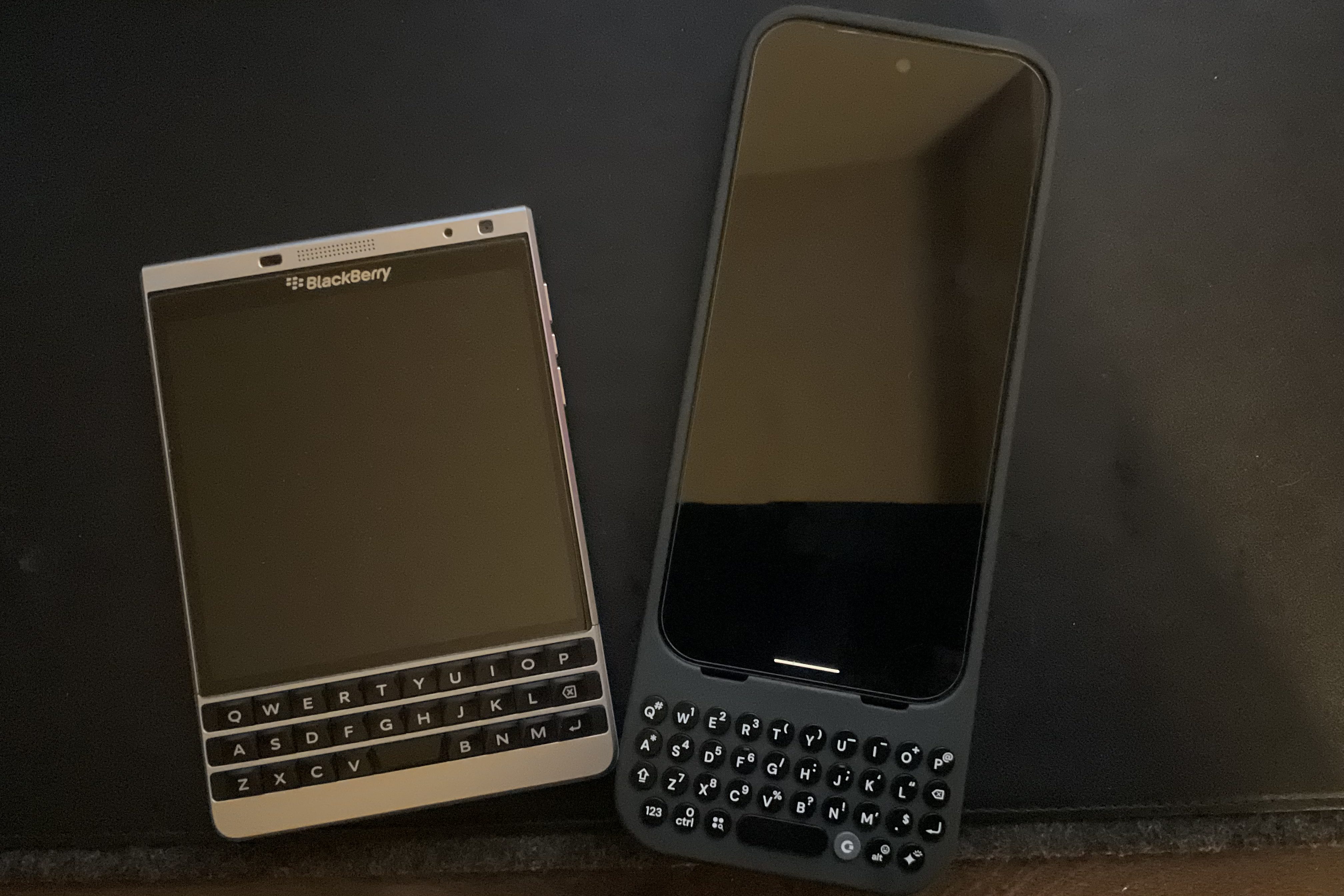
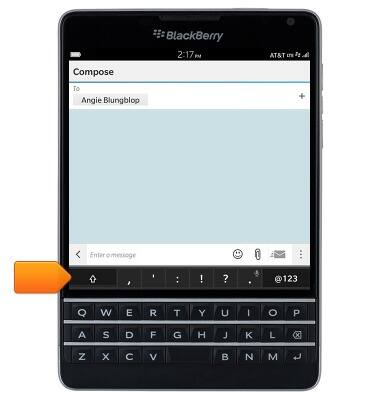
I’ve written about how I used the BlackBerry Passport with its own physical keyboard a good while back, so how would this kind of keyboard compare on an Android device? I was so ready to write about it almost immediately upon receiving it, shortly after opening the box. I started taking extensive notes about things I noticed here and there with initial impressions and observations.
But as I started to type on it for the first time, I understood there would be a learning curve. I found my beloved BlackBerry Passport awkward to type on at first, and many others echoed the same sentiment when the device was new. However, once I really used the device for a few days, I was smitten with the typing experience and couldn’t go without. Thus, I would need to get used to typing on this keyboard if I wanted to be as objective as possible.
As a result, I’ve started to carry around the Clicks case on my phone to see if it really does live up to the hype, to see how it performs in my daily life. Now, here I am, three weeks later, after the novelty has worn off and I’ve been able to see the device more objectively. These are my honest impressions of the device.
Right After Unboxing
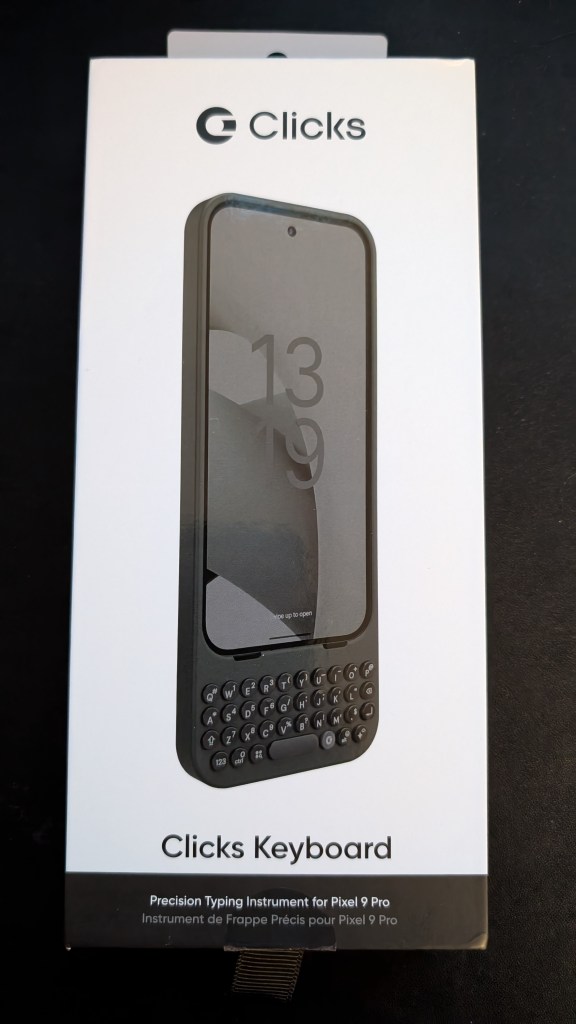
I recall opening the box after a day at work and being excited to get a closer look at the device. While I was annoyed by the delays, maybe all would be forgiven when it was finally in my hands.
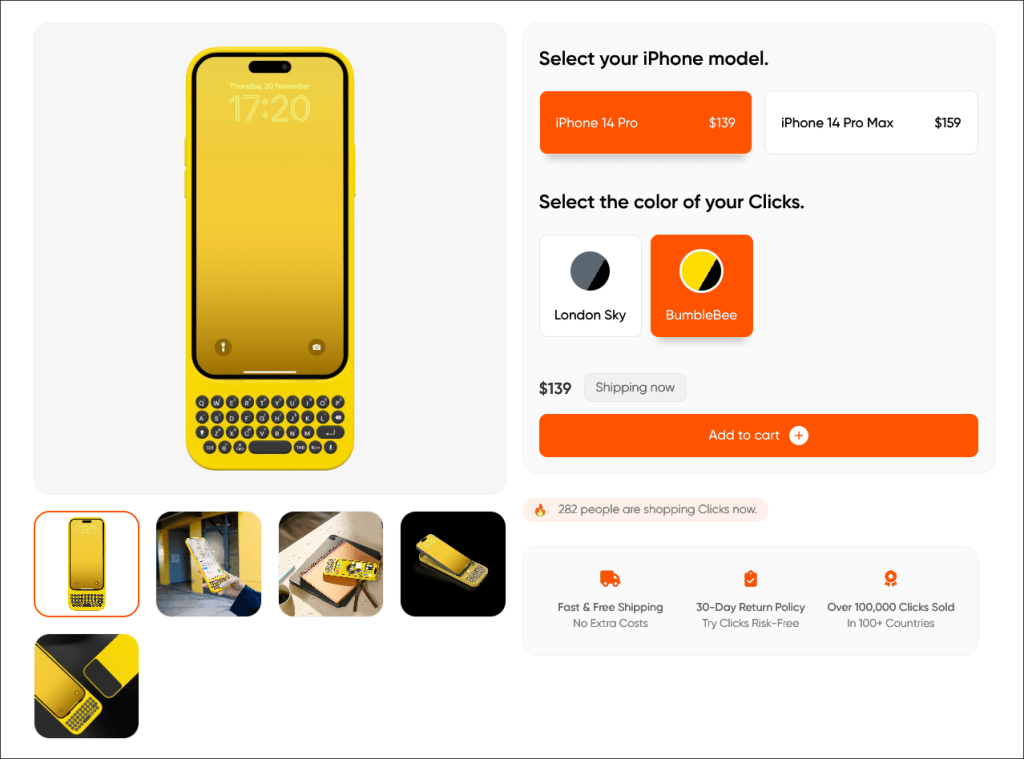
I ordered the “Onyx” color (read: a plain, simple black finish) because I was too late to get the “Surge” color before it sold out. However, I wasn’t even crazy about Surge either. If anything, I still envy that iPhone users get to choose a lovely “Bumblebee” yellow case (yellow is my favorite color) while I got stuck with the sleek but rather utilitarian Onyx, which I have to be more in the mood for if I want it to match my EDC.
Color aside, that’s when I hit my first challenge: How was I going to get my phone into this thing? It seemed simple at first, but getting it on just right was rough. The rubberized parts of the case were quite hard to bend, making it difficult to line up the USB port without bending the connector itself.
I exercised caution over the possibility I’d ruin the device by installing it incorrectly, rendering all of that waiting for nothing. Somehow, and I’m not sure just how, I managed to snap it on just fine, and now I fear the possibility that I need to remove it at a later point, risking damage to the USB-C connector if I’m not careful. After popping the case on, however, something else occurred to me:
This thing makes the phone long.
Right away, I did think it was a good call to make it a case and an accessory combined together to help provide much-needed protection for the Pixel 9. After all, I don’t want a repeat of what happened to my OnePlus 10 Pro last summer, when I dropped it down a flight of apartment stairs shortly after moving to my new place.
Now that I had the case on, all I needed to do was handle the software side of things. I downloaded the Clicks companion app from Google Play to configure and change a few settings for the keyboard itself. All I would have to do from this point is try using the keyboard and see how things turn out.
How did it fare after 3 weeks of use?
What Clicked with Clicks: The Good

I’ll start with the obvious. I love reclaiming all of this additional space on my screen when it would otherwise be taken up by my on-screen software keyboard.
Regaining tactile keys on my phone is a delight. There was a learning curve, sure, but it was worth overcoming it. On top of that, I adore how much more usable Obsidian is on Android with this keyboard. I can type quick notes more efficiently with it on the fly (for the most part, at least). Having physical keys also makes it much more of a joy to type on the phone in general, whether it’s a quick search, a query on ChatGPT, a message on Signal, an occasional post on an IRC channel (they still exist), or a seriously fleeting thought on BlackBerry Notes if my pocket notebook and pen aren’t within immediate reach.
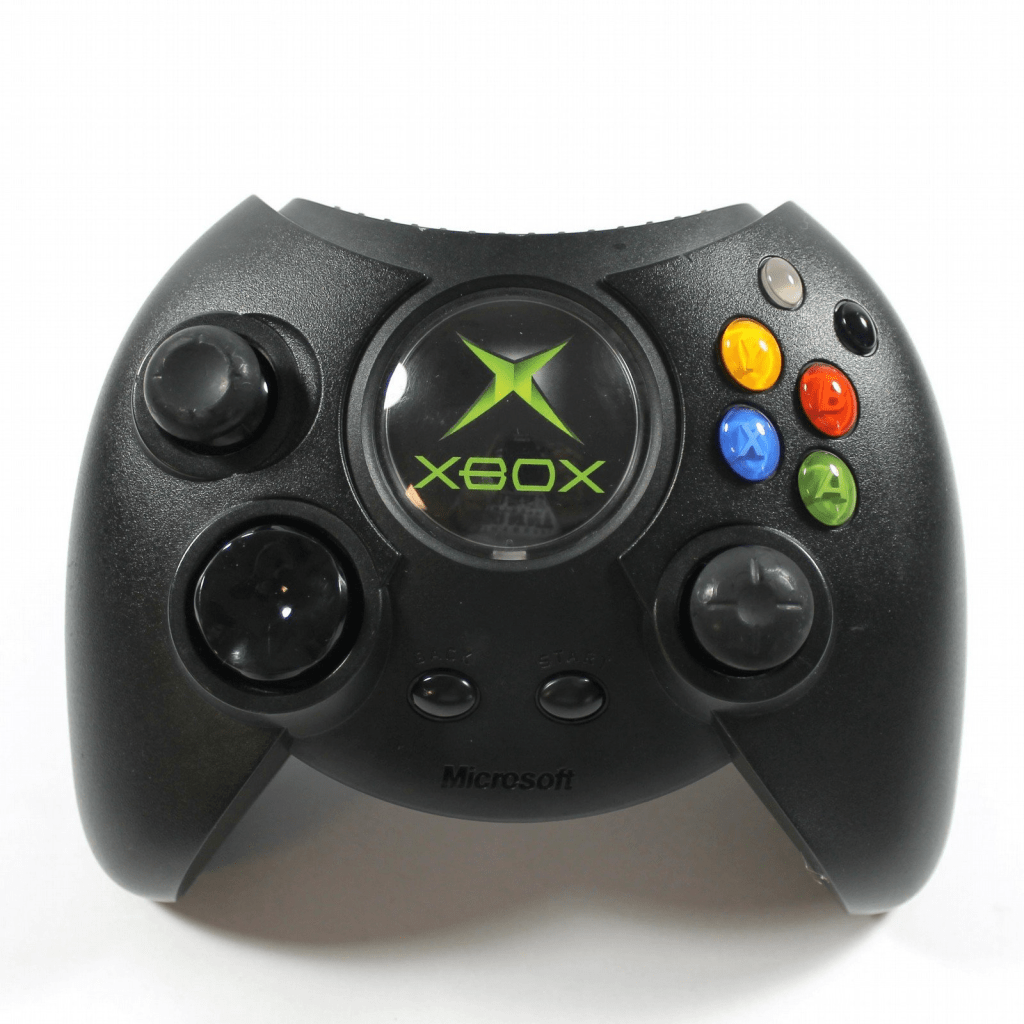
I already mentioned there was a bit of a learning curve, sure, but it was taking me a tad longer to get used to the keyboard than I liked. However, I identified that the issue was in my thumbnails being a little long. As a guitarist, I like at least my right thumbnail to be longer for helping me strum, especially when I don’t have a pick on hand. Additionally, I do have somewhat larger hands than average, although they’re not Shaq-sized. If anybody remembers the “Duke” Xbox controller, I had no issues using it back when I was a 12-year old Mr. Hyde. Regardless, now that I’ve trimmed both of my thumbnails, typing has become far easier and much smoother with the Clicks.
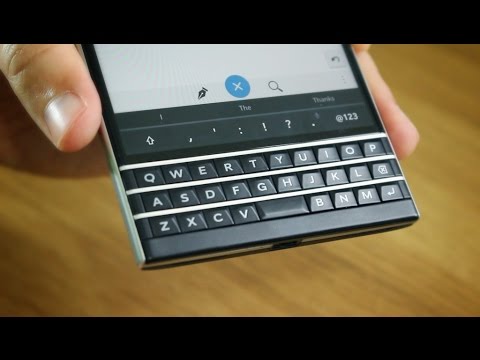
Upon launching and setting up the Clicks app, I expected to have to delete the SwiftKey app entirely. That’s when I realized, by default, it will rely on GBoard (the default software keyboard from Google) to provide predictions just above the keyboard. It reminds me of what it was like when I used the BlackBerry Passport, where I could type words with the physical keys, but I’d see three predictions at the very bottom of the screen every so often. To autocomplete with the suggestions, all I would have to do is tap a prediction.
While GBoard is seen as the default selection for the Clicks, SwiftKey is compatible! I was able to keep using SwiftKey for even better predictions than I would get from GBoard. Honestly, the incredible predictions from SwiftKey are the only reason I tolerated using it despite Microsoft buying it years ago. That, and its keyboard themes are some of the least worst I’ve seen between both the itself and GBoard (I’ll change my opinion when they add some more skeuomorphic themes other than the few OG themes from when SwiftKey was new). When I select a theme in SwiftKey, I can still see it affect the prediction bar when I use it in tandem , so I can at least add a slight amount of flair to my typing. Overall, I would say that SwiftKey works quite well with predictions and functionality overall, but GBoard seems slightly better when it comes to usability, especially if you want to reach for emojis easily with the Clicks.
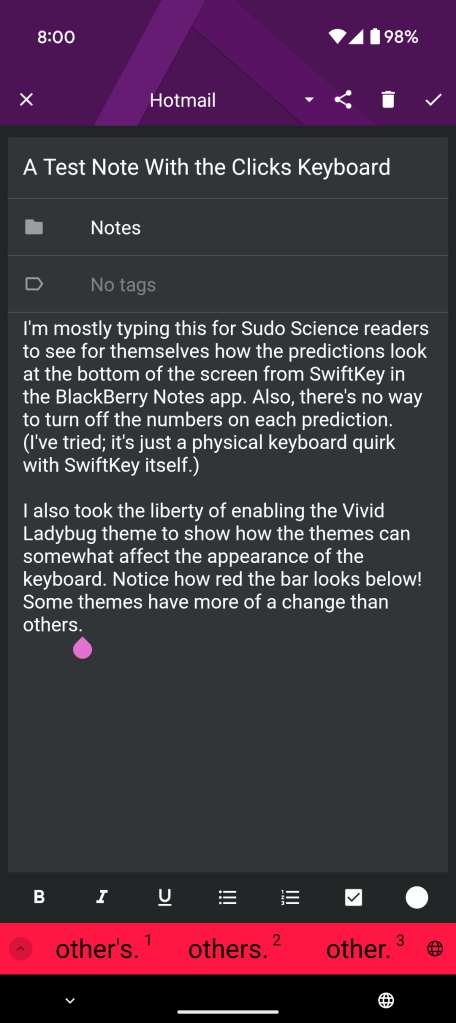
Something else I enjoy is cursor mode. Upon activating the correct shortcut, you can use the WASD or IJKL keys as a makeshift arrow key pad to move a cursor around. This is a godsend for the likes of Obsidian as well, but it can still be used outside of that app to move the selection. Think of it as cycling through clickable objects on a web page using the Tab key with a full-sized keyboard. It’s an immensely useful feature.
Speaking of immensely useful, there’s also the number pad feature built into the Clicks. Along the left side of the keyboard is a setup of numerical keys that can be accessed by pressing the “123” shortcut key on the bottom-right corner.
Additionally, multilingual readers may be wondering how well Clicks works with multiple languages installed. I’m studying both Mandarin and Japanese. Since I have both languages added and enabled on all of my computers and devices as selectable languages alongside English, how would Clicks hold up? Would switching back and forth be easy for quick searches, practice, or messages?
To tell the truth, I had an issue with this only at first. I set up Japanese to convert from Romaji, which is almost a bit lame because I kind of like the dial-pad setup that SwiftKey automatically sets up when you switch to Japanese by default. Everything worked fine with converting my Roman alphabet letters into cohesive Kana. As for Chinese, I set up PRC and enabled Pinyin typing to convert my Clicks keystrokes in a similar way. Everything worked seamlessly for the most part.
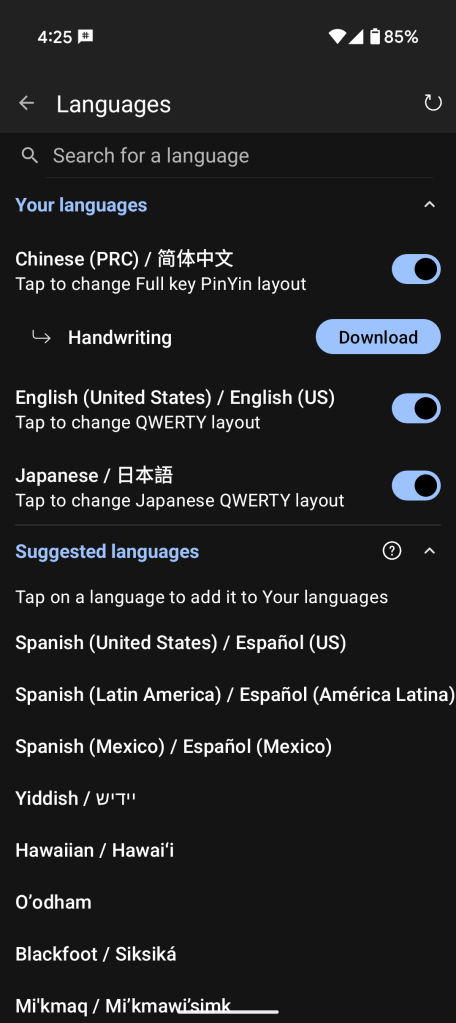
At least that’s how it seemed at first. I kept running into a bug that would cause Clicks to switch from English to Mandarin when I hit the “Shift” key on the board. That’s when SwiftKey would start recommending some Mandarin phrases, causing me to tap “Backspace” and switch back to English. I initially thought this was some sort of software bug.
Thankfully, I discovered the fix. As it turns out, there was an option under the Chinese language settings to switch the language to Mandarin automatically when the “Shift” key was pressed on a physical keyboard. Upon installing the Chinese language, it took the liberty of enabling itself. Toggling this off fixed everything, and it’s been smooth sailing since. After solving this issue, I’ve largely had no issues at all with language switching using the Clicks.
What Didn’t Click: The Bad
I already mentioned it, but the phone is much longer now. It’s ironic for myself that when I trashed my OnePlus 10 Pro by accident, I struggled to pick between the Pixel 9 or the new Razr, both Android devices that would go on to have the Clicks designed and sold for their models.
I ended up picking the Pixel in the end because I thought it would be easier to protect it from severe damage in the chance I dropped it again. That, and my Razr from 2021 had so many issues since its screen became damaged (from a few drops) and eventually started peeling. I went through the trouble of replacing the screen, but that was only an expensive bandage that let me use the phone for a few months longer. Feeling burned with my last foldable phone, I wanted to play it safe with the Pixel 9.
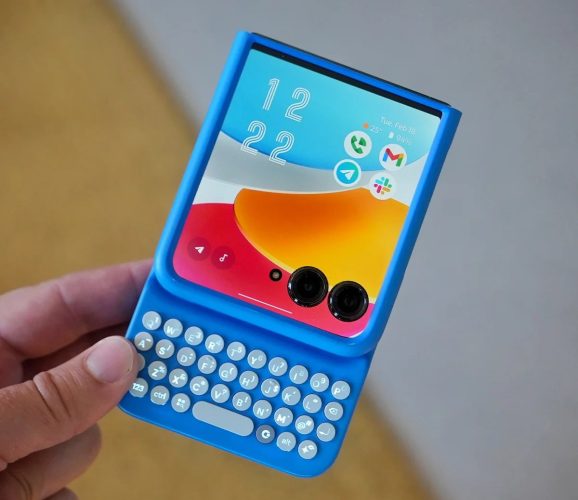
Why do I mention this? Because the Razr Clicks looks so much better with the phone shut. It looks as close to a BlackBerry as a modern phone gets right now aside from maybe a Unihertz phone. Still, knowing me, I’d be unsatisfied with the camera lenses being visible at all times on it, but at least the option is there, and at least this would fit into the pocket far more easily. Had I known the Clicks was going to come to the Razr back in August, who’s to say I wouldn’t have picked up that phone instead of the Pixel 9 in the end?
That said, the Clicks for the Pixel 9 is still very usable, but at times, I do tend to notice how long it is. I took it in the pocket of my trousers a few times just fine, but I occasionally notice it when I’m seated. Every so often, it would either jab into my thigh or it would jut out into visibility, threatening to slide from my pocket and fall. I’ve since made it more of a habit to have my phone on a table or desk if I’m seated somewhere, like at my office desk or at a sit-in restaurant with my girlfriend.
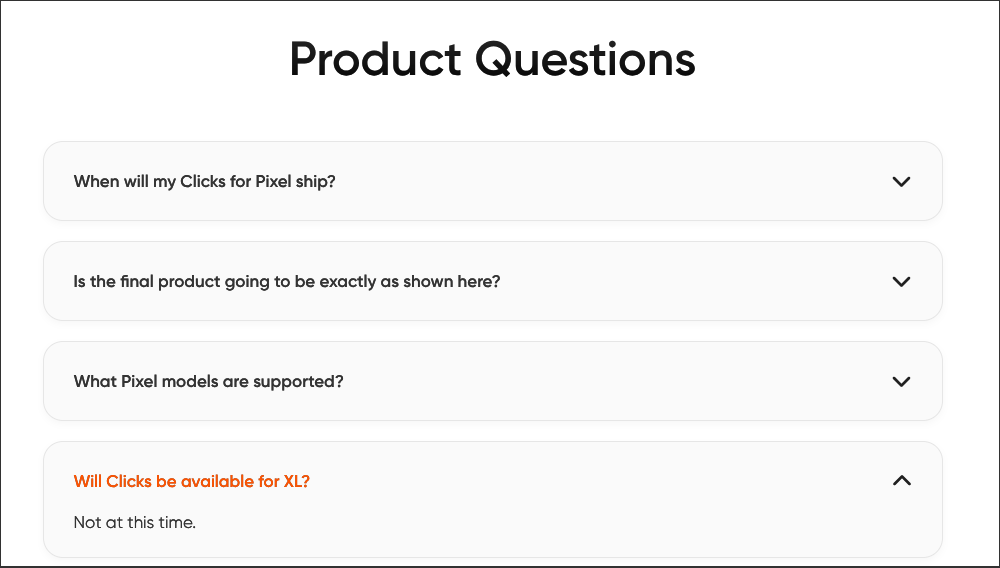
Still, considering that the Pixel 9 is a tad smaller than the average phone out right now, I would say this is just something unavoidable. In my time using the device, I also noticed people lamenting here and there over why a model was never made for the Pixel 9 Pro XL. The Clicks site even specifies in its FAQ for the Clicks for Pixel 9 that they had no plans to make one for the larger XL variant. Considering I have a harder time fitting the smaller one into my pocket, I can imagine the XL making the phone downright unwieldy, so, sadly, maybe it’s for the best that it wasn’t released.
A small gripe I’ve noticed is how the keyboard falls asleep, but I know this is more of a limitation. You can at least adjust it, but there is a timeout for the keyboard to turn off when it’s not used. It’s tempting to just max it out or always have it on, sure, but the drawback is that it consumes more battery life when it’s on. It’s a tradeoff instead of something that can be realistically “fixed.” I only ever notice it when I reach to type something for the first time in a while, but the on-screen SwiftKey keyboard appears, reminding me that I have to make the Clicks keyboard turn on by pressing at least one of the keys. Only then does it retract the full keyboard from the screen and give back my screen real estate.

Additionally, if you depend on fast charging or playing music through the USB port with an adapter, you may not like the Clicks. My old OnePlus 10 Pro cable, a fast charge brick, will not rapid charge anymore as long as the Clicks is attached to my Pixel 9. It was definitely faster before, and I suppose it’s a hardware limitation. Something I find a tad less forgivable is how music cannot play through the USB port at the bottom of the Clicks, at all. There’s simply no way to make it work through the port, even with a separate DAC adapter like I was hoping it still would. My only real option to listen to my TIDAL music library while driving now would be to shill out for an expensive stereo system upgrade, likely one with a touch screen, that supports connecting and playing music from my Pixel via bluetooth.
I guess I could take the case off each time, but imagining how cumbersome it would be to take the case off each time I drive somewhere just to listen to music during my drive is massively unappealing, and that’s even if the case were simple to remove and reattach. It’s part of why I’ve been listening to more music on local radio stations; it’s so much easier, even if the music on stations is usually less appealing or more stale overall.
Another huge drawback deals with the limited keyboard remapping options. There are several nice shortcuts enabled by default when you first set up the Clicks. However, it didn’t take me long to explore the Clicks app and realize that they aren’t remappable. There is a separate app that can be used to set up more shortcuts, but setting it up was such an unintuitive pain that I gave up on it shortly afterward. Maybe I’ll try again at some other point. It’s a bit of a letdown because default shortcuts include launching apps like Gmail instantly, but I don’t use the Gmail app at all, so it’s largely a waste for me, especially since I can’t easily remap the shortcut to launch BlackBerry Hub, Spark, Thunderbird for Android, or any other email client of my desire.

But speaking of the keys, I despise how there is a dedicated Gemini key. I had a few annoying instances where I’m talking to my girlfriend with the phone in my pocket only to hear Google Gemini interject and add something nobody asked for because the button was pressed while in my pocket. It would be one thing if it only happened once, but after the third or fourth time, I started looking for ways to disable this. Whether it was a conversation about patio furniture or what to do on Memorial Day weekend, Google Gemini was there to interlope, whether I liked it or not, like an unwanted third person butting into the discussion.
Sadly, there’s no real way to remap this key to something useful. If I could map it to open Obsidian or anything else, I would adore it. Sadly, it’s almost as useless as having CAPS LOCK on home row on the standard full-sized keyboard, or some Samsung phones having a dedicated Bixby button. My current workaround is to disable Gemini in settings and supplant it with Google Assistant, but this will only work for so long, as Assistant is going to be discontinued sooner or later to make room for Gemini. If it didn’t control the keyboard brightness as a secondary function, I would seriously consider prying and popping this individual key out.
Would I Recommend This?
In short, I would only recommend the Clicks for Pixel 9 if:
- You yearn for a time when smartphones had physical keyboards, but you don’t want to sacrifice usability or features in today’s age just to have one again.
- You love the idea of freeing up screen space while typing in any of your preferred apps.
- You know that you won’t be getting rid of your software keyboard, but rather using its predictions to improve your Clicks experience.
- You don’t mind your Pixel 9 becoming physically longer and less pocketable.
- You expect a reasonable learning curve to type on the Clicks keyboard when it arrives.
- You don’t mind losing fast charging or the ability to play music through an adapter through the USB port.
- You adore the idea of always being able to summon Google Gemini on a moment’s notice with a dedicated key.
- You understand that you’ll have to put a little more effort into remapping the keys in any significant way.
I recalled being much more excited for the Clicks before receiving it. While I don’t see myself as a “hater” or anything, I do see it on a more realistic, practical level instead of as a sensational device that would change how I used my smartphone forever. Despite how I don’t care for some of the drawbacks, I will continue to use the Clicks for the foreseeable future with my Pixel 9.
Now that I’ve used the Clicks for three weeks, I can still contend that the BlackBerry Passport has the best smartphone keyboard I’ve ever typed on in my entire life. I like the Clicks and all enough, but I don’t think it can really compare to what BlackBerry had given us with the Passport. Don’t know what you’ve got until it’s gone.
Do you also miss having a physical keyboard on your smartphone? Would you purchase an accessory that brings this functionality back? What about a phone that has it built-in? With everything said and done, would you still buy this device? What about the Razr or Samsung equivalents that also came out this year? Feel free to leave a comment below to share your thoughts. I’d love to know what you think.
Further Reading
I Used a Physical Keyboard on my Pixel 9 for 7 Months: A Long-Term Clicks Review
 Sudo Science
3 responses to “I Used a Physical Keyboard on my Pixel 9 for 3 Weeks: A Clicks Review”
[…] of my house or office than ever, but the biggest deal-breaker is currently my Clicks for Pixel 9. Despite the peripheral’s drawbacks, I have grown used to the keyboard and continue to use it months after I got […]
LikeLike
[…] on the subject of my Pixel 9, there’s also the fact that I still carry mine around using the Clicks for Pixel 9 keyboard. Despite how I wasn’t over the moon or outrageously impressed with it, I was still willing to […]
LikeLike
[…] of what I said in my previous overall review and first impressions of the Clicks for Pixel 9 still stands, but now that I’ve been without the case for a good amount of time, I […]
LikeLike