

I know when I’ve fallen down a rabbit hole.
I’m primarily a Linux user first and foremost; I have a desktop running Arch, a secondary workstation running openSUSE, and a server running Ubuntu. Despite that, and despite the fact that I’ve been using macOS on an M1 at work (because it’s either that or being stuck with Windows), I do have a somewhat soft spot for Apple.
More specifically, it gets softer the further back into the 2000s I go (with one exception I can think of, which I will elaborate on). The computers made by Apple in the mid to early-2000s tend to be more of a power user’s dream in terms of expandability and repairs. Conversely, good luck opening up a modern MacBook Air and trying to do much of anything. But going back to even the early Intel Apple machines, plenty can still be opened up and accessed just fine. Even going back into the 90s, some of the laptops (PowerBook G3 systems come to mind) even had upgradable processors, something almost unheard of in today’s mobile computing market.
While I was still largely a Windows faithful back in the 2000s, it was largely for good reason. After all, Windows XP was still supported, and I have already gone at length about how much Windows XP is and will always be my favorite Windows release of all time. As a result, I usually would turn up my nose at the time at the idea of getting an Apple device. They usually seemed too expensive compared to their Windows counterparts, the OS seemed different enough that I found it easy to act condescending about its UI, and I also recalled not liking how much Apple was best-known for the iPod at the time.
Considering what I just said, no, I did not contradict myself. Rather, Apple decided to release a version of the Core 2 Duo MacBook that I seriously wanted at the time: the black MacBook.
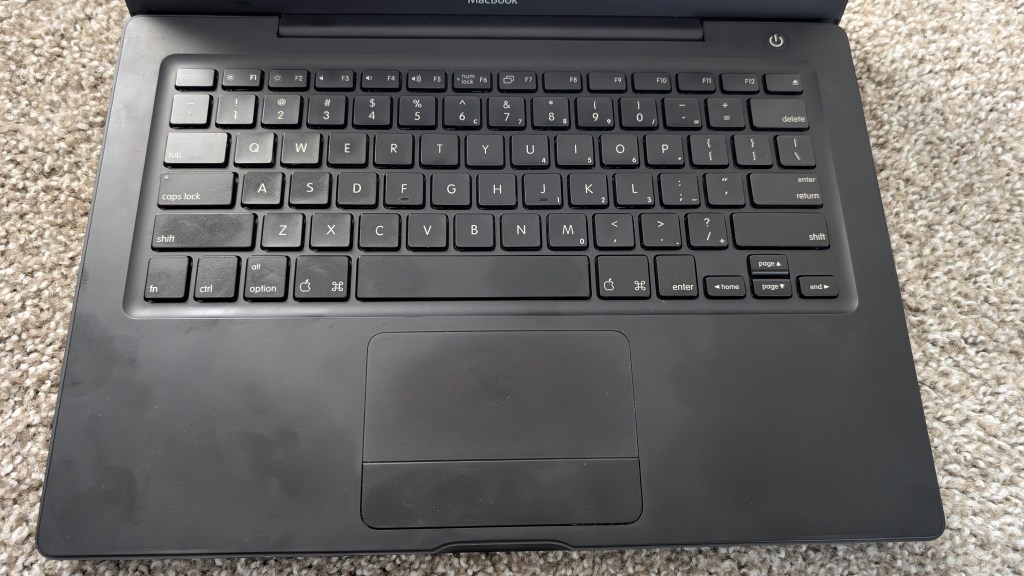
The black MacBook2,1 (which I will refer to from this point on as the BlackBook) was the one Apple computer that caught my attention, that made me reconsider everything I thought at the time about only using Windows. It looked so sleek, so powerful, so cool.
Still, a younger Mr. Hyde didn’t have a job until a year or two after it released, and he wouldn’t have dared ask his parents to buy him such an expensive computer at the time. Even if I would have been able to run Windows XP from a dual boot setup on a BlackBook, I settled with an entry-level Toshiba laptop that came with Vista, although I guess it’s a blessing in disguise, as Vista being so terrible was how I discovered Linux for the first time through Ubuntu.
As a result, I never got a BlackBook of my own… until around 4 years ago when I stumbled across one at a good price with a new battery. It was a mid-2007 model (pictured above), and it came with OS X Lion, the maximum that it officially supports.
But after using it a short while a few years ago, I started to wonder just how useful it could possibly be. Despite how much I originally wanted it, I started to find it a little on the useless side. Thus, I shelved the laptop until a few weeks ago, when I stumbled across some videos on YouTube by The Original Collector.
Some of his content started to take off a few weeks ago when he started digging up and reacting to engagement-baiting videos about “Using 2000s tech for X DAYS!!!” videos, some of the videos in question being worse or more poorly-thought out than others. They typically suffer from several issues he points out, such as:
- The devices in question are not always so focused to a specific enough timeframe in the 2000s. The difference between, say, using a phone from 2008 versus using a phone from 2002 is immense.
- Speaking of phones, trying to use an older one full-time usually doesn’t work anyway, at least here in the US where 3G and 2G towers have been shuttered. This is usually bad news for YouTubers who announce how they are going back to the first iPhone or a RAZR V3 only to discover they can’t actually make calls anymore.
- The uploaders usually do little or no research, simply getting one device or another with the 2000s aesthetic in hopes that it’s going to work on par with a device made after 2020. Then we see them react negatively to finding out that, shocker, a 2008 iPhone 3G somehow doesn’t connect to TikTok and Instagram?
- In the events these YouTubers get computers or devices from the era, they usually pick something up cheap now that used to cost far more when the product was new. It’s on par with somebody picking up a Power Mac G5 for daily computing after picking it up for only a few hundred dollars when, in reality, they started at $1,799 US when they were new back in the early 2000s. The point is that the uploaders tend to pick premium, high-end devices for the time period that were otherwise out of reach for most average buyers in those days.
There was even one with the archetypal Instagram influencer girl (that’s not an exaggeration) who really did zero research. In short, she fumbled through the challenge of using old tech for only ONE DAY while, rather childishly, admitting that she had a “doomscrolling” addiction multiple times.
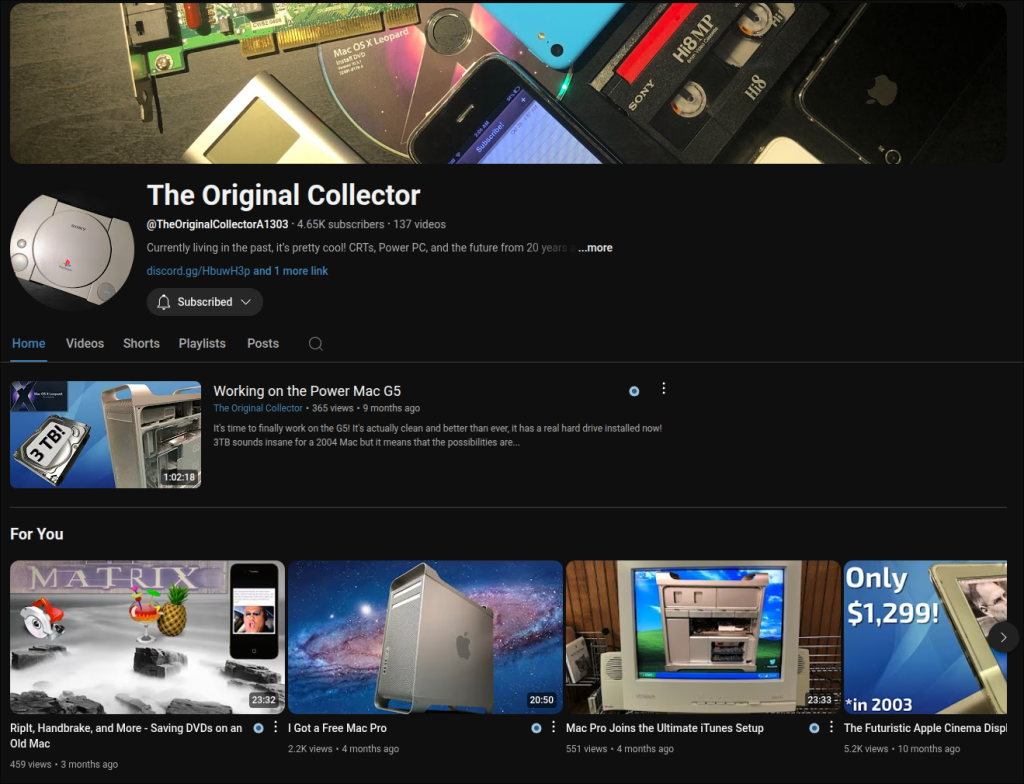
Aside from that, The Original Collector’s other videos really shine, showcasing how he manages to find perfectly sound use in devices that are approaching 20 years old now.
That was when I was reminded that my BlackBook was collecting dust. If The Original Collector could get a lot of use from an old Mac Pro and some Power Mac G5 systems, then what would stop me from going back to really make serious use of this Core 2 Duo BlackBook?
That’s when I spent a good three to four days trying to install programs, tinker around, and even upgrade from Lion. How exactly did it go? I’d go as far as saying that a Core 2 Duo BlackBook is perfectly usable today if you know what to expect from it.
Why Not Install Linux On It?

Considering I’m a Linux user, it’s a fair question to ask why I seemingly never ran Linux on the BlackBook. It runs a 64-bit Intel processor, so it gets the “good” packages and “good” repositories. Nearly any modern distro should work just fine on it, right?
There’s just one unusual problem I had with that years ago. Each time I tried to install Linux on a spare SSD in the BlackBook, it would install just fine. After the install finished, however, I’d get prompted to reboot, and it would fail to boot every. Single. Time. What was going on? I was installing a 64-bit Linux, and it was capable of running on the processor, so what gives?
From what I was able to gather, the only bootloaders that the BlackBook supports are 32-bit EFIs, prompting whatever distro I tried to install to not notice and default to 64-bit GRUB. As a result, I’d have a perfectly-functional Linux install with no way to get inside on reboot.
Fortunately, I had a workaround at the time, which was not practical, but still got the job done somehow. All I had to do was put my desired SSD into an old ThinkPad, install a Linux flavor of my choice on it, take the SSD out of the ThinkPad, swap it into the BlackBook, and it would boot just fine. Why this worked, I’m still not sure.
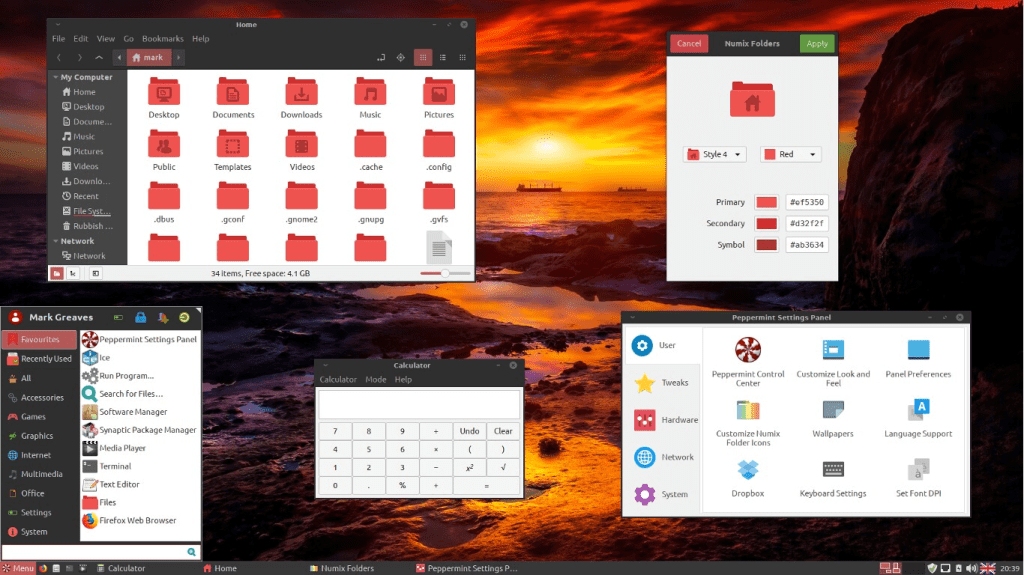
Still, the usability of the BlackBook was not the best after running Linux on the system. Browsing still had to be mostly light due to the hardware’s limitations, although I was at least able to have modern browsers for the most part.
Still, my favorite distros to use on the system were Peppermint OS and Linux Mint. At some point, however, this short adventure running Linux on it was what made me not want to use it anymore a few years ago. It’s only ironically enough that I recalled seeing a YouTube video from someone else who had one who got around this by installing Arch Linux on it, which somehow seemed to detect this bootloader issue?
But after watching The Original Collector’s videos, it made me realize that the hardware was certainly designed to run OS X, so why not use that? I started to give Lion more of a chance than I did several years ago, looking into what it could do and even asking ChatGPT what it was capable of. On top of that, I even took the time to disassemble the BlackBook, dust it out thoroughly, and apply new thermal paste.
Back to OS X
After giving it more of a chance, Lion is not bad at all, really. In fact, it’s solid enough. I was able to ask ChatGPT for older versions of OS X programs that I wanted to use.
Speaking of that, I suppose this is a great time to mention how my first real OS X version was actually Mavericks in 2014. I ran it on a MacBook Air. Why did I have a MacBook Air in the first place that year, you may ask? In short, I struggled in the early 2010s to find a good “ultrabook,” the successor to the “netbook.”
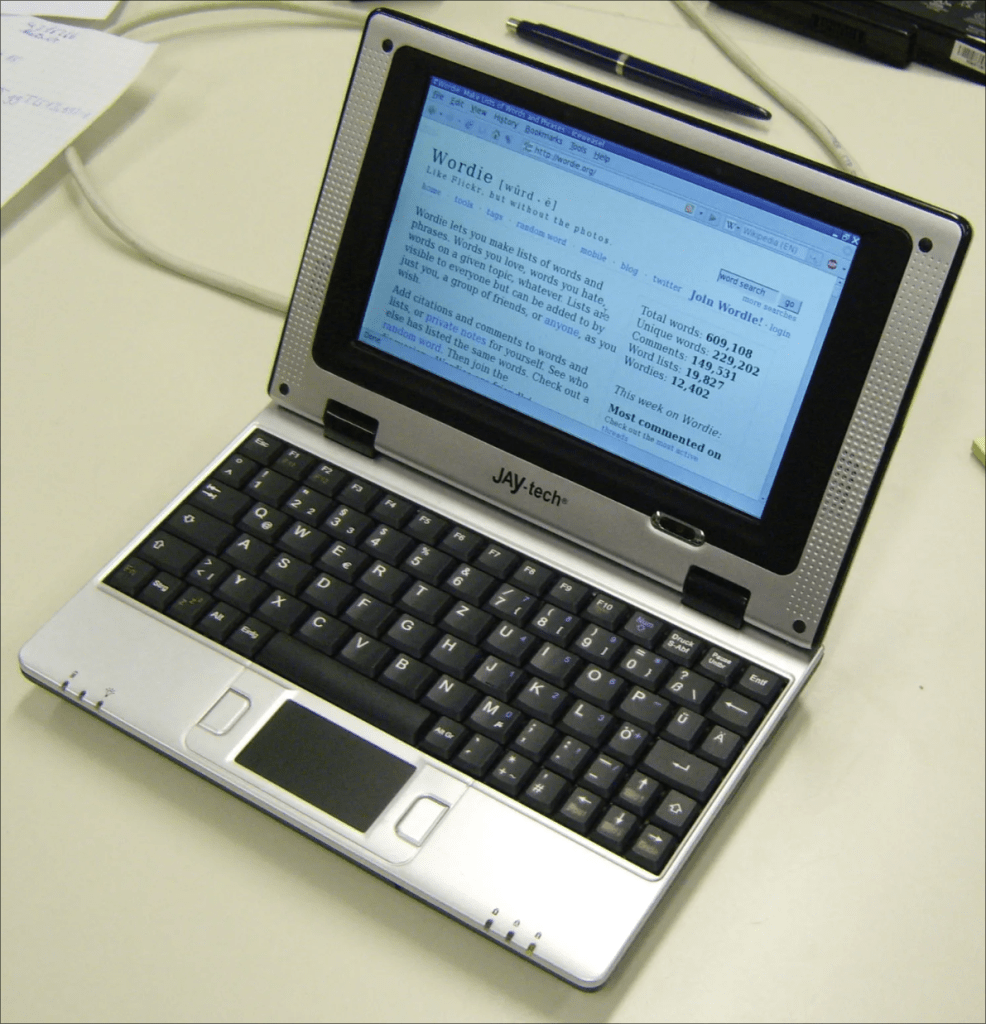
In short, the netbook was a fad in the late 2000s where manufacturers were able to make cheap, tiny, underpowered laptops that could be used for light tasks. They usually had terrible hardware and minuscule form factors that felt cramped and crappy. Aside from their price, however, their biggest draw was likely their portability. I even recalled my best friend actually getting one for free at his school back in 2008 through a program he participated in. He no longer owns it and likely hasn’t thought about it for years.
The Era of the Ultrabook
The ultrabook was the logical progression from there. It was like manufacturers collectively realized that netbooks, outside of their remarkable portability, were unappealing to use for much. It’s part of why nobody really sells them anymore; they were just a tech trend that came and went. Instead, the ultrabook was supposed to tick the following boxes:
- Be a sleek, slick, lightweight, and thin laptop. Much like a netbook, you could carry it in a bag without it feeling too heavy.
- Have reasonably good performance without feeling downright neutered like a netbook.
- Have full-sized keyboard and screen instead of cramping everything together.
- Be made with more premium external components, usually metal or well-designed plastics.
- Experience far greater battery life courtesy of new (at the time) Intel processors, making the laptops feel even more portable than standard laptops or desktop replacements.
I wanted an ultrabook so bad, but each time I’d shop for them online or in-person, I’d see eye-wateringly high prices every single time. I was frustrated that I would really have to pay a premium if I wanted to run a good ultrabook.
I even recalled going into consumer debt in 2011 just to get an ASUS Zenbook around my birthday because I was that desperate to finally have an ultrabook to call my own… only to realize the keyboard was garbage. It was an unresponsive piece of junk that made touch typing anywhere above 70 WPM a giant pain because keystrokes would oftentimes fail to register with no real rhyme or reason. To rub salt in the wound, there was a revision released shortly after I bought it (I’m talking like a week of waiting at most) that fixed the keyboard’s unresponsive typing! Naturally, this filled me with rage as much as it left my wallet empty.
While browsing unsuccessfully on eBay a few years later, I continued seeing outrageous prices on ultrabooks. They just weren’t getting any cheaper. That’s when it occurred to me in a moment of frustration: “These things are so expensive, it might actually be cheaper to buy a Mac!”
That moment hit me like such an odd epiphany. I had been all-in on Windows from 2010 and onward; the thought of using a Mac, before that moment, was unimaginable. But after that?
Sure enough, I typed a search for the 13″ MacBook Air and sure enough, they actually were cheaper! I couldn’t believe that Apple had a laptop that actually cost significantly less than premium Windows ultrabooks of the time! I bought a lightly-used one online, enlisted help from my best friend (and his pawn shop PowerBook G4) to help me create a Mavericks installer USB, and sure enough, I was able to run Mavericks. That’s the story of how Mr. Hyde got his first Apple device.
Upgrading from Lion to Mountain Lion

I know I went on a bit of a tangent there, but it was to establish one thing: I have a nostalgic fondness for Mavericks because it was the first OS X that I regularly used. Consequently, I thought it would be fitting to try and find programs that I originally ran on Mavericks, but slightly older packages that could run on Lion.
There was just one problem: Lion was just on the cusp of being too old to run some of the programs I wanted. If I wanted to relieve some college computer nostalgia, I was going to have to upgrade to at least Mountain Lion to open the door to several more apps.
Unfortunately, the BlackBook only supported up to Lion officially. To get Mountain Lion installed, I’d have to find workarounds to upgrade. I knew about other Mac users back in the day having to run programs to patch OS X installers just to trick the system, run it, and install it. The hardware could easily handle it; it was just that Apple started to arbitrarily dictate that devices that were X-amount of years old could only upgrade to some specific release of OS X, period, regardless of specs.
There were plenty of tutorials and programs out there that promised to let me do this, such as MacPostFacto and NexPostFacto, so all I needed to do was find an installer for OS X Mountain Lion, run the program, and install. Simple, right?

I spent two of my days off this week struggling with this for hours. I was so frustrated that I had to reconsider whether or not I wanted to start swearing on this site because the experience was agonizing.
Where Do I Even Start?
[NOTE: This whole section deals with the hurdles I had to overcome for the simple task of getting a Mountain Lion installer running for this BlackBook. If this rant-like part doesn’t interest you, feel free to skip down to the next section.]

You might be tempted to think this meme is a little on the mean-spirited side, and sure, I’m willing to admit that. In fact, I’ll start with a few positives about the app itself just to show I’m not so biased against MacPostFacto. For example, its UI is well-designed and easy to understand. Additionally, it offers multiple installation options for older versions of OS X, including Mavericks.
But honestly, who develops their unauthorized OS X-patching app to force users to watch and skip an AdFly video just to use basic functions? This is beyond abysmal design. It’s even worse now that the app is abandoned, as the process will always reach a white screen that waits for you to click “Skip Ad” on an ad that never loads.
It’s also impossible to dig through the app to bypass this. I deleted the AdFly scripts, tried modifying them, and so many other possible workarounds, but I’d always see the same sickening white box on the screen that would force me to start all the process over again. The developers clearly prioritized having the ad always show up above anything else. They announced that they abandoned the app a few years ago, yet they didn’t have the common decency to at least patch out the AdFly script on the final release? Honestly, if the developers really needed the extra pocket money, the least they could have done was make the ad work again with a final update. At least we would be able to hit “Skip Ad” and move along through the install process. It still would have been a little unnecessary to load one, but I would at least be okay if it had simply worked as intended in the first place.
I only tried using MacPostFacto because NexPostFacto hadn’t worked for me right away. (Yes, I’m aware of OCLP, but that’s a bit too modern to work on a Core 2 Duo MacBook and Mountain Lion.) Still, NexPostFacto was more minimal and required running a script from the terminal, something I’m no stranger to as a Linux user. However, I kept getting an error that a volume didn’t exist, so that made me give MacPostFacto a shot in hopes I’d get past this. Once I realized that attempting to circumvent the AdFly script was a tremendous waste of time that cost me hours of frustration, I went back to running NexPostFacto, what I should have done in the first place.
Eventually (and I do mean eventually!), I realized my issue. You see, since nobody can still sign into Apple’s servers from older versions of OS X, I couldn’t just go to the App Store to get the Mountain Lion installer like most of the tutorials I stumbled across suggest. Finding the installer package was its own exhausting can of worms for a variety of reasons:
- Tutorials always required an
.appinstaller, not a.dmgor.pkg, both of which were much easier to stumble across on sites like Archive.org and the like. - Even when I thought I found the
.appinstaller, one thing or another was always going wrong with it being correctly recognized to create the USB installer. - Transferring files to and fro became extremely difficult due to how large the Mountain Lion installer would become if I tried to unzip it. This foiled my plans to download the files on my Arch system and move them over with a flash drive.
After a lot of back and forth, I eventually figured out I could get the installer from Archive.org, but as a file called InstallESG.dmg. I had to manually extract the Install OS X Mountain Lion.app from it and copy it into my Applications folder.
Here’s where it gets WEIRD: It still didn’t work! Turns out I had to take the initial InstallESG.dmg file from before and copy it into a directory inside of the .app installer. Only then did NexPostFacto start working.
I am so baffled by how and why this actually worked. If you don’t quite see how strange this is, imagine if I had a car, I opened up the hood to get the engine out, and then I discovered that I could only get the engine working if I put an exact duplicate of the car itself into the engine instead of the other way around like we would logically assume.
After two days of agonizing effort, I was finally able to create a Mountain Lion installer! In short:
- OpenCore Legacy Patcher was too modern for the Core 2 Duo (I’m not interested in running Big Sur on this thing), and their disclaimer that older versions of OS X had no official support.
- Finding a reliable download of the Mountain Lion installer on various websites was difficult; some wouldn’t even work or were just incompatible altogether.
- I repeatedly had to redownload the installers only to find out that transferring them between machines was difficult or even impossible.
- Trying to circumvent the broken, garbage AdFly script in MacPostFacto (to no avail) caused me to waste several hours of time over the course of two days.
- Downgrading MacPostFacto versions in hopes of dodging the AdFly issue was to no avail. Either they built this terrible app with the intent to nickel and dime OS X power users and enthusiasts from the start or they retroactively went back to add this to older versions of their app. Either way, it’s inexcusable.
- Struggling to figure out why the NexPostFacto script kept failing with such a vague output like
hdiutil: attach failed - No such file or directoryuntil I realized I had to copy a directory into itself, more or less.
Mountain Lion Post-Installation
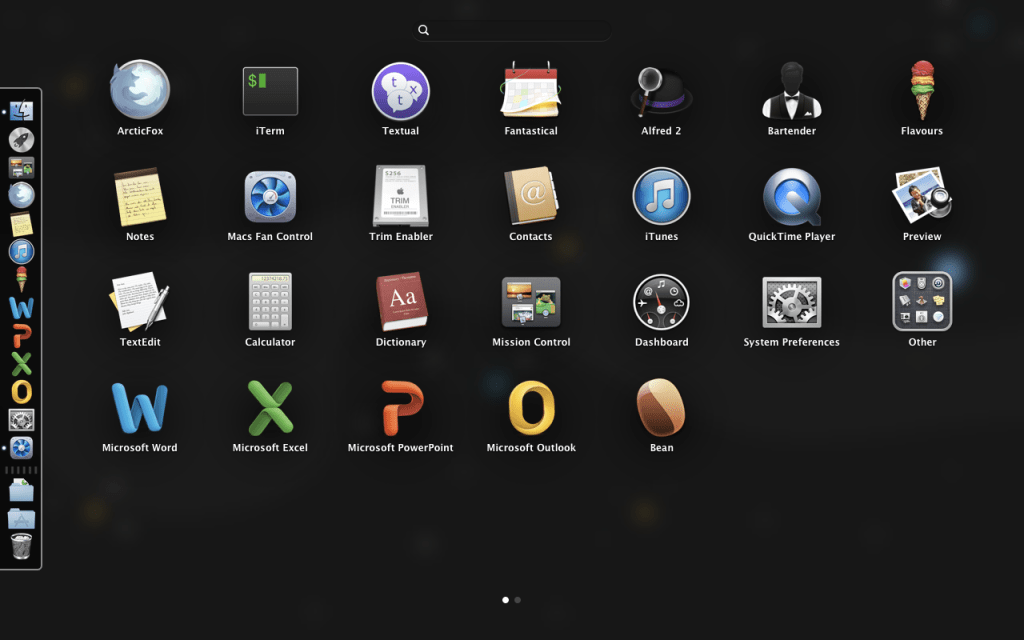
I noticed a few minor usability bugs after upgrading successfully from Lion to Mountain Lion. Launchpad would crash right away, and the Mission Control screen would be glitchy once I switched over to view it. Also, audio was completely borked; no external audio devices would ever be detected no matter what I did.
It was only after I installed a supplemental package that I forgot on the final upgrade step (that one was on me) that my issues were fixed. Audio works perfectly, Launchpad doesn’t crash, and Mission Control has zero artifacting now.
On another note, I asked ChatGPT what to fix about it at first, but it told me to go out and find a .kext file. I started to waste a lot of time trying to get this working until I realized I hadn’t installed the aforementioned package. So in other words, ChatGPT almost wasted more of my time.
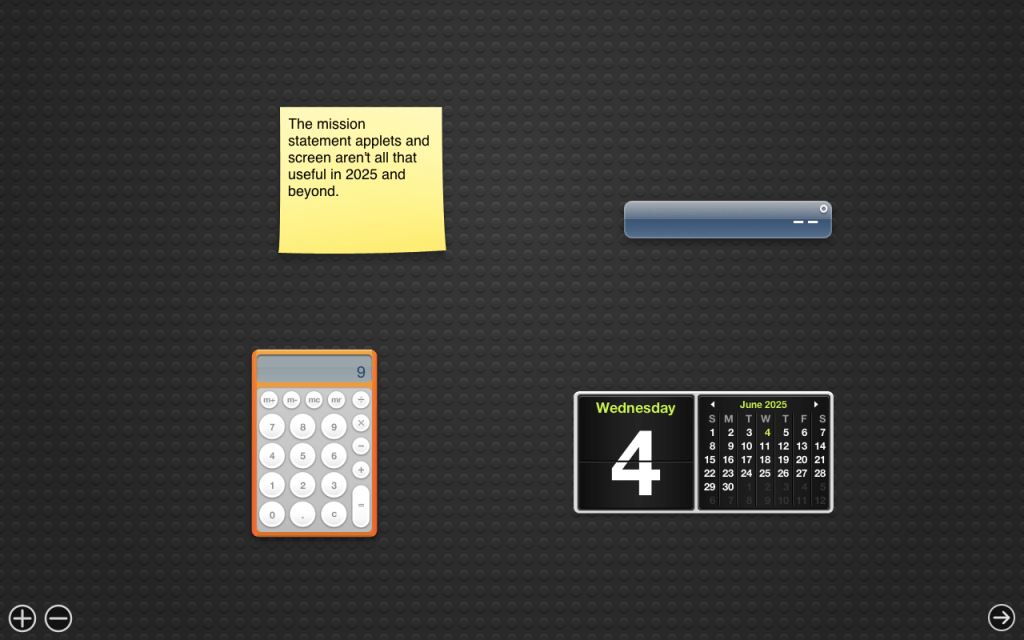
While Mission Control is nice to have on a dedicated screen, I can mostly see why this is now a glorified series of virtual desktops on modern macOS these days.
The applets on Mountain Lion are completely useless these days unless you really need a skeuomorphic calculator or aren’t already using the default stickies app on the desktop. Applets that would fetch weather data or stock prices fail to connect entirely too, displaying no data at all.
Despite all of that, however, I think the upgrade was 100% worth it. I can run so many more apps more on-par with what I used on Mavericks back in the day. That includes the first version of Fantastical, Flavours (yes, the app is spelled with a “u”), Alfred, Bartender, Textual, and my copy of Microsoft Office 2011 from college (I saved the registration key and .dmg file after all these years).
I didn’t stop there. I looked into a few more apps I didn’t really use back in the day like iTerm, ArcticFox, nvAlt, the Notes app (it made its debut in Mountain Lion), Bean, Trim Enabler, and Macs Fan Control.
More About the Apps
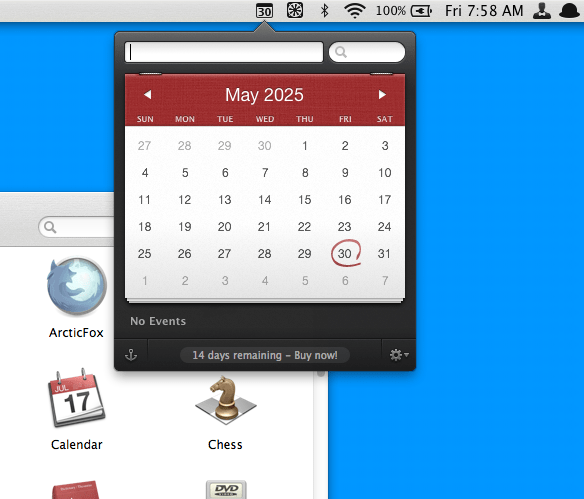
I did use Fantastical back in the day on Mavericks quite extensively for college, mostly to help me keep track of due dates on my assignments. As I mentioned in my aforementioned article on calendar apps, Fantastical’s biggest feature was how you could write events in everyday language and have them added into a calendar with the correct formatting. However, the early Fantastical only existed as a little app in the top bar, not as an actual full screen calendar app where you can see everything at a glance like you can now.
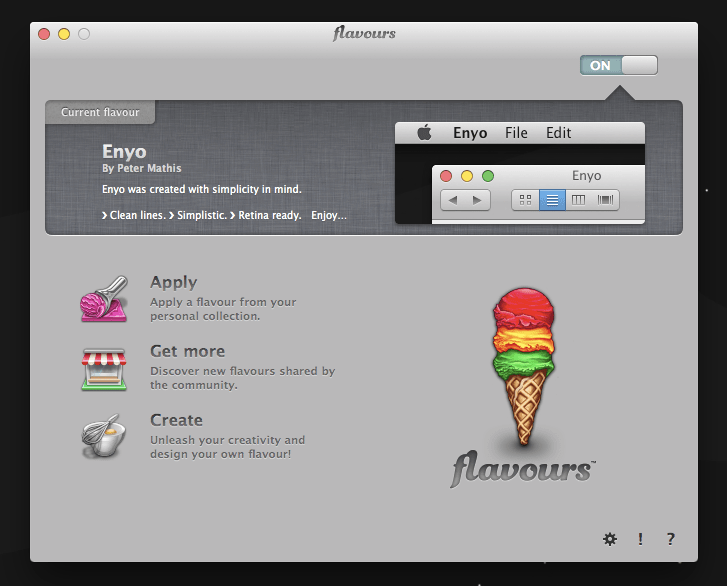
As for Flavours, it was easily my favorite (or should I say “favourite”?) app on Mavericks, letting me select custom themes, styles, and wallpapers created by other users. I regularly ran the “Bexos” theme back in the day, as yellow is my favorite color. However, this time around, I decided to explore a few other themes before I settled on a rather nice “Enyo” theme, which essentially feels like a slightly more refined default theme that happens to come with an outer space wallpaper.
I know it doesn’t seem like much these days, but as somebody who has always enjoyed customizing the UI, whether it was applying visual styles to Windows XP or “ricing” my own Linux setup, Flavours was always something I’d appreciate.
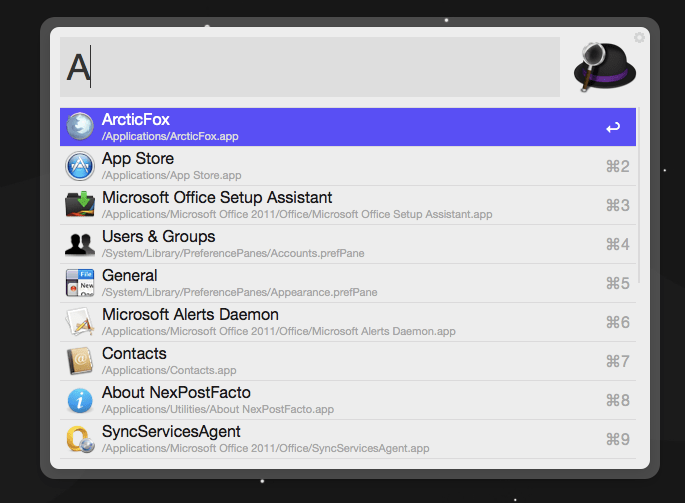
I also had to get Alfred in on the fun. I know Spotlight exists, but back when Mountain Lion came out, Spotlight was limited to a little box in the corner where you could search for things. I wanted something a little closer to Rofi, and I would largely say it was Alfred that first gave me that intoxicating taste of launching an app with a simple shortcut followed by typing the name of the app. Considering it’s still how I prefer to launch apps on any Linux distro to this day, I had to download and reinstall it.
Bartender was something I initially ran on Lion because I didn’t like having my full name on display on the top-right corner of the screen at all times. Now that Mountain Lion has largely made that a thing of the past, I’ll still use it to hide things I don’t want to see from the top bar such as Time Machine or Spotlight.
The best part is that unlike the MacPostFacto developers, Bartender knew to make version 1.0 free to use with no nagging, no registration, and no nickel and diming. After all, it’s such an old version of the app that it doesn’t make sense to bother charging for it anymore. Leave the registrations and trial periods for the latest and greatest versions.
Textual was an app I used to use on Mavericks that had no hope of running on Lion, as the oldest version still available for download was for Mountain Lion. While I did try a different app, it wasn’t the same experience. Textual is an all-around better IRC app, and IRC is massively underrated in this day and age. Upon getting Textual working again, I hopped into a few channels I always visited on my favorite servers before having fun discussing various topics.

Then, just for the sake of completion, I decided to look into the old installer I saved of Microsoft Office 2011. I had trouble finding my registration key at first, but even after finding it, I discovered the phone number to call and register doesn’t actually work anymore. Unfortunately, Microsoft Office 2011 is just that old. Instead, the number will have an automated system that suggests using an online link to activate, except that clicking it and getting to the product selection step reveals that the Mac version doesn’t support activation, leading me to call back and try again.
Eventually, I activated my copy and was able to open up Microsoft Word and write documents like it was 2014 all over again. I actually used this very app to write my senior research project way back in the day, and it was such a blast from the past to get it working all over again.
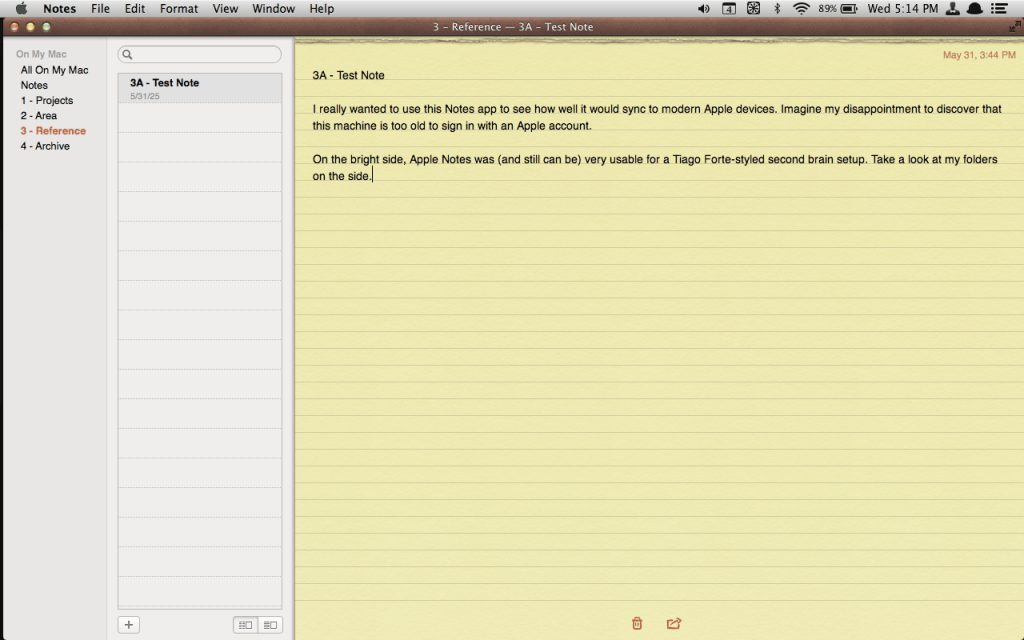
I tried several other apps that I didn’t use back in the day, such as the iTerm that I mentioned in the post about making macOS feel a little more Linux-like, a browser called ArcticFox (since even TenFourFox was too old for my system now), nvAlt (although I found myself trying the default Apple Notes on Mountain Lion when I upgraded instead).
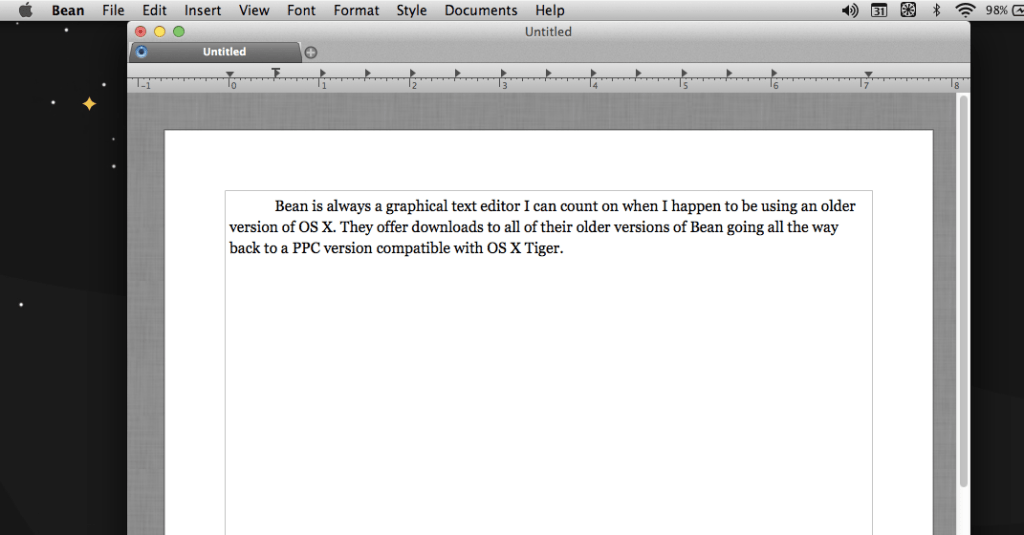
I also gave Bean a spin after last using it some five or six years ago on the iBook G3 I bought on a whim some eight years ago. It works just as competently as I expect, although it’s not exactly overflowing with features. It’s a solid app for any vintage Mac user who would like to move files between modern and older machines seamlessly.
Using iTunes for the First Time

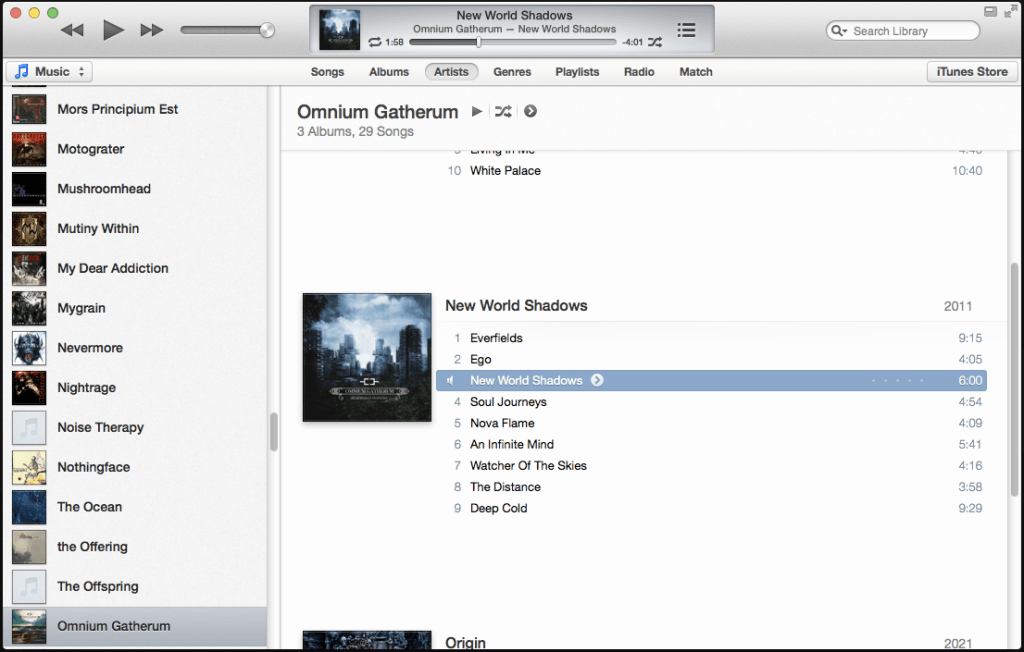
Aside from that and a few utilities (to enable TRIM and get better fan control), I decided I had a healthy amount of storage leftover on this partition. After seeing The Original Collector talk about an iTunes setup in his Mac Pro videos on more than one occasion, it hit me: Why not transfer my old collection of offline music to play and manage in iTunes?
Considering I’ve never used iTunes before, I didn’t know what to expect. I was young back when the iPod was the biggest thing in the world, but curiously enough, I never actually used an iPod or iTunes way back when. For those wondering what I meant by what I said at the start about having a soft spot for Apple throughout the 2000s except for one thing, I was actually referring to the iPod itself.
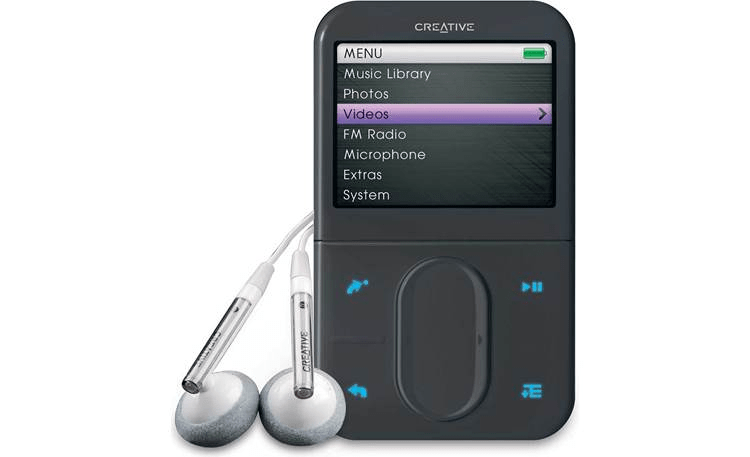
In fact, I remembered being put off by the iPod during its apex of popularity in the mid-2000s. Simply put, a young Mr. Hyde loved using the Creative Zen Vision: M so much that an iPod looked downright unappealing. I did get to use an iPod every now and then from a friend or a classmate way back when, and the UI and experience were perfectly serviceable and respectable. However, I simply never owned an iPod at the time.
Simply put, iTunes works just fine and exactly as I would expect on Mountain Lion. It gives this BlackBook another simple task it can easily excel at. On top of that, this also reminds me that I’ve neglected my offline music collection for the past two years now.
No Apple Account Servers, No App Store!
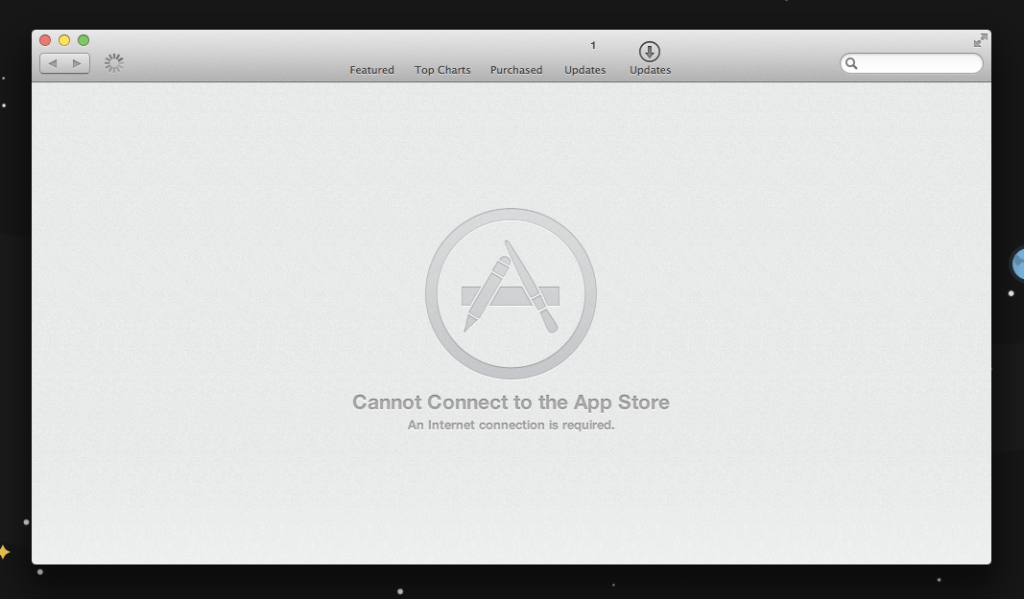
As I alluded to earlier, one of the big drawbacks to running a version of OS X this old deals with how it’s impossible to sign in with an Apple account anymore. The devices are simply too old now. It’s sad because I was initially excited to try out Apple Notes and sync the data using iCloud, but now the Notes app on Mountain Lion is more like a self-contained, digital second brain at absolute best.
To make things a little worse, that means no downloading apps from the Mac App Store. I know it seems like a small thing, but I was looking forward to being able to reinstall a solitaire game from the App Store that I used to play on Mavericks back in the day. Sadly, I have no way to play this on the BlackBook now.
Dual Booting with Bootcamp
Bootcamp was one of the big reasons I actually wanted a BlackBook way back in the day. The very thought of dual booting XP to run my favorite Windows programs and games while being able to boot into OS X for whatever else I needed was an outrageously appealing proposition for a young Mr. Hyde.
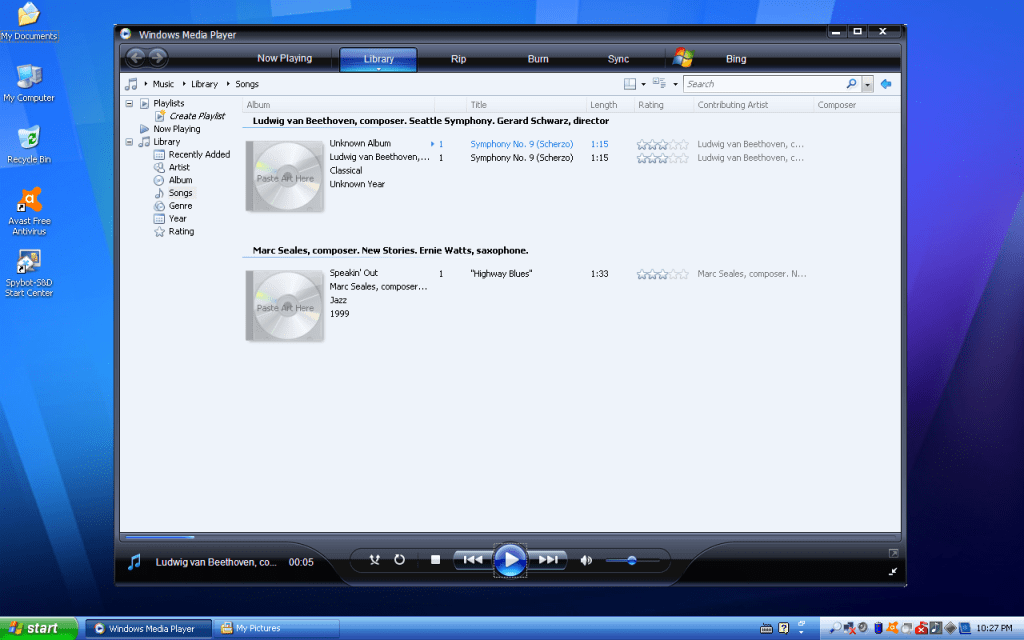
Since I do own a legitimate license for Windows XP Service Pack 3, I was able to turn this BlackBook into my dream laptop from the 2000s. I know it’s been almost two decades later, but it’s still so gratifying to have everything set up just the way I like it with both OS X and Windows XP coexisting peacefully on this system.
Of course, the only real drawback is that I can’t really browse websites with XP these days due to how vulnerable it is. Ransomware attacks would make quick work of it, forcing me to keep it offline these days. Still, even the ability to customize my visual styles or download old ones from Deviantart is more rewarding than I can express.
Thankfully, since the laptop is from the late aughts, it could (theoretically) handle some light gaming from the early 2000s. I saw a physical copy of Elder Scrolls III: Morrowind at a local used game store in my area. Once I have a chance, I plan to pick it up for cheap and see how it fares on this Windows XP partition. The BlackBook should be more than enough to run a game this old.
What Was the Point of All This?
I know I had a lot to say about this topic, but I think I’ve made my point: Just because a laptop is almost 20 years old now doesn’t mean it’s useless. If it runs perfectly fine, who’s to say that I won’t be able to continue using it for another 10 or even 20 years?

Aside from a part of me that loves to tinker and mess around with software and hardware, I find it rewarding to know that I’m able to make excellent use of such an old device while saving it from rotting away in an e-waste landfill somewhere, its capacitors leaking and its battery swelling in the dirt as it becomes permanently useless. To think I didn’t pay much more than $100 for this laptop several years ago.
What about you? Do you have an old computer, a Mac or otherwise, that still works perfectly fine for some tasks today? Do you still make reasonable use of it to this day? Why or why not? If so, what are you able to get the computer to do that you still find useful these days? Feel free to drop a comment. I’d love to know what else you think about this topic.
 Sudo Science
3 responses to “The Black Core 2 Duo MacBook is Still Perfectly Usable”
[…] pictured. I even upgraded the drive to an SSD and stuck the old one into a Firewire 400 enclosure. I hinted at how this sort of thing was a rabbit hole, and this is how far I’ve […]
LikeLike
[…] I chose option 2. Thankfully, unlike my frustrating, multiple days’ long attempts to upgrade the black MacBook Core 2 Duo laptop…, upgrading this Mac mini to a later version of macOS was extremely easy thanks to OpenCore Legacy […]
LikeLike
[…] to my technology, whether that’s my current Linux setup, commands to know, my server setup, older computers I tinker with, and my video game […]
LikeLike