

I’ll be the first to admit it: I’ve never been a big fan of the metric system. Growing up the way I did, I got used to indicating the weather in Fahrenheit instead of Celsius, I always liked seeing my football teams gain yards to score a first down instead of running meters to kick a ball in a net, I always weighed myself in pounds instead of kilos, I drive in mph instead of kph. Hell, I even got used to how we measure liquids in quarts and gallons instead of bothering with liters.
Aside from that, I did notice one thing about metric. Despite how the world’s way of tracking time is far from divisible by ten, the metric system still recognizes the second as metric. Of course, it’s only practical when dividing the second into smaller units like “milliseconds” and further beyond that, but ultimately, we still have 60 seconds in a minute, 60 minutes in an hour, and 24 hours in a day.
While the world at large is still okay with this setup, there was a time in the late 90s when Swatch, a watch manufacturer, still attempted to make a more metric-friendly way of tracking time: Internet Time (or @Beats).
Introducing Internet Time
Swatch recognized, at the turn of the millennium, that there was this new thing called the internet, or as people still tended to call it in those days, the “world wide web.” Although its possibilities were far from realized just yet, Swatch recognized the internet’s potential for greatness in terms of keeping people connected back when most people only used the internet sometimes to check email through AOL or create quirky Geocities sites with friends.
Swatch believed there was an underlying problem to be solved with the internet. If somebody in the mountain time zone wanted to play Starcraft with a friend all the way in France, how were they supposed to know what time to sign on and meet each other with the time zone difference? The same issue would persist when trying to hop onto an IRC room or check a message board with said friend. Swatch thought that there was a very real chance people could miscount the number of time zones and subsequently miss events. What a hassle, they must have thought. With the internet only becoming more ubiquitous in the following years, they likely believed this specific issue would only worsen.
What Swatch proposed as a solution to the problem was known as Internet Time, a system that divides an entire day into 1000 “.beats” while doing away with time zones altogether. By design, Internet Time is supposed to be the same around the world at all times, so instead of trying to hash out time zones or adjust for daylight savings time, you would just tell your friend to meet you @700 beats on Saturday. Just like that, it would (theoretically, at least) be much easier to track an agreed-upon time and the problem would be solved.
This wasn’t an immediate thing that came and went, either. For a short time, Swatch released actual watches that displayed both standard and Internet Time alongside each other. Additionally, Phantasy Star Online, the Sega Dreamcast MMORPG title, would display Internet Time. It seemed like the pieces were in place for Internet Time to become a new standard, a new part of the cultural zeitgeist of a blossoming web that only became more useful as time went on.

Over two decades later, it’s safe to say that the idea never caught on. Internet Time had a few things going for it, seemed simpler, and even followed the metric idea of having everything perfectly divisible by 10. Where exactly did things go wrong? Why did we largely leave Internet Time behind as a largely niche oddity that came and went?
What Went Wrong for Internet Time?
I’ll get one out of the way that might be the most debatable: Swatch decided to forego using the prime meridian as the standard and, instead, based everything from CET (Central European Time), which is used in Switzerland, where Swatch just so happens to be located.
That’s fair enough and everything, but I did see at least a few complaints about this fact. In other words, the end of the day in this part of Switzerland would actually be @1000 beats, while the rest of the world would just have to adjust to this. As a result, @1000 beats on the east coast over here in the US would be 7 PM.
This is an issue when most of us already picture a specific time of day when hearing the time. When we think of 5 AM, we might think of getting up at an optimal time to improve ourselves. When we hear 8 AM, many of us might think of a commute to work or maybe school. In this regard, Internet Time’s greatest strength, the elimination of time zones, is also arguably its greatest weakness due to its relative learning curve.
Without looking it up, would the average person know what time of day @400 is in their own time zone? What time in Internet Time do you get off from work? If you want to avoid driving during rush hour, what time does that start in .beats? Depending on where you live, you will have a different answer from somebody else living in another time zone altogether. Going back to Switzerland, it feels as if Internet Time operates at its most ideal and straightforward for citizens living in the CET area. The time zones around it just scale slightly, much like CST adjusting to EST here in the United States, but the further away we get from it, the less straightforward it looks.
There’s also the obvious fact that so few people even still remember or discuss Internet Time when the Internet is more widespread than ever before. It’s easy to dismiss an oddity like Internet Time because it seems like a solution in search of a problem. Looking up what time it is in a different city or time zone is easier than ever right now thanks to search engines being so optimized. It only takes a few keystrokes now to ask, “what time is it in England” and see the exact answer at the top of a search page.
Internet Time Still Has Its Users
Despite everything I just discussed about Internet Time, how it has its learning curve, how it seems less practical, how it leaves many of us wanting to compare to our usual standard 12 or 24-hour time, it still has a niche that hasn’t died out. Although I don’t actively use Internet Time, I still find it so oddly charming that I can’t bring myself to merely forget all about it. To put things into perspective, I was alive throughout the 90s and never heard of Internet Time until recently, so there is no “nostalgic” feeling that pulls me back to it; I hadn’t heard of Internet Time way back when in the first place!
But I cannot deny that I have actually attempted to make use of Internet Time since discovering its existence. Despite how I’m not a fan of dividing everything we measure into tens like in the metric system, it’s a quirky little thing that I wish had at least a tad more support here and there. Although I did mention that its learning curve may have hampered its adoption, it does feel easier once you invest time and effort into learning it. Honestly, it feels as if Internet Time suffers from the same issue that alternate keyboard layouts suffer from; the old way of doing things is so entrenched and widespread that trying to change things this far along would be too difficult even when the new way seems superior.
Resources and Ways to Actually Use Internet Time
Subsequently, I went looking for resources to get utility from Internet Time, how to display it and use it daily, and I mostly succeeded. The key word, mind you, is “mostly.” It largely feels as if a small group of enthusiasts are the only ones who care about using Internet Time and not letting it be forgotten. To put it into perspective, Internet Time is largely the Esperanto of time-tracking. But despite that lack of widespread support, mi ne lasos tion haltigi min!
The easiest thing to do is visit the beats.wiki site if you want an immediate way to glance at the current time in .beats and to convert exact days and times into a given time displayed in .beats, so you could tell somebody to meet you around @830 if you really desired.

While there are ways to display time in .beats on Linux, most of them are, sadly, defunct as of the time I’m writing this. The lead GNOME extension that allowed this was Clock Override, an extension that allowed users to endlessly customize the GNOME clock on the panel. One of those options was to display Internet Time outright! Sadly, it seems to be out of date. Checking the Github page for it shows the latest release being in 2018, and the comments and issues show a passionate user hoping that somebody will eventually fix the extension to work with GNOME 45 and up.

Another much simpler GNOME extension only displays Internet Time in the form of Swatch Clock. This one does what it claims and nothing more. Unfortunately, it seems I’m also out of luck on this one; I can’t get it working on a more modern version of GNOME. The lone comment mentions making a change to the .js file to fix it, but I’m not smart enough with programming at the moment to figure out how to do that.
Somebody else out there on the Hackerspaces Wiki tried to fight the good fight, although their page is largely out of date. For instance, they list solutions to get a sidebar gadget working with Internet Time on Windows Vista and 7. As much as I would rather put my computer out for trash collectors than daily drive Windows ever again, the fact that Windows 8 isn’t even so much as mentioned speaks volumes as to when this page was last updated.
For Linux users linking to the page, there’s no mention of how to display Internet Time on KDE. Instead, it’s a request for someone to put up a hint if they know. (Sorry to my fellow KDE fans on that.) One of the GNOME links to a Github page that hasn’t been updated in over a decade, another link is just dead, and a different link has a 2009 tutorial on how to get native Internet Time support on GNOME’s native clock. Before you even bother: trust me, it’s not working at all anymore. I tried to no avail.
UPDATE: This Internet Time thread on Agora Road was brought to my attention, and this post from user “Fauxx” really caught my eye. For anybody running Waybar, you can use the widget and Python script included to display Internet Time. I took a while to start setting it up because I was busy recently. However, I got this working on my Waybar setup with minor tweaking, and I’m loving it.

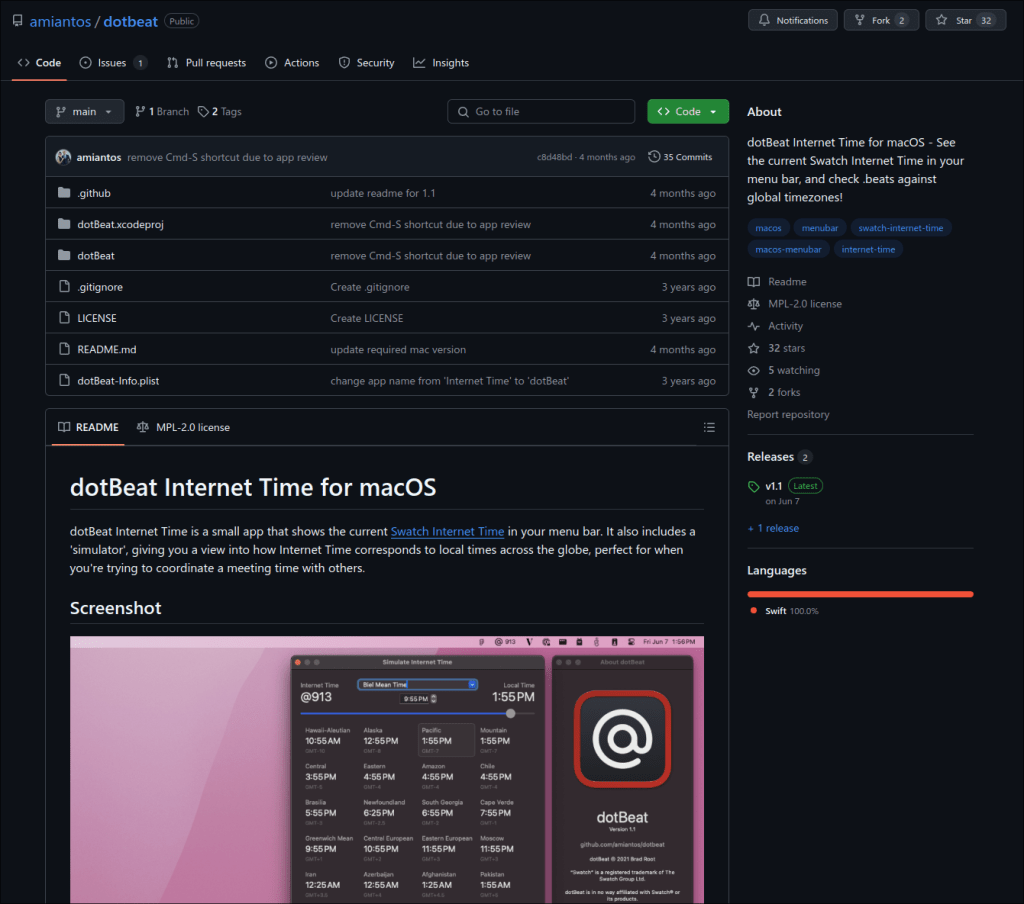
As for Mac users on the Wiki, the one link there is also dead, so the Hackerspaces Wiki could really stand to update this page if anybody out there wishes to. But speaking of Mac users, as much as it pains me to admit it, my new employer doesn’t seem to like my openSUSE ThinkPad very much, forcing me to either use an assigned Windows laptop or use the M1 MacBook Air my friend lent me a few years ago to work on my novel via Scrivener. Given the choice between the two, at least macOS can be easily modified to mimic my Linux workflow. The reason I mention any of this is because I found dotBeat Internet Time, which does work on modern macOS right now.
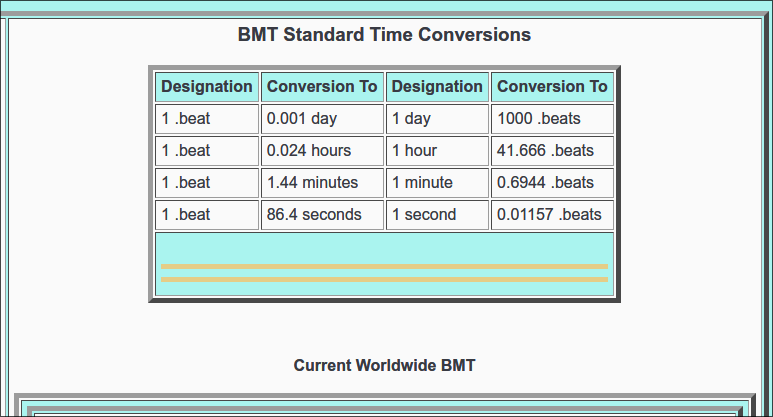
One more resource I can share, in case the Beats.wiki page isn’t enough for somebody, is the Swatch Internet Time Converter and Display. Aside from having a converter, this one is more feature-packed, letting users select time zones and more. However, as far as I can tell from reading the page, the site may not have been updated since 2006. Regardless, the list of time conversions are still useful to see.
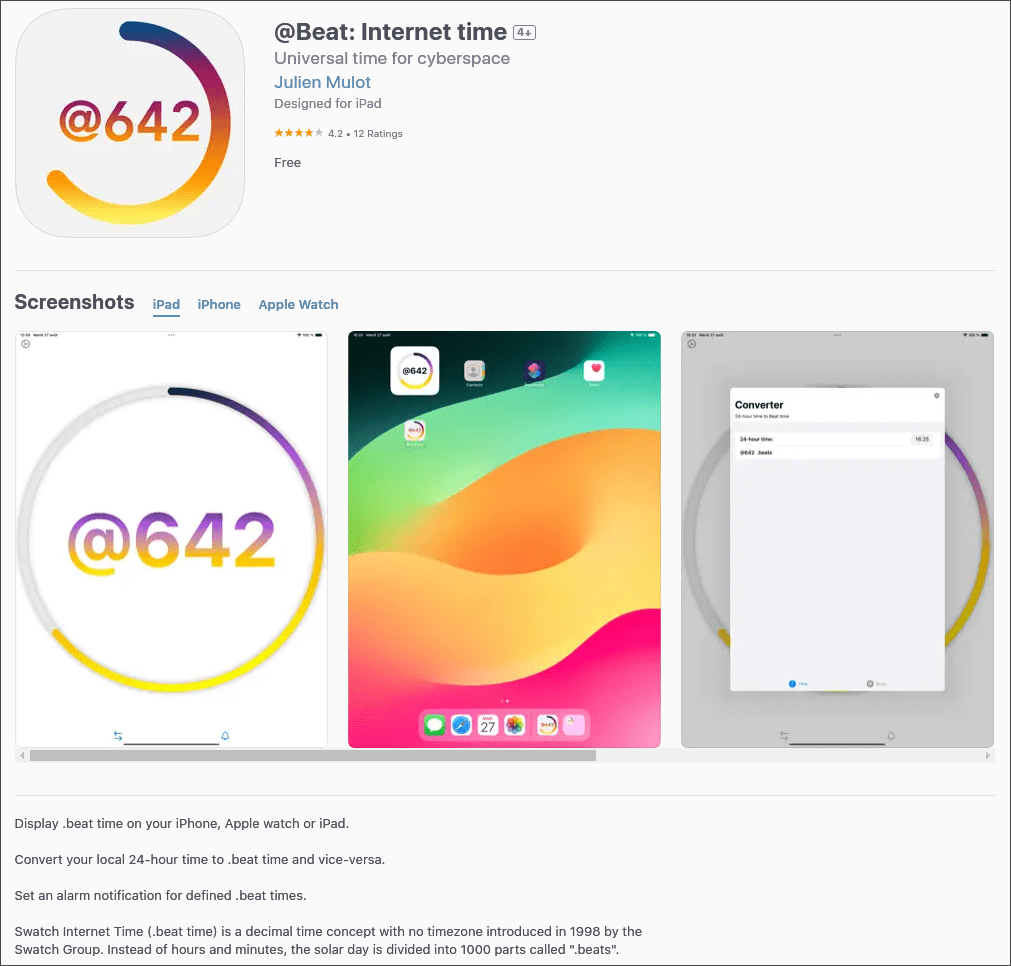
For anybody running an iPad for whatever reason, there are ways to use Internet Time on the device as well. I was able to find at least two apps that display the current time in .beats: @Beat: Internet Time and NetTime. The latter app markets itself as displaying “decimal” or “neutral time,” although the former has widgets to display the current Internet Time. That alone makes @Beat far more useful than NetTime. The latter requires manually opening up the app instead of simply having it visible.
Lastly, for anyone on Android, I’ve had zero luck finding an app on the Play Store that features Internet Time. Thankfully, F-Droid came to the rescue! Swatch .beat clock does exactly as it says, although it might be rather rudimentary in terms of what it does. It suffers the same problem that NetTime on iPad does where there isn’t a widget to add. On the bright side, it does at least include a built-in converter if you can’t be bothered to open a web page to convert the time.

I’m Reading This X Years After You Published This, and [LINK OR RESOURCE] is Not Working Anymore!
I do recognize that many other pages and resources have broken links and resources for Internet Time. As a result, feel free to comment or email me if a resource stops working, a link is broken, or (especially) if a new app or resource is made available to use Internet Time. I’m willing to keep things updated here. I REALLY don’t want this to become another dead page in the Internet Time enthusiast graveyard.
What do you think? Did you ever use Internet Time back in the day, or did you barely learn about it recently? Are you actually interested in using it, or will you likely stick with standard 24-hour days like most people? Do you wish there were more ways to use it? Additionally, are any of my links or resources broken or out of date when you read this in the future? Feel free to comment below.
 Sudo Science
2 responses to “I Won’t Let Internet Time Be Forgotten”
Hi! One place to check is here… https://forum.agoraroad.com/index.php?threads/motion-for-agora-road-to-adopt-internet-beat-time.6950/
LikeLike
Thanks for the link. I looked on the last page, and I’m going to see about getting that Waybar solution working soon with my Hyprland setup.
LikeLike