

Longtime readers of the blog know I’ve been daily driving Linux since 2020. Said readers may also know I briefly used Linux back in the late 2000s and early 2010s back when I was a young Mr. Hyde, but there are some key differences between both of those stints on Linux (as well as how Windows was then compared to now), and I wanted to explore some of those in hindsight, especially in light of recent Windows-related news.
Windows Then
When I first used Linux in the late aughts, I was largely stuck with an underpowered Toshiba laptop for my daily computing needs. Its preinstalled copy of Windows Vista was slow and sluggish. As a result, discovering Ubuntu was utterly groundbreaking for me. I could get my otherwise sluggish machine to run like a race car thanks to Linux!
At the time, however, there were some trade-offs:
- Linux gaming was mostly non-existent. (This was a couple of years before Valve started to make it a thing.)
- Some programs I did want to use didn’t exist on Linux. Adobe programs are still MIA to this day.
- Hardware support wasn’t so great. Getting working WiFi drivers was once a complicated nightmare.
Still, the advantages overall greatly outweighed the disadvantages. My system was faster, I could find free, usable programs, and the customization was limitless.
Why did I ever give Windows another passing glance at all if I was happy with Linux?
Short Answer: I had built my first gaming PC a few years later in 2010, and my priorities were different.
Long Answer: I built my first ever gaming PC, and despite picking parts that would be both Windows and Linux-friendly, I instead opted to install Windows 7 as my default OS. After all, at the time, Vista was largely dead, and 7 looked like the version of Windows we wanted.
By the time Linux got tangible support from Valve, GNOME 2 was turning into GNOME 3, which I despised at the time, and I did not like where Canonical was taking Ubuntu with the transition to the Ambiance theme and Unity desktop.
While I could have simply used a different Ubuntu spin, I didn’t like KDE at the time, XFCE looked old-fashioned to me even back then, and I didn’t see any real options beyond those desktop environments because I hadn’t been properly introduced to tiling window managers. Even if I had, a young Mr. Hyde, in retrospect, likely wouldn’t have appreciated the utility of tiling windows yet. He was also a little too stubborn to pay attention to the rise of MATE or Cinnamon.
Additionally, Windows wasn’t all that bad around 15 years ago when Windows 7 was the latest and greatest. I mean, sure, we did get Windows 8 and 8.1 afterward, but despite what happened to the iconic “Start” button, I was doing mostly alright. I found some of the design decisions baffling at best and slightly inconvenient at worst, but not bad enough that it was unusable.
Occasionally, I would grow interest in Linux a bit during the 2010s, make a brief jump from Windows 7, 8, 8.1, or 10 to a distro like Manjaro, but then I’d think to myself that maybe Windows was fine. In hindsight, that was due to the fact that Manjaro is pointless at best, as I never returned to Windows with enthusiasm.
Before Windows 10 came and reared its ugly head, Windows really wasn’t the best, but it wasn’t so bad.
- Windows 7 didn’t have so much telemetry cram-packed into it.
- The start menu we all knew and loved was largely the same on Windows 7 as it was on earlier versions of Windows, and you could get it back to the way it was on 8 and 8.1 with third-party extensions.
- In the case of Windows 7, it was arguably the last “good” Windows that didn’t over-complicate things by trying to change how everybody used their computers. What you saw was what you got.
- There was still a bit more customization with older versions of Windows. It was easier to keep a style tweak installed and working just fine on Windows 7 than it was with Windows 8 and up. Not the same as the endless world of visual styles and tweaks available on Windows XP way back when, but it was fine.
- Third-party tools and extensions were always there to help you get a bit more out of your system. Aside from getting the start menu back on Windows 8, you could get extensions to group desktop icons by category, have a dock that imitates the same one from OS X, and so on.
- At least in the case of the early 2010s, Windows was still the standard, the premier OS if you wanted to run PC games.
The only real complaints I had about Windows at the time were:
- It wasn’t as fast or snappy as Linux was, though that was always to be expected.
- Customization wasn’t as extensive without sacrifice. (You could run WindowBlinds, but you would likely have to spend money on the nicer themes. Even if you were desperate enough to use WindowBlinds, there were always occasional chances it would break your system.)
Windows After

Despite the jump all of us made to Windows 10 being met with some mixed reception, I largely didn’t mind at the time. While I had since downgraded from 8.1 to 7 for a good while (largely due to “Winrot” from 8.1), I thought the upgrade to Windows 10 seemed great because it was free for everybody already running Windows, even myself all the way back on Windows 7. In all honestly, I was expecting Microsoft to either charge an upgrade fee or to force me to upgrade through 8.1 and then to Windows 10; the fact that neither happened made me more willing to welcome Windows 10.
Still, I hadn’t looked too deep into what Windows 10’s updates would have included, and the upgrade made my existing Steam games run like molasses. I specifically recall my disdain loading up my Valkyria Chronicles save only for the game to chug along at a snail’s pace. Wasn’t Windows 10 supposed to be an upgrade? Why did upgrading make the games I already installed run worse than they had on Windows 7?
But that was just the beginning of it. Ultimately, Windows 10 was a downgrade.
- Telemetry was baked into the OS. Microsoft decided to troll people holding out on Windows 7 by backporting the same telemetry into it with subsequent updates.
- Cortana was included as an AI-powered assistant we couldn’t completely remove or disable without jumping through hoops on a fresh Windows 10 install. (Personally, I was soured on Cortana as a whole when I last used it on my Android phone in the mid-2010s, but that’s another story.)
- The flat, drab styling of Windows 8 got even uglier with Windows 10. Although Microsoft brought back the iconic “Start” menu and expected everybody to forgive them, the live tiles were unsightly on any device that wasn’t the now-discontinued Windows Phone.
- Windows 10, to some extent, was still trying to continue Windows 8’s failed push to incorporate full-screen apps that were largely redundant or inferior to previous offerings. Why have a calculator app that works well enough when you could have it take over your entire screen instead?
- Windows 10’s confused identity as part Windows 8 and Windows 7 made parts of the system feel like a mess. Why have both a control panel in the style of Windows 7 with a settings menu in the style of Windows 8 on the same system? Having just one consolidated menu made more sense, but it feels like Windows needs to have antiquated cruft and parts from decades ago just because.
- Forced updates were still in full force. Didn’t feel like installing the updates? You would have to do them later anyway.
- Microsoft was really trying to push people to stop using local accounts and to instead go all-in with online Microsoft accounts. Workarounds to get local accounts back became harder to find and use over time, and I believe it’s almost impossible now.
Windows Now?
Humorously and in hindsight, Microsoft released a Windows 11 after making claims that Windows 10 would be “the last version of Windows,” promising to give Windows 10 incremental updates over time forever. While Windows 11 at least tries to look nicer than Windows 10 cosmetically, it is hardly better.
- During the lifespan of Windows 10 and 11, Microsoft came under fire for purportedly testing ads in the Windows explorer. Microsoft would retract this and say it was “only experimental” and that most people weren’t supposed to see this as a feature. Despite this claim, it’s clear that Microsoft can easily start shoving ads everywhere sooner or later whenever they decide to.
- Windows 10’s start menu kept installing proprietary trash I really didn’t want like Candy Crush Saga, Skype, Prime Video, Facebook, FarmVille 2, Instagram, Roblox, and many others.
- AI Copilot looks like a nightmare from what I’ve seen of it. I already hate when default Android home launchers want to shove clickbait news feeds in my face; why would I want Windows to do the same?
- I don’t use Microsoft Teams, Maps, Tips, the Office 365 apps, and so on. Why keep pestering me into having them on my programs list?
- The biggest controversy, at the time I started writing this (more on that in a bit), is how Windows 11 shows ads in the start menu again. This time, you’ll see what looks like an ad you didn’t remember installing. Clicking on it, however, will open the Microsoft Store page where you can install it.
In short, I don’t find Windows 11 all that much better. On the contrary, it might actually be a bit worse than Windows 10, and I can see why people were intentionally downgrading from Windows 11 to 10 as of the spring of 2024.
I had written these thoughts regarding Windows several weeks ago, but I didn’t think I would actually want to publish it until now. Just when I thought shoving ads into the start menu was rock bottom, that things couldn’t possibly get any worse on Windows, Microsoft found a way with a recent controversy.
How Can It Possibly Get Any Worse?
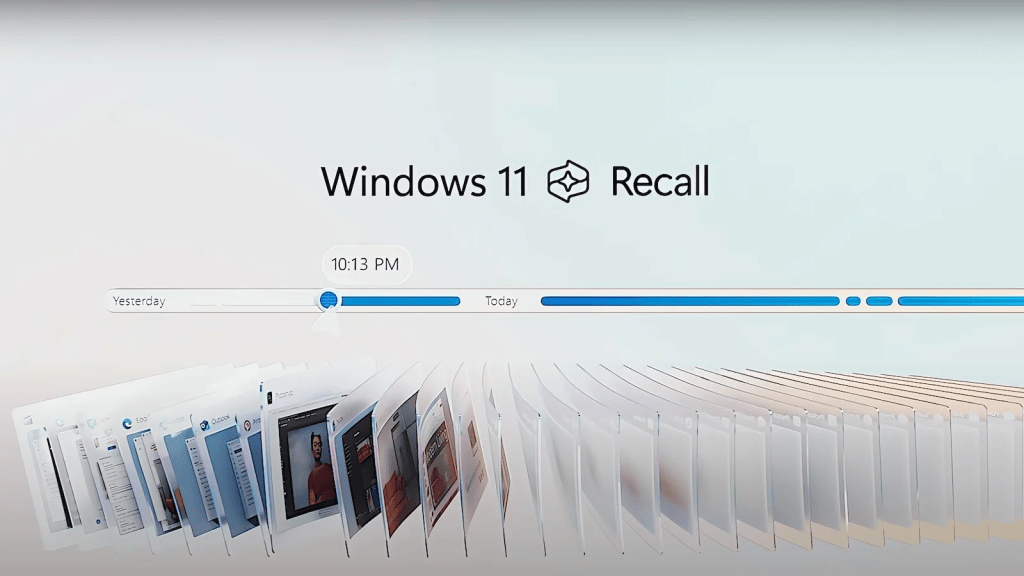
There’s a chance you’ve heard about it in passing, but if you haven’t, I almost envy you (almost!). That said, Microsoft recently unveiled “Recall,” which is quite possibly the worst possible use I can think of for AI in the modern day. In case you don’t know the details, Recall does the following:
- Runs constantly (as in “all the time”) in the background.
- Records every little thing you do on your computer except (supposedly) DRM-protected content or (probably) passwords.
- Understands what’s going on with what’s on the screen while offering suggestions based on said things.
- Stores information of everything you see locally on the drive. Microsoft promises your data are all be safe, pinky swear.
A “Recall” demonstration showed a lady searching on Windows 11’s Recall for “brown leather bag” and being shown pages she saw earlier that have pictures of said bags without the words “brown leather bag” being found anywhere on the pages.
While Microsoft likely thinks this is some sort of new, exciting thing for us end users, this feels more to me dystopian than anything else. It’s not hard to see why because at best, it will take up more of your system’s resources and run in the background. At worst, it will compromise your privacy; it’s only a matter of time.
The only bright side here is that it will only work at launch with certain ARM-based processors, specifically “NPU” (neural processing unit) chips that can handle the insanely high amount of processing for this type of AI to work in real time, so many of us are thankfully safe until either the entire PC industry goes ARM-based, or (the more unlikely scenario) Microsoft finds some way to make everyone suffer with an x86_64 implementation. If Microsoft does, by some miracle, manage to pull off the latter in a timely fashion, expect a lot of complaining online from confused people on Intel/AMD processors asking why their CPU usage is suddenly so high.
Do You Like Anything About Windows?
You know what? Yes.
I’d be lying if I said I thought Windows 11 was a total regression from 10. There are some positive changes Microsoft has made since the release of Windows 10, so credit where credit is due.
- Cortana has been discontinued by Microsoft as a whole. Nothing of value was lost.
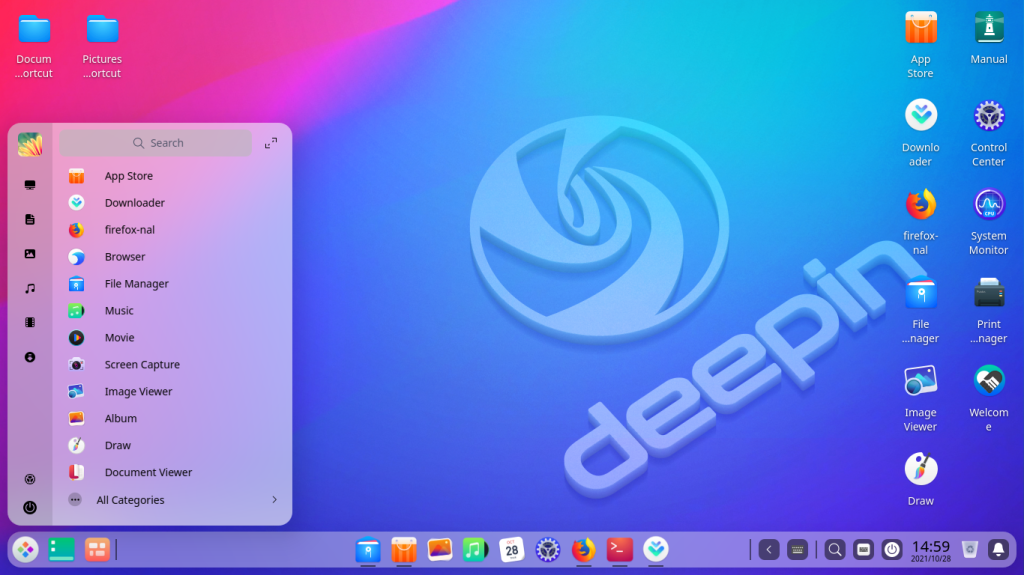
- The brushed and blurred appearance of Windows 11, looking somewhat reminiscent of KDE Plasma or the Deepin desktop, still looks far nicer than Windows 10 ever did out of the box. Microsoft was even willing to put thought into something easy to overlook like the icon set, making them look modern and more polished than on previous versions of Windows.
- Support for Windows Terminal and PowerTools are nice in the rare times I actually boot from my Windows partition to play two or three games that need it. If only I had a need for PowerShell…
- For the past few years, Windows has tried to implement a package manager called
winget, which works within the Windows Terminal or PowerShell. It works, in theory, like any Linux package manager by letting you install packages or update with commands, although it has a way to go before catching up with the likes of Chocolatey or Scoop. Still, at least it has official support from Microsoft and can improve over time. - Windows Subsystem for Linux is kind of neat, I guess. It’s neat that you can have an entire Linux system installed and accessible within Windows itself via command line, although I’m not a developer, so the overall practicality of this for the average user is still lost on me at the moment.
That said, I’m also a person who honestly didn’t mind the upgrade from Windows 7 to 8 all that much. I recall the outrage from so many people about what happened to the familiar start menu, how it was unforgivable and the worst thing that could have happened to Windows. While I wasn’t enthusiastic about Windows 8 by any means, I tolerated the change it entailed. But now? Upgrading to 11 is now more recognized as a mistake because Windows is undeniably and progressively worsening over time more than it is improving.
Linux Then vs Now
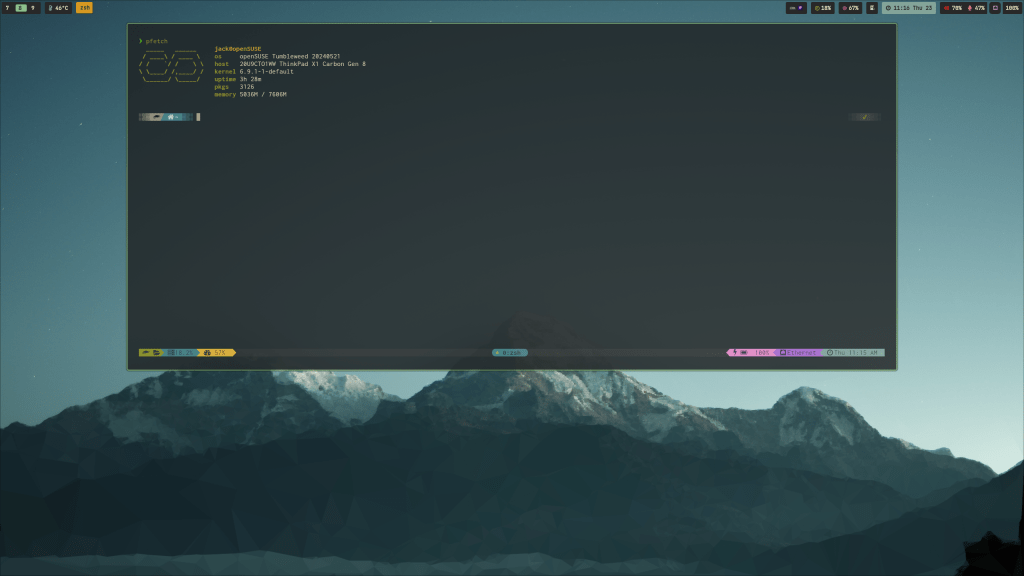
Since I did discuss a bit about Linux as it once was, what about Linux in the present day?
- Linux has so many better options for desktop environments and window managers these days. Although I didn’t know during my previous stint, I’m not stuck with whatever one distro gives me. If I didn’t like GNOME, Plasma, or XFCE, I could always switch to something else.
- Games tend to run a lot better with much more support on Linux these days. It’s mind-blowing to be able to run the likes of Baldur’s Gate III on a Linux system without having to jump through hoops just to have it launch to the main menu at all. There are so many more tools to let users run games more easily and efficiently aside from using Steam. With the advent of the Steam Deck and Proton as a runtime, playing games on Linux is easier than ever before with most games.
- General app support has only grown on Linux since the late 2000s and early 2010s. More apps run on more distros thanks to the advent of Flatpaks, Snaps, online apps within browsers, electron wrappers, and so on.
- Linux still actively respects privacy as it always has. Windows encroaches on end user privacy more and more with each passing day.
- Again, Linux is still far faster and more efficient than Windows. Interfaces and desktops either use the same amount of resources or get more efficient as time progresses and developers make improvements. Going back to what I said about desktop environments, even a once-bloated KDE Plasma became much lighter on resources than it was several years ago.
As a result, this second run I’ve had daily driving Linux is far different from the first. During my first stint, Windows still had an appeal, and that ultimately led me to return to it when I had better hardware overhead to support it. Fast forward to now, four years into my second stint with Linux, and Microsoft keeps giving me more reasons to stick with Linux for good. I can’t ever see myself realistically returning to Windows as a daily driver ever again.
What do you think of the recent Windows 11 updates? Are you considering jumping ship and looking for alternatives? Perhaps you jumped ship years ago like I did? Maybe you think I’m making too big of a deal over Windows 11 Recall? Let me know what you think about this. I’d love to know.
 Sudo Science
9 responses to “Windows is Worsening: Why I’ll Never Go Back”
I still play games on Windows use photoshop and Maxin c4d.
Everything else is done on Linux.
But 90% of my Internet is via an andriod phone and streaming to a TV.
Recall and enforced encryption will cause me to remove all my files from Microsoft machines.
LikeLiked by 1 person
[…] one, I love the brushed acryllic look, and it’s nice to see it on something that isn’t completely evil like Windows 11. Additionally, there are so many little thoughtful tweaks and improvements here and there. For […]
LikeLike
[…] that don’t play so nicely with Linux for one reason or another. Yes, I’m aware of how I went on a tirade about the state of modern Windows just a short while back, but I really don’t use this Windows partition for anything else. It has very basic things […]
LikeLike
[…] solutions to get a sidebar gadget working with Internet Time on Windows Vista and 7. As much as I would rather put my computer out for trash collectors than daily drive Windows ever again, the fact that Windows 8 isn’t even so much as mentioned speaks volumes as to when this page […]
LikeLike
[…] all of that is nice, the big drawback is still there. Deep down, it’s still Windows, and I would prefer to never go back to daily driving Windows if possible. In my use case, I would take macOS over Windows when given the choice for the workplace, and I have […]
LikeLike
[…] I had Windows Phone 8.1 nostalgia on my mind again lately, this was tempting. Sure, I am a skeptic when it comes to Microsoft’s desktop operating system, but Windows Phone came out at a time when I wasn’t completely disillusioned with the […]
LikeLike
I haven’t upgraded to Windows 11 yet but Windows really wants me to update to Windows 10 and even though I only played around a bit with Linux, I really want to try dual booting Linux. I just…haven’t had the motivation to actually go through with it. Not to mention my storage space isn’t infinite.
LikeLike
[…] added that I was too harsh on Windows 11, saying that the Recall feature looks genuinely amazing. He claimed that he uses his Office 365 […]
LikeLike
[…] support this idea, either. For instance, I didn’t really discuss Microsoft accounts and the sad, sorry state of present-day Windows. I didn’t explore Amazon’s Kindle eBook store taking away the ability to unlock and […]
LikeLike