
I didn’t want to leave people hanging too long on this, so I decided to post an update with how I’ve been using openSUSE thus far. My one-month challenge is almost over, although I have been enjoying the distro for the most part this time around, and I have been taking notes over the passing days regarding exactly that.
Keep in mind that I wrote these notes largely while I was still using the openSUSE installation on those given days. I only decided to release what I have so far because I have been struggling with two or three compelling post ideas all at the same time with few of them really coming to fruition. Another issue entirely, I know, but everybody deserves to know how things are going so far. I hope you enjoy!
Day 1
I have some initial bad news and good news regarding my installation, although the bad news is mostly minor and won’t interfere with my regular use of my system.
The bad news is I’m having an outrageously hard time trying to get my home printer driver working on openSUSE. For whatever reason, openSUSE has a lot of PPD files to choose from in their repositories of printers, but my particular printer is totally missing in action. What’s extra frustrating is how I have the same driver on both Arch and Fedora and recalled it being easier to get the driver on both systems. Arch let me get the drivers off the AUR, while Fedora supported the installer from Canon’s website. Sadly, using the installer got me nothing on openSUSE, as the install.sh script unsuccessfully uses some dnf and yum commands. I thought a clever workaround would be installing dnf, but there was no real difference. Several dependencies were still not found on dnf, but it only found a couple more before I got the same error on how there were too many missing.
It got to the point where I’ve copied the drivers from /etc/cups/ppd/ on my Arch system and copied them over to a flash drive to transfer over and see if they’d work. However, no such luck yet.
The good news is I use my office printer a lot more and largely had no issues getting that working! It was much easier to get it up and running within just a few minutes with the printer’s IP address, so getting my home printer working is largely inconsequential, especially for the amount of work I’ve put into trying to get it running thus far. Still, my office workplace printer doesn’t always work, so I’d prefer to have both options instead of just one. I briefly booted into Fedora to copy over the driver file from the same etc directory, so I’m going to try this again when I get home, as I am typing this on Obsidian from the workplace.
Day 3
At the risk of not driving myself insane, I finally succumbed to my fruitless endeavor to get my home printer working on openSUSE. It’s just not going to happen. I tried practically everything to get a working PPD for my printer on my laptop, including, but not limited to:
- Searching online for the PPD.
- Digging up the printer configuration from both Arch and Fedora and copying them over.
- Trial and error with several PPD files from said configurations.
- Wrestling and wrangling with the Yast Printers app.
- Installing a more recent gutenprint from an additional repository.
What seems the worst is that if I just had one of the supported printers in the openSUSE repos, then perhaps I would easily have my Canon imageClass MF420 series printer working just fine on Tumbleweed. Instead, I was able to get it working on just my Arch and Fedora systems, which is so strange to me. It was only after my girlfriend complained about how much longer I was going to take to solve this issue that I realized I was developing tunnel vision around getting my home printer to work when, in reality, I could simply use my Arch machine at home to print from it much more easily.
Oddly enough, the more looked into everything, the more surprisingly complex it seems to try and get printer drivers and configurations working on multiple Linux systems if the distros are different. It doesn’t seem as simple or straightforward as it looks when it comes to getting settings going. My attempt to run my CUPS config from Arch resulted in the CUPS service simply not wanting to start at all. I had to take a look at both the openSUSE and Arch CUPS config files to see obvious discrepancies.
On the bright side, I was so busy configuring things on the fly within my terminal that I hadn’t noticed that Vim was already preinstalled. That’s right; openSUSE is one of the cool kids already having Vim out of the box. I’m just so used to using vim to open up Neovim as an alias that, as I was about to get started setting up Neovim, I realized I already had standard Vim. It’s somewhat nice to not have to install Vim manually or fumble with Nano temporarily on a distro for a minor change.
Day 5
I had a bit of a rough time trying to install LunarVim for several minutes, although it was a rather easy issue to fix after changing what I was doing during installation. Installing all of the additional files on the LunarVim installer doesn’t really work on openSUSE due to how openSUSE handles python, pip, and other tools, causing me to always get error: externally-managed-environment and some vague output that barely explained how to get rid of the issue.
I tried some fruitless troubleshooting with how to get openSUSE to handle my pip installation and apps, but nothing really got me results, even the fixes like --break-system-packages and setting up venv made no difference. For anyone who’s willing to suggest it, the “EXTERNALLY-MANAGED” file in the relevant python directory didn’t even exist, so there was nothing to try and delete in that given directory. I even went as far as installing python 3.12 alongside 3.11 in hopes that something would change, but I got nothing.
The fix was outrageously simple: declining to install the additional tools got everything working just fine. After some quick tweaks to the default config file, I was able to get LunarVim working just the way I liked.
Day 16
Despite how much more stressful and demanding some of my workload has become over the past week and a half, I’ve had a rather smooth several days running openSUSE. It’s gotten to the point where I forgot I even switched from Fedora at all. There hasn’t really been much to report from Day 6 through 15 as a result, as everything’s been rock-steady so far. I even decked out my system to have some Gruvbox colors and accents to make it all feel a bit different, although I still rock Nord at home on my Arch machine.
HOWEVER, over the past few days, I have had the overwhelming temptation to finally check out Plasma 6 after hearing about it in passing for the past week or so. Now, I’ve been more than happy enough with GNOME so far, especially with Forge installed to tile my windows, but my curiosity is finally getting the better of me, which is why I’m still waiting on the installation to finish right as I type this.
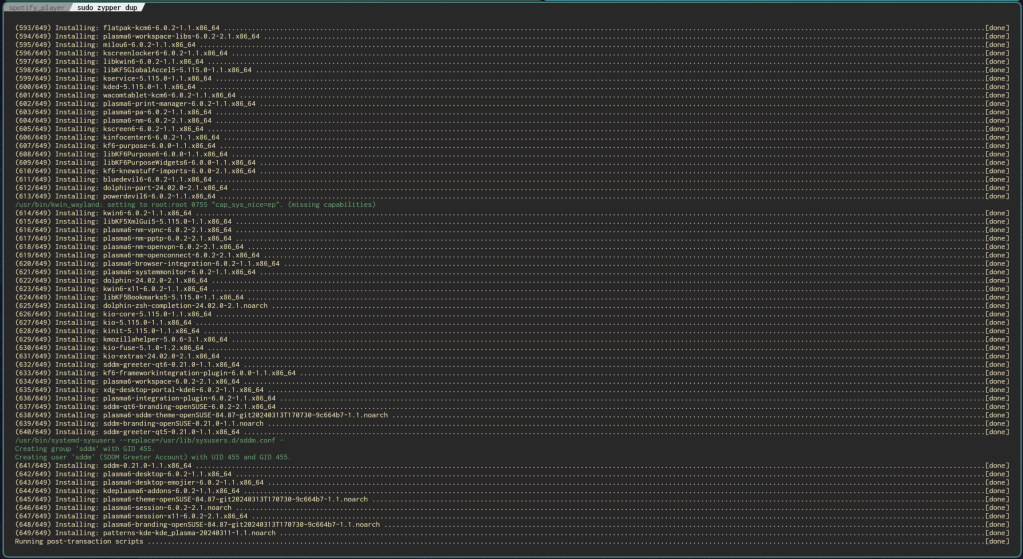
Granted, trying this felt like a gamble, as I did hear a lot of mixed reports about Plasma 6 either working just fine on openSUSE or being completely broken and unusable. I also recalled my issues on Plasma 5 last year when I was running openSUSE. I could never find a fix and was forced to resort to workarounds like installing a different WM or DE.
Day 17
I can’t believe I’m typing this just a day later, but you might be wondering how my time with Plasma 6 has been going now that I’ve had a chance to play around with it.
Here’s the weirdest part: Last night, I decided to install Hyprland after giving it a quick go on my Arch machine yesterday evening. I swear I can’t make this up. It makes me feel uncharacteristically fickle already hopping from Awesome WM and GNOME to Hyprland and KDE in such a short span of time, but here we are.
I was outrageously impressed with Hyprland once I got enough of it working last night on Arch Linux, so I decided to see if I could get something similar going with my openSUSE install. It might help spice things up, especially since I’ve already used KDE for a long time several years ago. That, and Bismuth, the auto-tiler script for KDE Plasma, was discontinued. I really liked Bismuth in the times I last used it several years ago, so finding out it was no longer supported really bummed me out.
While I am aware of Polonium being a Plasma 6-compatible replacement, it hasn’t been quite as reliable in the short time I’ve used it. It especially seems to not even try tiling when I open instances of Brave. Granted, I’m not sure if this is a bug with Polonium or just Plasma 6 on openSUSE. While it has been a long time since I used KDE, it was always smooth sailing with it on my Arch system and strange bugs popping up on openSUSE. Speaking of bugs, my lock screen times out and softlocks the system on some occasions if I’m trying to stop the screen from dimming, which is bizarre. Again, I’m not sure how much of this is just openSUSE or Plasma 6 being so new.
Day 18
I’ve wasted a good amount of time dealing with getting Waybar to just work already on my system for the Hyprland setup. I didn’t heed the warning from a day or two ago over how a previous dependency it needed wasn’t working and decided to force install it anyway.
While it didn’t work, as expected, I did search around and discover that it was a general bug and not just me. Fast forward to today when got the update released a few hours ago as of the time I’m typing this update. I’m still getting the same overall error dealing with trying to just get Waybar to work, even after the update that fixed yesterday’s bug.

I’ve searched online for a fix, but have largely been fruitless in my search. I was even led to this post on Stack Overflow. I attempted this same fix after finding my libjack.so.0 directory in the vain hope it would correct everything, but I got no changes whatsoever. Trying to start Waybar gets me the exact same message each time as if I had never changed a thing.
Why not build Waybar from Github?
I had the exact same idea except that I can’t finish building it. After double checking if I had all of the dependencies, I’m convinced that the issue comes down to whether or not dependencies have the same names on openSUSE’s repositories. I’m sure asking for help on this would just result in people telling me to install it from the standard Tumbleweed repos in the first place, which would ultimately get me nowhere.
I tried eww (yes, that’s the actual name) as an alternative to Waybar, but after coming much closer to getting it working, I’m growing frustrated.
The worst part is that it’s all probably my fault.
How exactly? When I first became interested in trying out Hyprland on Arch, I used a script someone made and put on YouTube. After I got that setup working, I looked up one made for openSUSE in particular and ran that. Still, the setup script for openSUSE took a considerable amount of time. After letting it install several programs I didn’t really want (these scripts seem to want me to use Alacritty again when I’m already happy with Kitty) and repos I wasn’t sure I wanted, it started to enable and install packages from the Packman (not to be confused with Arch’s pacman without a “k,” which is totally not confusing in the slightest).
While my initial experience trying to get Hyprland was largely similar to how I stumbled about getting some broken things working little by little through a terminal on Arch (the pain of having my display manger’s keyboard layout changed back to QWERTY is real), I was never able to get a Waybar or anything similar working on openSUSE.
Somewhat frustrated with how I can’t get an ideal Hyprland setup on openSUSE while not really liking some of the initial bugs I stumbled across on Plasma 6, I fell back to using the tried and true GNOME setup I was on. While it works and Forge does at least tile, I’m starting to get a bit impatient and recall the reasons I felt so tempted to distro hop away from openSUSE in the first place last year.
Additionally, I had such a feeling of dread feeling that I installed so much extra bloat on my system with no easy way to remove it, and I was mortified over the idea that the Packman packages could possibly mess up my updates again. After all this time, I still suspect those Packman repos led to the issues I had last year during my previous stint with openSUSE. It was only after enabling them that I had to deal with the dreaded PackageKit blocking my zypper updates every so often again too. What was I supposed to do now?
That’s when I learned about the beautiful miracle of snapshots.
I followed the simple instructions of looking at my snapshots from roughly March 5th, rolling back to it, and not having any traces of Plasma 6, a partially-functioning Hyprland, or any of the Packman repos enabled. I am delighted over how shockingly easy it was to get this fixed. This was a feature I slept on for far too long and I’m glad I finally discovered that it was possible instead of assuming I needed external media to create a giant backup of some kind. I almost want to sing from the heavens how amazing this feature is. While my attempts to get a slick and shiny Hyprland setup are largely a wash right now, at least I’m still able to use this distro without any issues or partially-functioning bloat.
That’s All For Now
This challenge isn’t over for me. Looking ahead, it looks like my challenge ends around April 2nd in order to be a full 30 days. I’ll follow up on this whole challenge around that time to report the results, although things are largely looking better so far despite some initial road bumps.
Should anybody have advice on how I could have handled things better with my openSUSE system thus far, I sure wouldn’t mind hearing it, although I’ve been made aware of something called Distro Box. I’ll be checking this out, especially if it has a chance to help me with my Waybar woes.
 Sudo Science