

I recently dug up a ThinkPad T61 that was given to me a very long time ago by a friend who, at that time, was moving to another house across town. The laptop is rather usable overall, but it’s still starting to show signs of aging. It also made me stop and consider something.
What lightweight distro could I use to breathe new life into old hardware?
Conversely, I’m also not the biggest fan of random distro lists that I see on a lot of other blogs. You know the ones; they tend to categorize distros by difficulty or whatever and always recommend the same exact distros as one another. We’ve seen so many boring vanilla distro lists that say Ubuntu and Manjaro are legit totally the bestest beginner distros and that Arch is somehow hard.
Instead of doing something uninspired like that, I wanted to write this short list of five lightweight distros to install on aging hardware such as this T61 laptop.
The Criteria
Before I get started, however, I want to make a few things clear. First off, this is based on what I’ve actually used, whether it’s on this T61 in the past or on different systems. Perhaps I could have or should have included Antix, Void Linux, Puppy, Slackware, or Lubuntu, but I have nothing to say about those distros because I haven’t actually tried them for very long, if at all (though I’ve been meaning to try Void Linux for a while…). The five choices on this list, however, are distros I’ve used for some significant amount of time in the past.
A second thing about my list is that I will be taking my own use case and criteria into account here. My three biggest priorities are quite simple:
- How well it runs on low-spec hardware (you know, the whole point of this post)
- Ease of customization
- If I could actually see myself using the distro for longer than a few weeks
I say this because I get people have different needs overall. Some users may just want a distro that “works,” while a few may want much more control down to compiling everything from scratch. Some users will want only a few programs out of the box while some will want a clean slate and to install things as needed. While I do think these are important aspects, I won’t take them into complete consideration for this list.
Another thing I want to bring up is that my list is in no particular order. I’m not ranking these distros. My decision to put one distro first and another afterward says nothing about how I view them in relation to one another unless I specifically state otherwise.
One last thing: The mere act of digging up my T61 ThinkPad spurred me to write this list when I recalled what ran best on it, and while I will still have screenshots of the distros mentioned, they’re going to be from my main Arch system running in VirtualBox, not my T61. The reason I’m not going the extra mile, unfortunately, is because I can’t seem to find the AC adapter anywhere. To make things more interesting, I’m going to have fun tweaking around with settings and appearance instead of leaving everything stock.
Peppermint OS
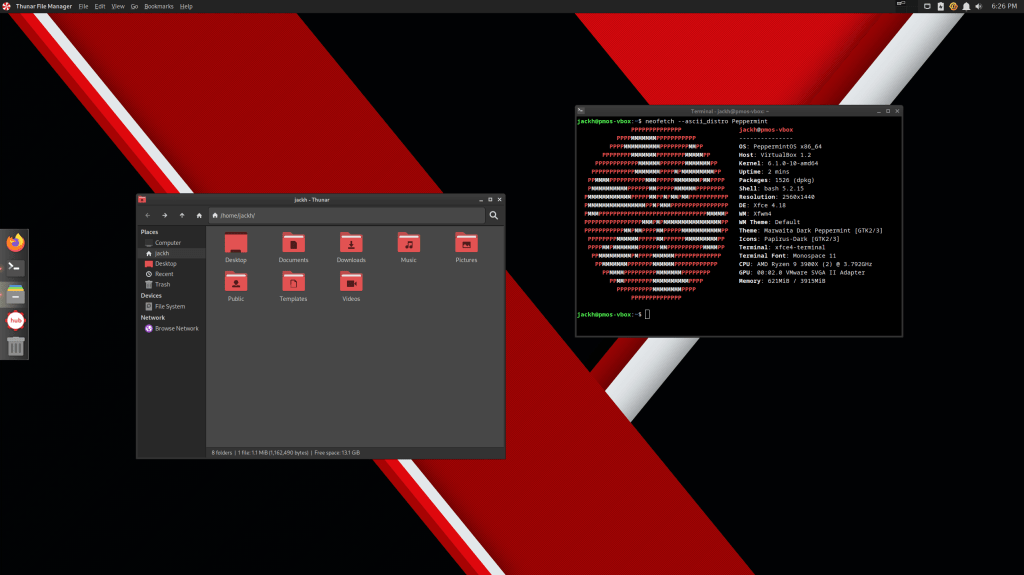
Peppermint OS was likely the distro I had the most fun running on the T61 for a few great months. Despite the changes that have happened with the development team (I believe the creator passed away, sadly) and the direction of Peppermint, I still think it’s fantastic on any kind of hardware, old or modern.
Some of the biggest changes with Peppermint OS include how it’s now based on Debian instead of Ubuntu as well as how the system now uses a more traditional XFCE desktop instead of the cool custom DE they Frankensteined a few years ago (really, it was so cool!). The latest Peppermint is based on the relatively fresh Debian Bookworm, and there is also a Devuan base for those looking to avoid systemd. Still, despite everything, it’s quite lightweight.
I eventually found myself making a few tweaks to the out-of-the-box setup, such as the global menu implementation. Honestly, out of everything that comes stock with Peppermint OS these days, the only place I find it lacking is the default wallpaper selection these days, but that’s something that can easily be remedied with an online image search.
Linux Mint XFCE Edition
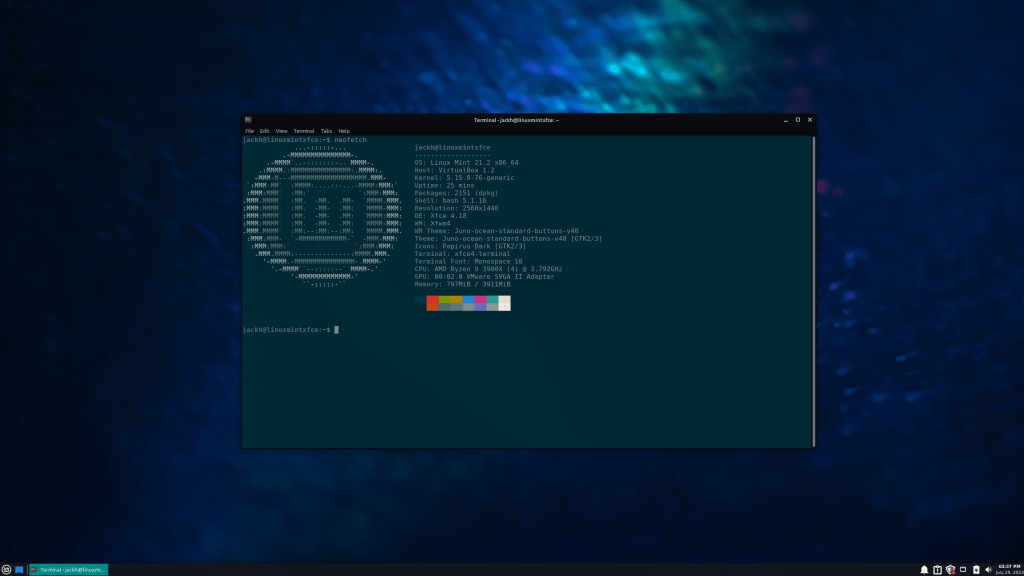
“Really? Another XFCE distro?” I assure you this is the last XFCE distro on my list.
I ran this version of Linux Mint for four months on the T61. Linux Mint gets recommended in a lot of Linux circles for users both old and new, but it’s a reputation well-deserved. Linux Mint is phenomenal, reliable, and more than gets the job done.
Linux Mint is typically built on top of Ubuntu, but if that bothers you, there’s a Debian Edition available to use instead. While Linux Mint may be best known for the flagship Cinnamon desktop, I recommend the XFCE version because of its low overhead. The folks over at the Linux Mint team also did a fantastic job making the out-of-the-box experience with all 3 standard editions of Linux Mint feel consistent regardless of the desktop environment you choose.
The most tweaking I did was installing a rather nice GTK theme, changing the icon pack to Papirus, using the Papirus-Folders script to change the icons to be dark cyan, and setting the terminal colors to Solarized Dark. Also, unlike Peppermint OS, the stock wallpapers Linux Mint comes with are exceptional.
Ubuntu MATE
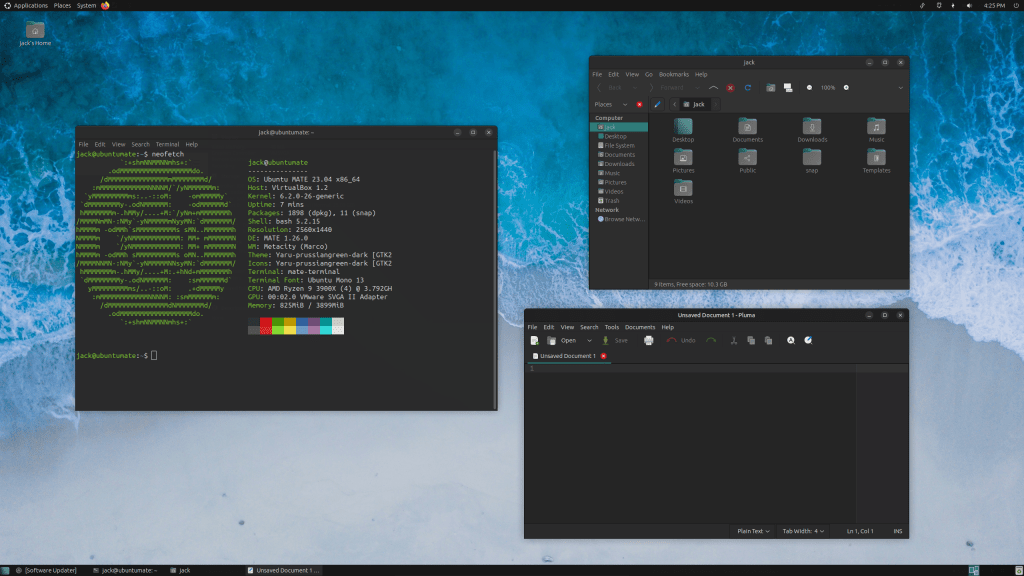
Ubuntu MATE was the first distro I ever ran on the T61, and I used it somewhat regularly for two months. The reason I do recommend it as a lightweight distro is because it runs MATE, a continuation and fork of GNOME 2. The interface feels very familiar, especially for those who still remember how fun it was to use Ubuntu in the 2000s.
Ubuntu MATE is also known for being the distro where MATE’s development primarily happens. It’s a tried and true distro as well as desktop environment, and I primarily recommend it to people who may be fond of a truly old-school Ubuntu experience.
Even if you don’t fall into that group, there is a layout switcher available that lets you set everything up to mimic the UIs of Windows, macOS, Unity, and a few others. I set mine in the above screenshot to Traditional, which is a throwback to classic Ubuntu’s layout. I also enabled the Prussian Green accents and changed the wallpaper. Every customization I wanted to have fun with was already included by default with Ubuntu MATE instead of me having to go download something.
Arch Linux
Just like Peppermint OS, Arch Linux is a fantastic distro to run on old and new systems alike. I’m currently running it on my primary desktop, but I did use Arch on my T61 as well with Awesome WM. When I didn’t want to run it with Awesome, I would roll with MATE on the system.
The coolest part about using Arch is that you’ll have a little more granular control of your system as opposed to running something based on Debian or Ubuntu. It’s why I’m able to use i3 within XFCE on this system and remove unwanted components like xfdesktop and xfwm4 without the system threatening to remove all of XFCE. As a result, one can tweak an Arch system to run as minimally as desired, so this is a great choice if you know what you’re doing.
Installing Arch is much easier now than it was back when I used the T61, as the archinstall script is a thing. If you’re weary of something like that but still want to get the vanilla Arch experience with a minimal install, there’s always EndeavourOS.
Haiku
“Hold up,” you may be thinking, “Haiku’s not even a Linux distro!” Fine, I admit it: not all of these are Linux distros. I’m well aware that I’m stretching things for this last entry.
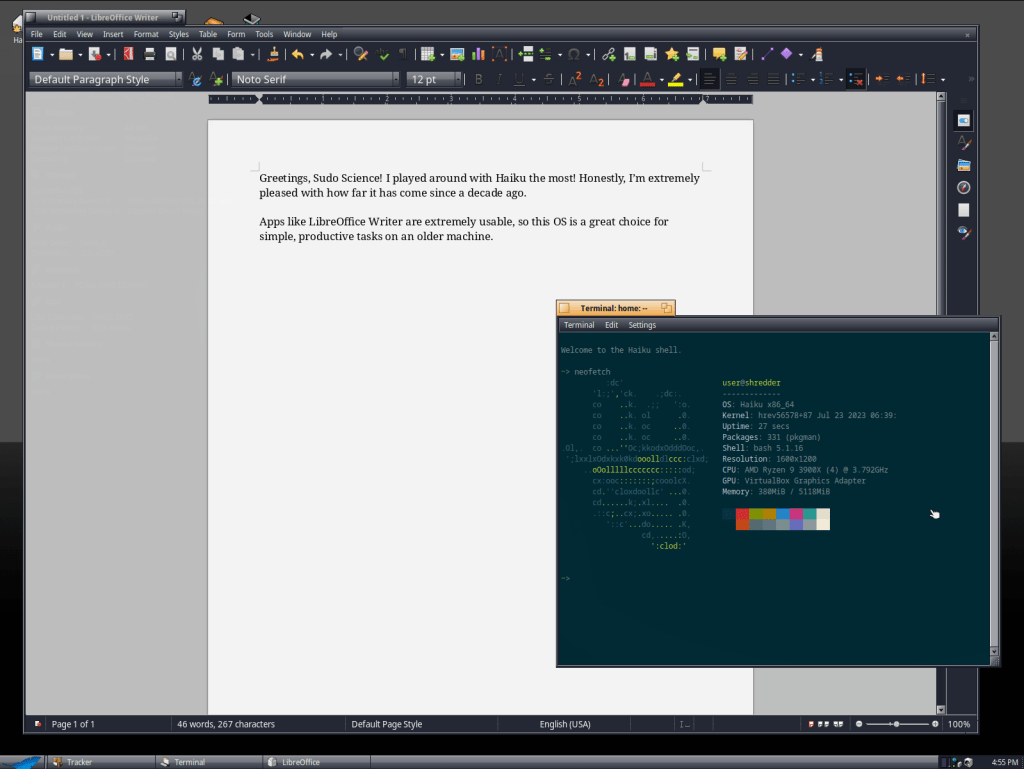
Despite the obvious fact that Haiku is not a Linux distro, I still highly recommend it on much older systems, especially pre-2005 hardware. Appropriately, it’s also the only choice on this list that still has official 32-bit support! Haiku initially started as a successor to the long-defunct BeOS, though its development is relatively slow. I first tried it a decade ago on a virtual machine and was somewhat impressed. Years later, I ran a then-recent version on the T61, and it did mildly impress me more with increased usability.
The reason I recommend it more now than ever is because I’ve spent quite a bit of time playing around with the latest Haiku (Beta 4 as I write this) in VirtualBox, and it’s so reliable now compared to when I first tried it in 2013. In fact, I would say this release of Haiku is good enough to be a daily driver if you want to edit some documents, make a spreadsheet, or do light browsing (I recommend Otter Browser over the default option). You can even install Vim and edit files through the terminal within Haiku, which is certainly more than I expected from this quirky OS offering. I’m aware that it looks delightfully skeuomorphic and a little old-fashioned, but I wouldn’t ask for Haiku any other way.
Conclusion
So there you have it! These are the five Linux distros four Linux distros and one other OS that I recommend for older, aging hardware. As I said before, I know there are countless other options I could have tried, but I wanted to stick with the options that I had used before on the T61 in particular. If I find the AC adapter somewhere, I might try a few other distros on the laptop itself and do a follow-up to this post.
What lightweight distros have you tried on antiquated or otherwise obsolete hardware? How did any of the options on this list work out? Perhaps another choice suited your needs better? What are some of the criteria you look for when picking a lightweight or other distro?
 Sudo Science
2 responses to “5 Fantastic Lightweight Distros to Run on Old Hardware”
Lmde 32 bit on a old 10 inch screen laptop. Works fine. I have lmde on 2 old 32bit laptops. It makes them as useable as an old 32bit machine can be.
LikeLiked by 1 person
I was impressed with LMDE last time I used it. I had run it on a different laptop I had at the time, however, but it would have likely run just as nicely on the T61.
LikeLike