

Here it is: the follow-up to my previous blog post detailing how I would try to make my full switch to the Android-powered Xiaomi Qin F22 Pro, a quasi-smartphone in a “dumbphone” form factor, for 7 straight days. How did everything go?
Day 0
Wait, Day 0? Does this mean I actually went above and beyond by spending 8 days on the device? Ehh, no, not really; I decided to document a bit of my time setting up the phone that I didn’t already cover in the previous post. It’s pretty brief and, as such, I don’t really count it as part of my 7 days.
However, I did run into initial trouble using a YubiKey. I know this happened outside of my official “Day 1,” but I did want to bring this up. The F22 Pro has no NFC capability, and I do need my YubiKey to sign into my Google account. Considering my YubiKey is for a full-size USB and not a USB-C port, I would normally use the NFC to connect it to my OnePlus. Without NFC on the F22, however, I thought my attempt to switch would be anticlimactic and cut off at the knees far too soon.
Thankfully, I had nothing to worry about. My girlfriend has a USB-C adapter for her MacBook Air that she let me borrow just long enough to sign in.
It didn’t work at first. I started to wonder if the phone’s design was somehow that minimalist and backward that YubiKey just wouldn’t work on it. I kept pressing the disk, but nothing would happen.
That’s when I realized the problem was with me. Turns out I was plugging in the YubiKey upside-down into the adapter. It was an easy fix and signing into any app I needed was dandy soon after.
Day 1
I put the Xiaomi Qin F22 Pro through what I thought would be its toughest task: taking the place of my phone while I did intense cardio at 5 AM. I like to use Runkeeper to track my runs, I like to listen to a saved Spotify playlist while running, and I like to use Creative Outlier Air wireless earbuds (the older model). Would the phone be able to handle this?
Much to my surprise, it was able to, although not without a few minor caveats.
First off, Runkeeper takes its sweet time to open up on the phone; I could have sworn the app had actually crashed and started it again multiple times. However, it was fine and it eventually started up after perhaps 45 to 50 seconds of waiting. Doesn’t seem like such a long time, I know, but for an app to launch, it sure feels like it.
Once I started up Runkeeper, I played Spotify while running and listening through my Creative earbuds via Bluetooth. As I started the run, however, some part of me thought the phone felt precarious, like maybe this was too much for it. I almost expected Runkeeper or Spotify to crash prematurely at some point. Thakfully, I ran for a sustained hour and fifteen minutes and found the phone performed okay.
My Creative Outlier Air earbuds, on the other hand, didn’t fare without their repeated dips in audio, although this occasionally happens with any other smartphone I’ve tried them with since I purchased them, even the iPhone 12 mini I once owned in 2020, so I think it would be unfair to blame the F22 Pro. I think (?) it generally happens if I take the left earbud out from the carrying case before the right, as if the earbuds prefer being taken out in a given order. I never actually sat down to experiment with this, however, as it hardly ever happens and I sometimes think other Bluetooth devices in the area may add to the interference.
Later during the day, I had to go places and run errands. When waiting at a few places here and there, it was much less appealing to check anything on my phone, though I carry around a companion pocket bullet journal for when I wait places and want to write things down. Considering the F22 Pro is designed to be less compelling compared to a conventional smartphone, I suppose it’s doing its job of not encouraging me to mindlessly check my phone.
Day 2
I didn’t feel like heading to my computer to type a few texts when my girlfriend was messaging me, and Traditional-T9 is only occasionally fun to type on. Sometimes it feels kind of cool hammering out a text that would otherwise be a little faster on a touchscreen keyboard, but other times, it won’t pick up some words you meant to type instead. This happened when I tried to text my girlfriend a specific word on T9, but the Traditional-T9 dictionary picked some completely different word instead. Still, the T9 dictionary works well maybe nine times out of ten.
While I could use SwiftKey, which did some in handy for entering in passwords on initial setup, it’s kind of annoying to use it due to how much screen space it takes up, even with the swiping feature. Of course, wanting to use the phone more often defeats the purpose of using this kind of device in the first place, but I soon remembered I purchased Minuum Keyboard ages ago and that it’s still available on Google Play despite all development ceasing since then.
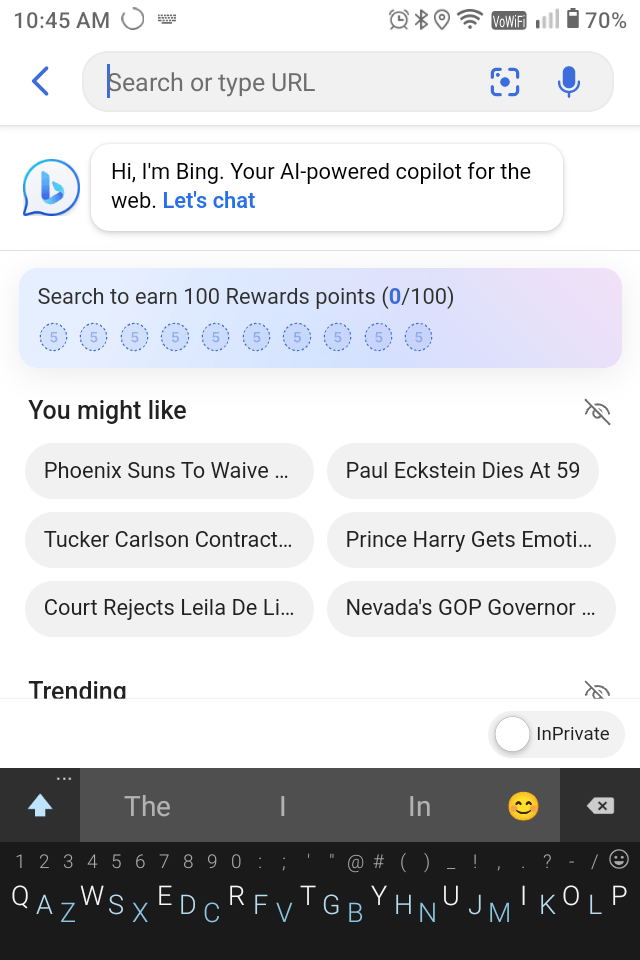
On another note, I really don’t like minimalist launcher as much as Before Launcher. In a pinch, it’s acceptable enough, but the suppressed notifications implementation on it is so lacking. Nothing more annoying that seeing a lone notification pop up saying “X notifications suppressed” or whatever it always told me.
On the bright side, another pleasant detail I notice about the phone this time around is checking the weather! I complained last time I tried switching to the F22 Pro about how every location in Carrot Weather thought I was somehow within “中国,” which means China. With this version of Android scrubbed clean of Chinese apps, that’s no longer an issue. I simply see “City, State” pop up, which is nice, and I still get my dark humor and wisecracks while checking the forecast.
Speaking of Carrot, I do notice one big difference: There’s no voice to read out the joke now. Not sure why that is. I went out of my way to install Google not for search, but to see if having the Google Assist voice (maybe?) would have fixed it. Sadly, Carrot remains quiet on the F22 Pro and I haven’t discerned why.
Day 3
I went out with the F22 Pro in my pocket, but met an especially annoying problem that I hadn’t expected in the slightest: pocket dialing.
To be fair, this happened a few days ago (on Day 1), but I felt it wasn’t worth bringing up until now. See, on Day 1, when I had taken the phone out of my pocket at some point, I wasn’t able to unlock it immediately. It asked me to wait another 60 seconds before trying my pin again. I like keeping a pin on this phone specifically for pocket dialing as a possibility.
On that subject, something a bit minor I did notice about the PIN entry screen is how the numbers still display if I swipe up to enter my pin. Seems annoying considering I have a keypad, but simply waking the phone and pressing the hardware buttons to enter the PIN works just as well.
This is where I suspect things went wrong with the PIN entry. But the reason I mention this now instead of earlier is it happened more than once. This time, however, the F22 Pro managed to unlock successfully while in my pocket and change settings. My minimalist launcher setup started enabling apps I wanted to stay suppressed, which was irritating, and on top of that, Spotify opened up and started playing the last song I was on while I was in the middle of walking.
But speaking again about minimalist launcher, I REALLY miss running Before Launcher. I had pulled out my OnePlus 10 from the drawer just last night to open up a 2FA app, Aegis Authenticator, and having Before Launcher is something I really miss right about now.
Day 4
Not much to report today outside of more pocket-dialing. I felt the vibration of the minimalist phone notification waking up while the device was in my pocket. I still don’t get why it needs to notify me when it suppresses notifications. It’s just as potentially distracting as simply having all notifications enabled altogether.
On a brighter, more optimistic note: I’ve had multiple phone calls so far, including one today, and I haven’t had issues with call quality like I expected. People on the other end could hear me just fine. I guess something about this device being small and from China made me wrongfully assume my call quality would be bad.
Another positive note deals with a picture I took on the F22 Pro. I was at a shop with a few friends, saw an Aggretsuko backpack, and took a picture of it to send my girlfriend (since we’re both fans of the show). While the colors lacked saturation on the screen, the overall quality was not stellar, but acceptable.

Day 5
Another day, another major issue I had underestimated. Every so often, when my girlfriend messages me through Signal, I won’t see the message until I willingly open the app and wait for it to refresh.
While I did note this a few days ago, I thought it was only a one-time issue. Still, it happened thrice already, and it didn’t matter whether I was on the go or connected to WiFi at home.
I also considered the possibility that Beeper, my current multi-messaging app, was responsible, but I had confirmation that it wasn’t Beeper’s fault. As I mentioned previously, I had pulled out my OnePlus phone to access a 2FA code from Aegis Authenticator on Day 3. I hadn’t migrated Aegis over to the F22 Pro and kept putting it off.
From there, I left my OnePlus powered on sitting next to my F22 Pro. Both sat in front of me on my desk as I went about my day. Once I received a Signal message through Beeper, my OnePlus notified me first, despite the fact that I was only connected on it through WiFi without a SIM card. Now, minimalist launcher lets you prevent select apps from being suppressed, and I double checked that Beeper was on that list.
Noticing this discrepancy with my still-silent F22 Pro sitting right next to my OnePlus, I had to intentionally unlock the F22 Pro, open Beeper, and wait for it to refresh. Only several moments later did I actually show the new message. Not fun.
The first time it happened, I thought aggressive battery optimization was the culprit. I tried disabling it on Beeper and giving a subsequent reboot. It didn’t even seem like it was worth writing about because I was certain this would fix everything. Maybe the phone was trying to save too much battery to the detriment of killing Beeper in the background, or so I thought. Considering it happened again afterward, I don’t think battery optimization was the problem.
Day 6
Not much else to report on at the moment. Just went through my day using the phone. The only notable thing I did was cancel the subscription for minimalist phone, as it was going to bill me for my subscription tomorrow if I kept using it.
Still, I couldn’t help but be at least slightly worried that I would pocket dial something, whether one of my contacts or a random setting in an app. I also worried on the go about whether or not my contacts could reliably reach me through SMS or Signal.
Day 7
I did it! I actually switched to the F22 Pro full time!
But the question is: Do I want to keep going?
Short Answer: No.
Long Answer: If you had asked me on Day 2 or 3, I would have been more confident. However, the longer I’ve used the F22 Pro, the more I kept counting how long until I was done with my 7-day challenge. I just didn’t want to use the F22 Pro anymore. This time, I can’t point to one deal-breaker like last time. Rather, this is more of a death by a thousand cuts, only replace ‘thousand’ with maybe half a dozen at most.
It mostly comes down to a few things I noticed in my previous attempt to switch, including poor signal, although that had nothing to do with 4G coverage increasing in my area. Rather, it dealt largely with how I was in more areas with satisfactory (at best) 4G coverage through T-Mobile. Still, when I needed better coverage, I had to rely on nearby wifi connections, which was a bit of a pain depending on what public router I connected to. Even if I got myself connected, I had to stop and remind myself that I was only using my phone for calling and very basic needs, and that using it for more would be defeating the purpose of even trying to switch from a full-on smartphone.
Speaking of that, I’ve truly taken pocket-dial protection in modern smartphones for granted. As I discussed on Day 3, I experienced pocket dialing on more than one occasion, and this is definitely something that I haven’t missed since owning a more modern device.
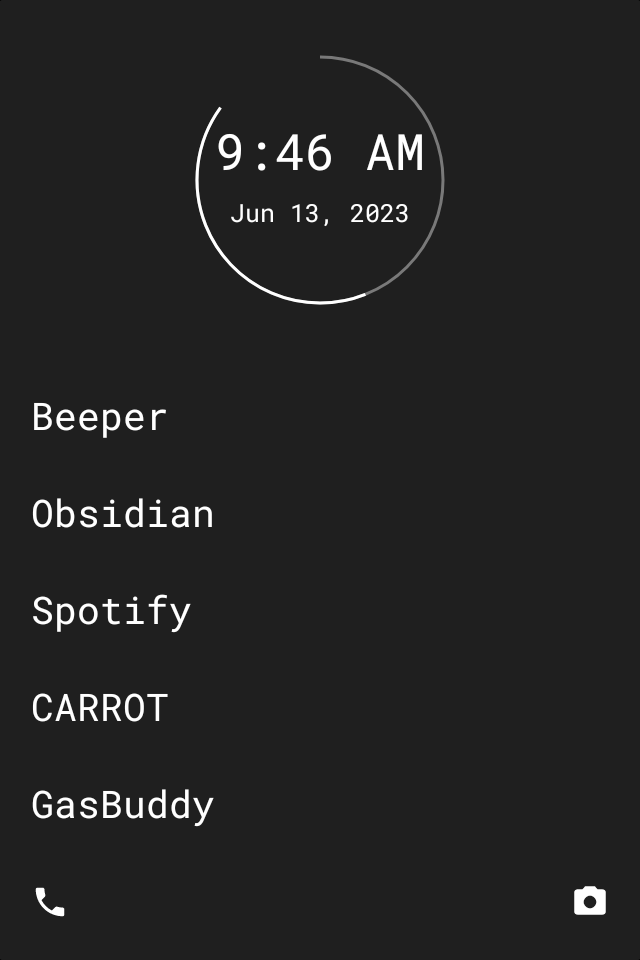
Another thing: I miss Before Launcher dearly and I’m sick and tired of using minimalist launcher. Even if I adjusted to using the latter, I abhor the subscription model, how ineffective it is at managing notifications, or how it’s cumbersome to manage. I’m aware I keep belaboring this point, but it’s been a real pain for me. If I continue to use this device longer than a week, I’ll exceed my 7 day free trial for minimalist launcher, and I’ve been ready to cancel for days now.
And I’m still not done, as I do have two more caveats for the price of one. I somewhat miss having NFC, but I really miss having a fingerprint reader. It made doing small things like checking stock prices, my bank account, or my YNAB budget simpler. While I don’t really use NFC for payments, I miss using my YubiKey for it without the need to ask my girlfriend for her USB-C adapter. I know I could remedy this issue by picking up another YubiKey with a USB-C connector, but I was planning to do that only later this year instead of anytime soon.
In Conclusion
I didn’t really have much of a reason to try switching to the F22 Pro a second time, especially after everything I said about using your existing smartphone to curate a dumbphone experience. I suppose this experiment was to see if I could really make it work and if I could use the device longer than last time. Part of me felt like I had thrown in the towel a tad too easily last time, but now I can confirm for certain that I will stick to my OnePlus.
Perhaps I do rely on some smartphone features more than I realized, although if I’m not wasting time playing worthless games with predatory monetization or scrolling vapid social media feeds, maybe I’m already doing better than I thought.
 Sudo Science
3 responses to “I Used an Android “Dumbphone” for 7 Days. Here’s How It Went.”
[…] but I do feel it is relevant to mention. I used my OnePlus 10 Pro for a few years, and despite my attempts to switch to a dumbphone, I always stuck with my OnePlus in the end. I planned to use it for another two years from this […]
LikeLike
[…] in today’s day and age. Feel free to call me a hypocrite for trying to switch to a dumbphone on multiple occasions, but hear me out on […]
LikeLike
[…] My old Xiaomi Qin F22 Pro, which did present some of its own usability issues. […]
LikeLike