
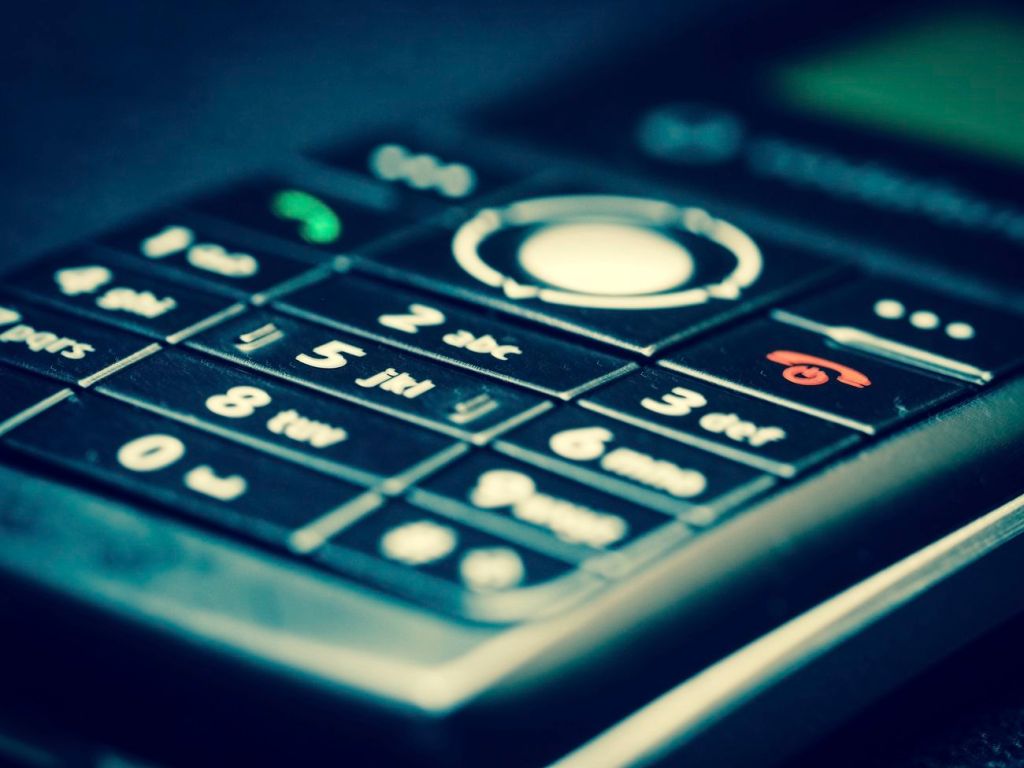
This is a humbling post to make, but as stated in the title: I failed to make the successful switch to a simpler phone.
I’ve already spent a week using this phone, the Xiaomi Qin F22 Pro. I previously discussed my attempt to make the full switch a short while back, so I’ll go ahead and discuss both the good and bad of my experience with it. I’m also going to look into whether or not the whole thing was worth it.
The Good
My first impression upon opening the box was how stunning and sleek the phone looked and felt in the hand. It was quite impressive to feel that first time I powered it on, this sleek phone with a “dumbphone” body and an Android OS under the hood. The keys and the directional circle pad were a delight to touch and use. Installing Olauncher and using the circle to scroll down my app list was a delight.
The physical aspects of the phone were perfect and pleasing, even down to its narrow width and smaller size. I love when a nice phone takes so little space in my pocket, and the Xiaomi Qin F22 Pro left me with plenty of room for my front carry wallet.
The T9 wasn’t too bad once I wrangled how to use it again. The last time I touched a T9 keyboard was back in high school when the Moto RAZR V3 was in vogue, but I not only enjoyed typing with T9, but found it surprisingly easier to use than a modern touch-only keyboard. I hadn’t expected that to be the case, as I had recalled T9 typing to be inconvenient and a little tedious in the mid-2000s. Perhaps my time not using T9 made me grow more fond of it, or perhaps touch screen keyboards frustrate me more than they prove to be convenient with their overall lack of tactility.
There’s the added detail of how its dumbphone form factor makes it less compelling to pull out when waiting somewhere. It feels so different than a modern phone despite the fact that Android 12 is still on the device. Because of this plus, battery is all but guaranteed to last longer, and that means your phone serves you only when you need it to work. Of course, that smaller screen means less strain on the battery life overall, so more battery.
Despite its small screen and underpowered-looking appearance, the F22 Pro is a fairly formidable phone under the hood with 64GB of storage and 4GB of RAM, so it should have little problem handling what you throw at it. Granted, upon my first time using the phone, a few of the apps I tried to set up began to crash on me. I initially worried that the phone wasn’t as capable as it seemed. However, I didn’t see crashes after that first day, so that may have been an isolated matter, as everything I ran when I needed it soon after worked just fine.
Speaking of apps, the few apps I did need did work reliably well. The fact that I still depend on a handful of Android apps and need a good amount of onboard storage is why I haven’t been able to give something like the Light Phone a try, although I can see it being an excellent device for someone who really wants to go minimal.
In short, I like to message my loved ones through Signal, I like to use Google Maps when I need it, I like activating discounts when I fuel up with GasBuddy, I like being able to check into my second brain sometimes through Obsidian Sync, and I almost always listen to music on my drives with Spotify. The Xiaomi Qin F22 Pro gave me all of the possibilities I still wanted by running Android.
In addition, the call quality was just about what I expected for any modern Android device. I made a few phone calls when using it and thought everything sounded fine in terms of audio and clarity. For some (likely unjustified) reason, I expected some kind of sacrifice in terms of call quality.
The Not-So-Good
Some parts of the phone are irreversibly stuck in Chinese. It was mostly inconsistent with no real rhyme or reason. While most parts are accurately translated, a few parts would just be stuck in it. For instance, opening up the Clock app to start a timer nearly confused me when I saw 時, 分, and 秒 representing hours, minutes, and seconds, respectively. Even if I didn’t know what these characters meant, I could still argue that it’s easy to deduce what they mean by the simple design of the timer app, which looks like a stock Android AOSP app overall, but why this didn’t translate while almost everything else seemed fine is beyond my guess.
Speaking of translation, opening the CARROT weather app to check the temperature outside (while getting a wise crack or two) also resulted in a forecast that didn’t tell me my town or state, as it is normally supposed to when I run it on any other device. I normally see it in the “City, State” format much like “Boise, Idaho” or “Toronto, Ontario.” Instead, perplexingly enough, it only displayed the format “County, 中国” (the latter is a word that means “China”). Yes, ignore the fact that an American county can’t possibly exist inside of China. I kept digging around for a setting to change this within CARROT and the phone itself, but I didn’t know what to do to get a normal forecast to show up. On the bright side, CARROT still gave me her usual one-liners in English while giving me my forecast.
I’m sure I could have fixed the phone’s partially-translated nature by rooting it, flashing another firmware to it, or whatever the process is, but I don’t really have the patience or time to do that kind of thing these days, sadly. I just needed something that would work and get the job done, but these details did at least make me perceive my experience as unpolished.
Something else that I didn’t see a way to fix, however, was how the phone was permanently set to a light theme. Ugh. I mean, I don’t have anything against light themes overall and I get that people may prefer them, but I typically use dark themes 95% of the time on any app or operating system whenever I have the option. This wouldn’t be so bad if it were confined to system menus and settings only, but every app I installed defaulted to light theme because most apps these days default to whatever is set in the system preferences. This gave me the additional task of going through individual settings and switching to dark themes to get an experience consistent with what I prefer.
However, I still haven’t discussed the biggest issue I’ve had with the phone, which made me want to switch back to using my OnePlus 10 Pro:

This was agonizing to deal with in daily life. I haven’t used a phone with such poor reception since the mid-2000s.
Now, I know this isn’t the F22 Pro’s fault entirely; T-Mobile and many other American carriers are shuttering their 3G and 4G towers in order to roll out more 5G, which keeps people upgrading. I get that this whole matter is generally outside of Xiaomi’s control. I had taken note of this and was even willing to live with reduced coverage for several days while using the device.
However, there’s occasionally losing some connection here and there, and there’s what I had to deal with this past week. My girlfriend and I decided to go on a hike at a nature trail this past weekend in the morning. However, I needed to fuel up. We would not have made it back with the amount of gas I had in the tank, so it was vital to stop at a gas station.
There was only one gas station that I knew of in that immediate area. I wanted to try using the GasBuddy app to get a quick deal activated, but I didn’t have it installed on the F22 Pro yet. The phone, after all, was still new to me. I was able to connect to Google Play to start downloading it, but the speed was painfully, unusably slow. Progress took over a minute to go up from 1% to 2% complete; it really was that slow. It didn’t make sense to wait for the whole thing, and there was no wifi in the area to speed things along, so I had to pay more for gas by going inside and handing the cashier some cash.
There were other occasions this week where the shoddy reception proved to be a bigger pain. My girlfriend tried to text me a link while we were at home, but I never received the text in the first place despite my best efforts to have her resend it. Then there was the instance where I waited for an important call and never got it.
This was the most painful part of using the phone, as it was my only serious con with the overall device. If the phone supported 5G, I would still be carrying the Qin F22 Pro in my pocket at this very moment. Everything else about the phone, for the most part, is perfect for my needs, but the poor reception is what forced me to go back to a regular smartphone. I miss that sweet T9, I miss that tiny screen, and I miss that sleek hardware fitting so easily in my pocket.
In Closing
The timing may have been somewhat ironic, as my OnePlus 10 Pro had a significant update when I had switched back. Upon boot, I noticed it was upgraded to the shiny, new OxygenOS 13 with Android 13 onboard. Several little UI features were changed and updated to improve my overall experience compared to what I had been used to with Android 12. It was almost as if my OnePlus wanted to reward me for coming back and using it instead of keeping the F22 Pro.
However, this whole experience wasn’t a complete loss, as I did learn a lesson. In my attempts to be more minimal, I ended up spending a considerable amount of money on a new device in order to do so. What would have been smarter for me, however, would have been to tweak and edit my existing experience with my OnePlus phone. I was already running Before Launcher on it to emphasize its utility-focused nature, so why did I really need to buy the Xiaomi Qin F22?
Even other people who have joined the supposed “dumbphone” movement say it’s smarter to just use what you already have and make the UI more minimal on an existing smartphone. The main point is to turn your phone back into a few simple tools, to be the one who uses it rather than being used by it. I didn’t take this lesson to heart in time. I wanted an excuse to buy a shiny, new device, and now I have to go through the hassle of returning an otherwise fantastic phone.
So what about you? Do you consider yourself a digital minimalist? What kind of phone do you use? If you try to keep things minimal, what do you do to make that possible? Were you also thinking of trying the Xiaomi Qin F22 or a similar phone?
 Sudo Science
3 responses to “Switching to a “Dumbphone”: Challenge Failed”
Before Labs here (developer of the Before Launcher). We like and appreciate all of the various options for reducing screen time, but, yes, the Before Launcher is one where you can keep your phone and (without trying) get a pretty big reduction in mindless actions like phone unlocks.
LikeLiked by 1 person
It’s good to see a comment from you. I’m a big fan of your work with Before Launcher.
Something odd I noticed about the Xiaomi Qin F22 Pro while I was using it (and didn’t comment on in the post) was that Before Launcher wasn’t compatible with the device when I tried to install it. I never really knew why, as the F22 Pro was running Android 12, although perhaps you could shed some light on the reason.
I ended up using Olauncher out of necessity, which has a similar aesthetic, but, in my opinion, simply isn’t as complete as Before Launcher. It doesn’t suppress notifications or do much to reducing screen time like Before Launcher does.
LikeLike
Was wondering if you could shoot us an email — we thought you might getting an advance preview of what we have on our roadmap. feedback@beforelabs.com
LikeLike