
I’ll be frank about something. In general, I’ve had less ideas lately about what to write regarding Linux use in general. I mean, sure, I could always discuss how Microsoft misread the room (understatement of the year, and it’s only January) and started driving Linux Mint adoption, but I’m surely not the first person to notice that. Besides, what else do I have to say that hasn’t already been said?
Instead, I’ve just been here using Arch Linux with Hyprland. Whenever this sort of news hits, it mostly gives me a quiet validation rather than something to say. I’ve been daily driving Arch Linux for almost six years now, and I’ve since settled into a setup and workflow that I already like. It’s not much of a big deal because I’m already entrenched into my own setup.
This is tied to why I don’t distro hop, but it’s something that still rings true for me years later. If it works, there’s no need to fix it. I know there’s some new stuff going on with Linux lately, and I have heard about it in passing. I know how niri is the new Wayland compositor in town, and I know that CachyOS is making waves at the moment, and so on. Despite that, I haven’t really found myself drawn to the new stuff because I’ve been mostly fine.
Key word is mostly.
What Changed?
For whatever reason, on an evening where I knew there was no work tomorrow, I stayed up and watched some YouTube videos. That’s when I stumbled across this DistroTube video:
Remembering that DT is the reason I ever used AwesomeWM in the first place, I decided it was probably worth the watch. I mean, I don’t use Niri, but why not give it a quick view?
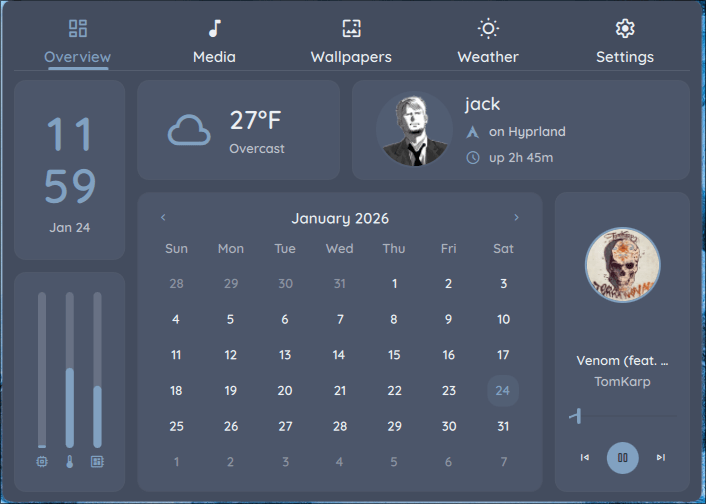
In short, Dank Material Shell is a drop-in replacement for not just Waybar, but several other moving parts I had in my Hyprland setup. In addition, it looked polished and complete out of the box, a far cry from my Waybar config.
Normally, I would think it looks nice and probably move on with my day, but seeing DT go through the instructions while detailing how it was Hyprland-compatible and easy to set up, I thought it wouldn’t hurt to give it a spin.
Installation Process
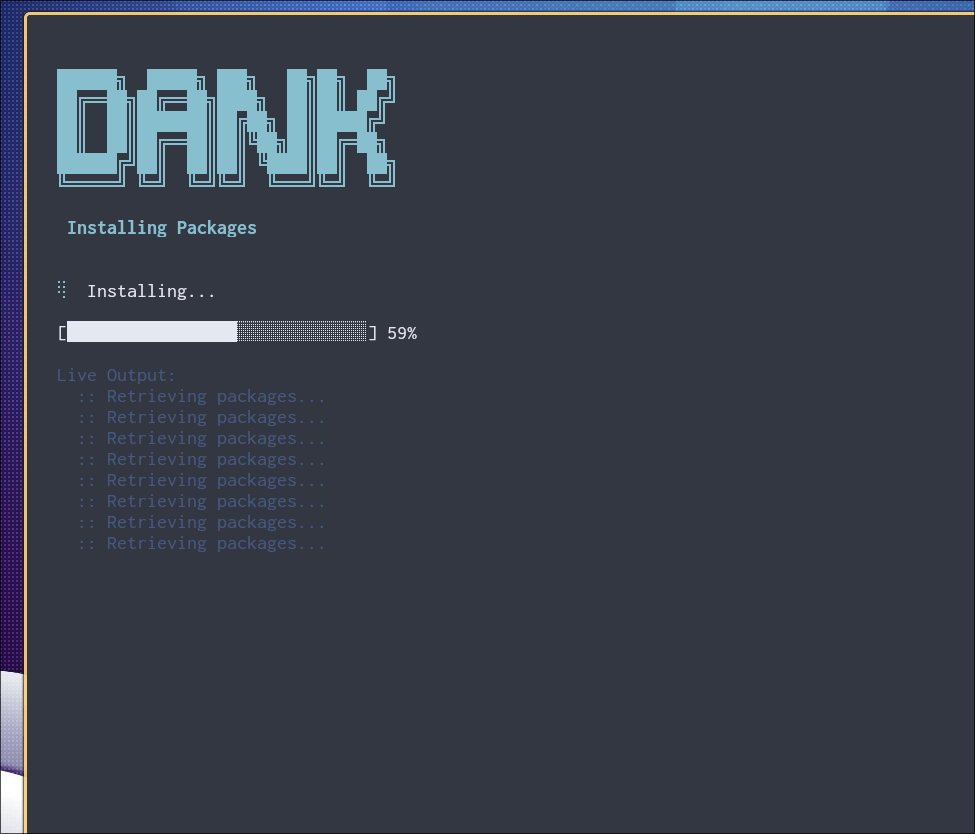
I couldn’t believe how easy it was to set DMS up, especially considering how much it meaningfully changes and improves my Hyprland setup.
While I know DT shows his own instructions in his video, I stumbled across even simpler and more streamlined instructions when visiting the DMS Github page.
In short, here’s what I did.
First, I ran the install script as follows.
curl -fsSL https://install.danklinux.com | sh
I then followed the prompts in the install script. I selected Hyprland as my Wayland compositor and Kitty as my terminal. While the script offered to overwrite my configs for both Hyprland and Kitty, I explicitly declined those options and chose to configure them myself (I already know what I want). Or more specifically, I only really had to tweak my Hyprland setup slightly at most.
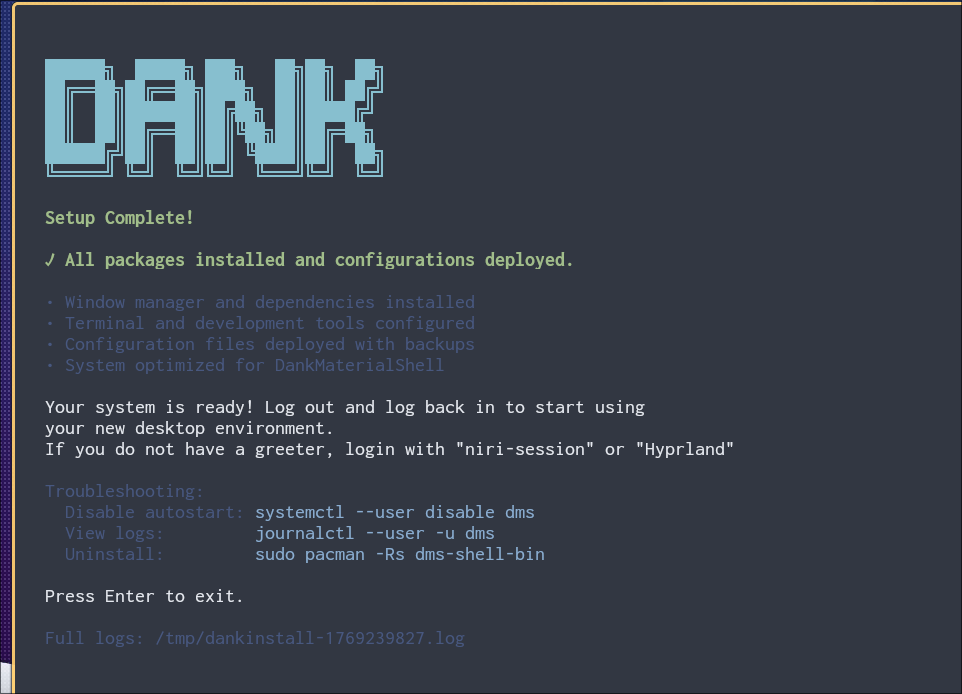
It was then that I went into my Hyprland config files and commented out Waybar, Dunst, Swaylock, wlsunset, and Waypaper. I went into my auto-start script and added the following line right next to the commented-out Waybar line.
dms run
From there, I replaced my Swaylock shortcut with the following in my bindings.
bind = $mainMod, L, exec, dms ipc call lock lock
One reboot later, I logged into Hyprland and and was greeted by first time use window to show me around.
First Impressions and Overall Thoughts
While I haven’t used DMS for all that long, I already never want to touch Waybar ever again. It’s not that Waybar was that terrible or anything (although I do recall serious issues getting Waybar to work properly at first on openSUSE), but more so that DMS is incredible and wonderful to use, whereas Waybar was just okay at best.
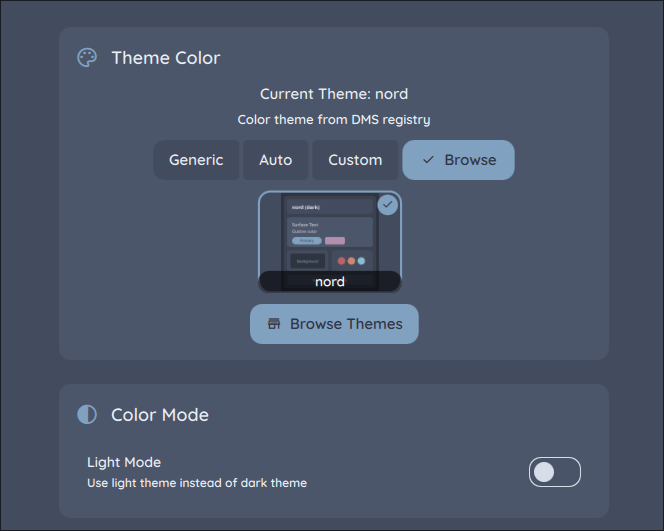
In the aforementioned window, I was able to get started immediately. One of the first things I did was swap out the default theme with Nord. Totally predictable, I know. But aside from that inevitability, swapping out themes with DMS is dead simple, especially compared to Waybar.
In Waybar, it was mostly what I expected. I go into a file, set a few colors and styles, and then restart Waybar until I liked how it looked eventually.
With DMS, I select the theme I want to use from the menu with a couple of clicks.
Even something like setting up light mode (the toggle pictured above) was extremely simple. Should I want to switch to Nord Polar for whatever reason, it’s easy. No separate config necessary.
That wasn’t it either. DMS handles wallpaper as well, meaning I no longer need to bother with my Waypaper setup. Of course, assuming I have a specific setup with Waypaper, swww, or some other utility, DMS offers the option to disable its own wallpaper management to let you use something else. Instead of erasing it, DMS gives you the option, the choice to use what works best in your use case.
As I hinted at a while ago, DMS is a drop-in replacement for several components that would otherwise be outsourced to other apps or objects. It includes a lock screen of its own, which means I don’t have to bother with Swaylock anymore. Better still, it includes its own notifications, which means I can not only kick dunst to the curb, but I get better-looking notifications with working sounds.
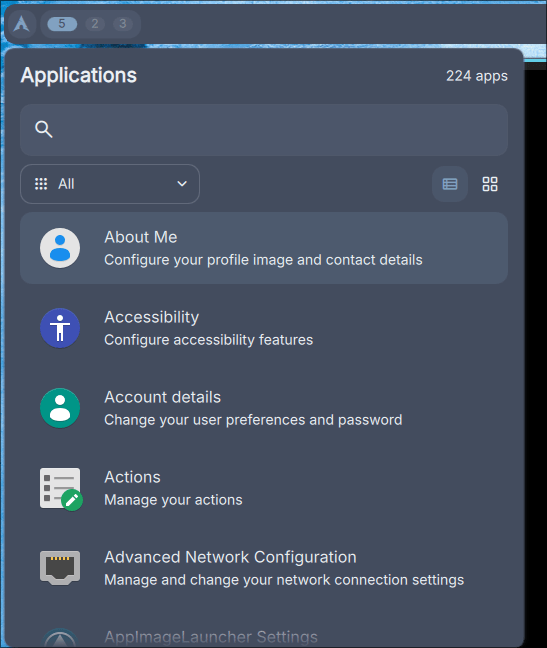
I’m still pleasantly surprised by such a small touch, but I’m not used to a window manager or Wayland compositor feeling so complete in features without me having to manually add something. Another example includes how I can enter in my location (whether it’s IP or latitude/longitude) to get a “night mode” blue light filter to work automatically on sundown. I no longer have to outsource that to wlroots or a third-party utility.
DMS continues to impress me with more additional features on top of what I already expected. For instance, I get a volume indicator at the bottom of the screen when adjusting audio levels, I can click the RAM and CPU applets on the bar to actually open a pop-up menu, I can click the current time to see a pop-up calendar with much more clustered around it, and I have access to media controls at the top of the bar.
But Wait, There’s More!
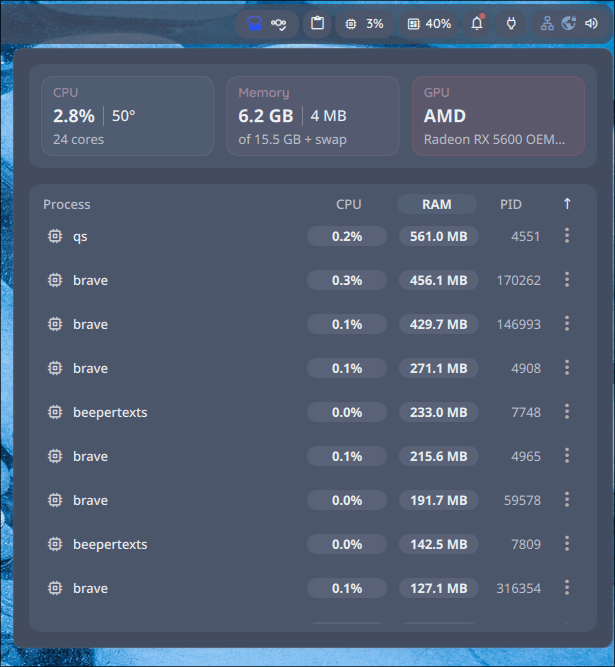
There are other goodies included, like networking management (a great reason to dust off my neglected ThinkPad laptop running openSUSE), workspace management, incredibly easy configuration of the main bar, and more. There are even several additions that I don’t really have any use for but still appreciate having as an option, such as the included app dock and the desktop widgets. I feel like I’m barely scratching the surface here, but DMS offers so many options to really make it your own, and I strongly appreciate all of the effort.
I’m so impressed with DMS that I actually fetched my aforementioned openSUSE ThinkPad from my closet and started to update it again while it charges from zero battery. After running a long update (It’s amazing to me that Tumbleweed can update and run just fine after a year of no updates.), some troubleshooting with Hyprland on the laptop, and a few other hurdles involving my openSUSE repos, I was able to get DMS set up on openSUSE.
I set everything to Gruvbox, which is the color scheme I’ve preferred to use on openSUSE, and everything is looking and running perfectly with it so far. Plus, thanks to DMS, I get a more complete experience with battery management and an intuitive network menu.

The best part has to be that I was able to drop DMS into my Hyprland setup on both machines, which means I didn’t have to relearn any key binds or configure other details like my pypr setup or keyboard layout. I mean, I’m confident I could get a WM set up if I’m determined enough at this point, but this is much easier.
I’m already confident that I don’t want to go back to using Waybar ever again as long as I have DMS working this well. It feels like I didn’t just switch so much as I leveled up my Hyprland setup. Thanks to DMS, I now have the polish of a full-on desktop environment with the smooth performance and window tiling I’ve come to expect. For any Linux power user, I cannot recommend this enough; I rarely ever gush over software like this.
What about you? Do you use a Wayland compositor or window manager? Did this convince you to check out Dank Material Shell for yourself, or are you happy with a different setup? Are there any usability questions you might have regarding DMS? Whatever it is, feel free to leave a comment or question below. I’d love to know what you think.
 Sudo Science
2 responses to “Dank Material Shell Makes Hyprland Feel Complete”
[…] This won’t be too long of a post, but it does somewhat connect with my most recent post about Dank Material Shell. […]
LikeLike
[…] I already wrote about it recently and in passing, but my openSUSE laptop became a new project for me to tinker over the past week. I loved getting Hyprland to run on the system just as it would run on my Arch desktop. Everything was looking great. […]
LikeLike