

Here’s a hypothetical. Let’s say I developed an Android app for you to use. You can download it for free, and I give you two options on how you would rather have the app work:
- You download the app and get to keep full, private control of all your information and personal data.
- You surrender all of your personal data and control in a long, predatory EULA that I know you won’t read. Reasoning as to why I would want your info is arbitrary at best or unexplained at worst.
Great, now I’ll give you some time to sit back and decide if you would rather have option 1 or 2.
Except I don’t have to. I know in a serious scenario like this, by far the vast majority of people would pick option 1. It’s such a no-brainer if you are presented with the choice. Why would you not want to keep your IP address, cookies, phone number, permissions, and other information private when given the choice?
Sadly, option 2 is extremely common with big and successful apps. If anything, unless you only get apps on a store like F-Droid, option 1 is the exception rather than the rule. Why are people so nonplussed over giving so much control and privacy up when using an app like this in the first place?
It boils down to convenience. The privacy-invading apps tend to have all of the features, the polish, and all of the trade-offs that make this compromise appealing to the average end user.
But was this only an issue with apps? Could there be more to the idea that convenience is a trap?
Smartphones and My Brief Stint with Graphene OS
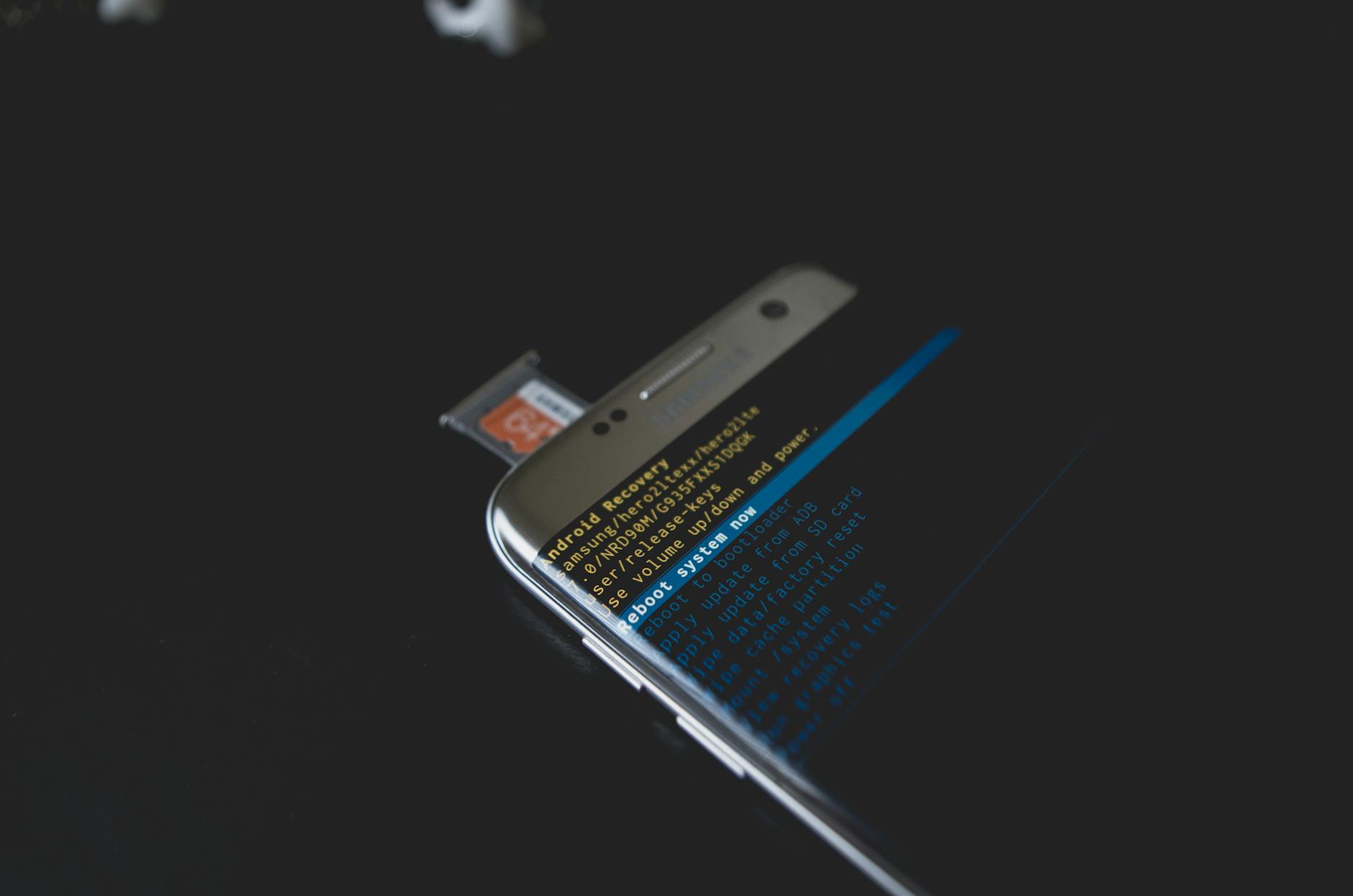
I have already discussed it a few times, but I do remember an era when we didn’t have today’s smartphones. I recall the first iPhone hit the market in my senior year of high school, so I had the privilege of growing up in a time before the content today’s teens consume became common. Still, for anyone following tech, this was a more optimistic time when technological convergence was a lofty, ambitious idea.
In case you don’t know what technological convergence is, here’s the idea: Back in those days, we might have carried a phone, but it only did two things like calls and texts. If you wanted to do other tasks, you just had to carry more things on your person.
- If you wanted to visit a website on the go, chances are you had to carry a laptop and hope that a place had a wifi connection (not every place did yet).
- If you wanted to play a game to stay entertained, you had to carry a handheld game device like a Nintendo DS or Sony PSP.
- If you wanted to take notes, you would have to have a notebook and pen on hand unless you could take half-decent notes on your laptop.
- If you wanted photos that didn’t look terrible, you needed to carry a separate camera. Even if your phone had a camera back in those days, it was never worth it for any serious photos.
- If you wanted to hear your music on the go, you would have to carry around a separate gadget like an MP3 player, an iPod, or maybe a CD or cassette player.
Your pockets, bags, or purses would fill up fast. Imagine, we would think, if there was a device that could do all of these tasks competently, like a mini computer that fit in your pocket. This device, some of us imagined, would make calls, send and receive texts, support video calling, take great pictures, play games, take notes, play music, visit websites, and so much more.

Nearly two decades later, we are now living in that reality. It was gradual, but by the end of the 2010s, our smartphones finally reached this level of potential.
But somewhere along the way, that once optimistic promise of convergence became mundane. Nowadays, almost everybody carries a rectangle of glass, metal, or plastic around that can accomplish just about any of the use cases I listed and more. We’ve even reached a point where people attempting to practice “digital minimalism” these days go against traditional minimalism by carrying around much more like it’s 2005 all over again.
Where am I going with all this? My current phone is a Pixel 9, and I did see this interesting video a few months ago by Mental Outlaw showcasing Graphene OS.
This video convinced me at the time to actually modify my phone and see if I could get this running. It would be my first time in years running an alternate ROM on my Android phone, something I once did frequently prior to 2015.
Surprisingly, getting Graphene installed was not difficult. I followed some dead simple instructions on the site to connect my Pixel 9, wipe the device, and before I knew it, Graphene was installed on my phone.
However, the longer I used Graphene, the less I liked it. While I did appreciate the privacy-respecting tools and features, I didn’t feel like I had much use for most of them. Still, I thought, it was nice to have them just in case, but they weren’t completely necessary for my needs.
Then signing in to Google Play to get my apps was less convenient due to the built-in sandboxing feature, designed to prioritize privacy. That’s when I discovered I could no longer use tap to pay with Google Wallet. Graphene is, after all, a modified version of Android. As a result, my setup on Google Wallet would be neutered to only gift cards, plane tickets, and loyalty cards. The latter-most, especially now, is borderline useless in an age where cashiers reflexively ask for your phone number at checkout.

Still, I was willing to try and get used to this, although I had to put a few cards back into my wallet. I was hoping to get past this inconvenience, but my bedtime features weren’t supported on Graphene compared to stock Android. Personalization features didn’t seem as robust either. The more I found missing compared to using stock Android, the worse my experience slowly became. I could have probably continued to use Graphene, but this death by a thousand cuts led me back to stock Android after just three days.
I wasn’t willing to sacrifice some convenience to stay on Graphene, even if the trade-offs led to more control and privacy in my hands. As a result, I’m still running stock Android on my Pixel 9. Everything works just as I expect, but I sometimes feel like Google has more info about me than I would like, but it feels so familiar and fitting to keep using stock for now.
But on the subject of my Pixel 9, there’s also the fact that I still carry mine around using the Clicks for Pixel 9 keyboard. Despite how I wasn’t over the moon or outrageously impressed with it, I was still willing to continue using it. While I did find it inconvenient to have a longer phone in my pocket, I find the trade-off worth it if it means I get to have physical hardware keys. See, I’m not a lost cause.
But speaking of lost causes, I heard the awful news for Android in 2026. We will start losing our ability to sideload apps, making more private and alternative storefronts or means of loading apps a thing of the past. I never thought it would reach this point with Android, but should this come to pass, I might seriously give Graphene a second shot in the future if sideloading is still possible there. Either that, or I could reconsider switching back to the iPhone after my 1 year experience using an iPhone 12 mini.
Subscriptions Siphon Wealth

I’m not here to scapegoat everything on the rise of smartphones. While they can cause us to make sacrifices in the name of convenience, they still can be extremely useful when used mindfully.
I’m not really sure I can say the same about the rise of the modern subscription model.
It may be difficult to imagine now, but there really was a time where we could buy software and use it indefinitely. If we turn the clock back slightly further, we could buy physical copies of software on DVD, CD, or floppy. We owned it forever, and you could install it as many times as you wanted… for the most part, at least. (Looking at you, Microsoft, with older versions of Office requiring a phone call to a robot if you wanted to activate more than three times.)
Still, the point was that we had more control overall. Sure, it was a slight hassle to load install media the first time, but it would generally be smooth sailing after that.

But in the late 2000s, Netflix introduced its streaming service for the first time. What if, instead of you having to go to a local Blockbuster to rent or a retail store to buy, you could stream it instantly? No worrying about damaging the media, no worrying about how many days you could rent it, no worrying about returning the film in time; there were no real downsides! All you needed was a subscription to get started.
I know I was talking about software for one moment and then Netflix the next, but this is not a random tangent. I bring this point up to illustrate how Netflix introduced streaming video to become the gold standard of subscription models for years to come. The sheer level of convenience eradicated Blockbuster Video, once a cultural juggernaut, from existence. The unbeatable convenience came at a time when most people only begrudgingly tolerated Blockbuster’s business model. I know so many people around my age get nostalgic over Blockbuster, but I do remember how simultaneously loathed they were back in the day. People hated how new releases were two-day rentals only, how Blockbuster needed a credit card on file, how you had to return the video to the same store you got it, and of course, we can’t forget the late fees. Plus, you had to get up and drive to a dedicated rental store to get your movie. When Netflix introduced on-demand streaming, Blockbuster looked like such a hassle to bother with in comparison, so the company as we knew it eventually died.
While I could be wrong, I largely credit Netflix for popularizing the now-ubiquitous subscription model we see today. It’s thanks to them that we can subscribe to not just watch TV and movies, but to listen to music or use software. There’s an entire litany of services such as HBO Max, Hulu, Disney+, and more. For music, you can check out Spotify or several other options if you don’t like it.
In fact, I recall a less convenient time when I would worry about which Android phone to upgrade to next, wondering if it had either a microSD card slot or enough internal storage to carry my expansive music library. That’s why I fell in love with Spotify back in 2014. All it took was two convenient features:
- I could easily sync playlists between devices, meaning I could make a no-fuss playlist on my desktop for running cardio and then play it back from my phone during a run. If I felt like adding a song to my work playlist, I could add it from my phone when the inspiration struck me and listen to it on my laptop later.
- I didn’t have to worry about tagging anymore! All album art, years, artists, and everything else were perfectly accounted for. I didn’t have to go out of my way to organize it all myself anymore!
While subscription models can be insidious in their own ways, I find the software subscription the worst. It was likely seen as a Godsend for companies like Adobe, tired of people in the 2000s always running illegitimate copies of Photoshop. Now, if you wanted to use any of their premium apps, you have to pay a hefty subscription fee.

It is intended to be seen as convenient. Instead of theoretically worrying about your installer packages or registration keys anymore, you can simply subscribe and always have access to the entire array of apps from your system. Adobe’s apps are usually seen as the industry standard as well, making them so entrenched and difficult for many creatives to transition away from. It was like Adobe expected people to simply use the apps and deal with the subscription fees. After all, there was no longer an inconvenience of paying a massive, one-time fee to buy and install the product!
All that said, let’s pause and think for a moment. No matter how long you are subscribed, whether it’s a month, a year, or longer, the result is always the same.
- You still don’t own the films or TV shows you stream over and over.
- You still don’t own any of the music you keep streaming.
- You still don’t own the actual software you keep running.
- You still don’t own anything.
Even digital purchases, another great convenience, are susceptible to this problem. If anybody still remembers just a couple years ago, PlayStation removed TV shows from its users’ libraries, even though they already paid for them. Then many of us remember how the digital-only Scott Pilgrim video game was lost for several years due to licensing issues. Even if we forego the subscription and buy the digital media piecemeal, what stops companies from just taking the purchases away from us?
Why do we tolerate any of this? Why do we fork over so much money just to own nothing?
Because it’s convenient.
- Streaming movies is so convenient that you don’t even have to worry about switching your Blu-Ray or DVDs, waiting for them to load, hitting the play button, and keeping the disks in safe condition. It’s all just a simple click away to watch.
- Streaming music means you don’t need to worry about storing your CDs or vinyls safely. Even if you have a digital collection of MP3s or FLAC files, you don’t have to drive yourself insane keeping everything organized. You can just select an album, already organized, and stream it.
- Software subscriptions simplify everything because we just pay the subscription to run the software. No worrying about whether you’ll be able to fork over $799 to activate Photoshop. As long as the subscription is active, the software will work fine.
Google Calendar (and Google’s Endless Ecosystem of Convenience)

It’s taken me some time, but I’m really going to talk about Google in detail. It may surprise you to know that I haven’t regularly used Google’s flagship service, Google Search, for years now. The only times I ever open Google’s main search these days is if I suspect I can’t find something on an alternative search engine. Despite how much I think people should stop using Google Search overall, that’s not what I wanted to talk about.
Rather, I’m thinking about Google Calendar. I recalled first sinking my teeth into the service back when I started college, using it to schedule my shifts at my part-time job alongside my university courses. I loved how easy it was to set everything up, especially with repeating events. Plus, I got my first Android phone a couple of years later, so syncing events was a big deal for me. Now, I could always check what was coming up by taking out my phone and either opening the calendar app or glancing at a skeuomorphic widget. (On a side note, I’m starting to really miss my first HTC Android phone right about now.)
If I needed to add an event, I had options. I could wrestle with the UI on my phone to add it with a few taps, or I could easily use a keyboard and mouse to add it in seconds, watching it sync over to my phone with a refresh.
But as the years passed, I became more weary about the idea of having all my eggs in Google’s basket. Even before this point, too, Google had already grown exponentially. They wanted to provide every possible service they could for free.
- Google released Gmail in the mid-2000s, really taking off with the invite-only system.
- Google started providing image and video searches, now common staples of most search engines (even if Google’s video search is only good at looking for YouTube).
- Google acquired Blogger in 2003, making it one of their own flagship services for blogging.
- Google started offering travel tools to look for affordable flights and plan vacations.
- Google Books allows users to search through published and scanned parts of some books.
- Google started a Google Chat system that was a big deal back when I was in high school. It was later integrated into Gmail.
- Google had the aforementioned calendar service offered, allowing integration into Gmail and the ability to subscribe to major calendars like holidays in specific countries or games for sports teams in major leagues.
- Google Drive allows people to store their own personal files much like Dropbox or Microsoft’s OneDrive.
- Google Translate was offered back in the 2000s, but has only improved over time with more nuance and polish.
- Google Maps allows people to navigate and find places using turn-by-turn navigation.
- Google Voice gave anybody with an Android account the ability to use a burner number for whatever reason.
- Google Contacts enabled everybody to start saving and syncing contacts through a Google account instead of having to do it manually whenever you changed phones.
- Google spun up their own office suite of online applications (Writer, Sheets, and Slides) to compete with Microsoft’s expensive and proprietary Office apps.
- Google released Chrome in the late 2000s and eventually came to dominate the web as we know it with most sites using its rendering engine to this day.
- Google acquired YouTube, everybody’s favorite video website as well.
That’s just the tip of the iceberg that is Google’s vast ecosystem. I didn’t even dive into their operating systems, the many services they killed off (I doubt many mourn the loss of Google+ or Stadia), and so many other services beyond this list.
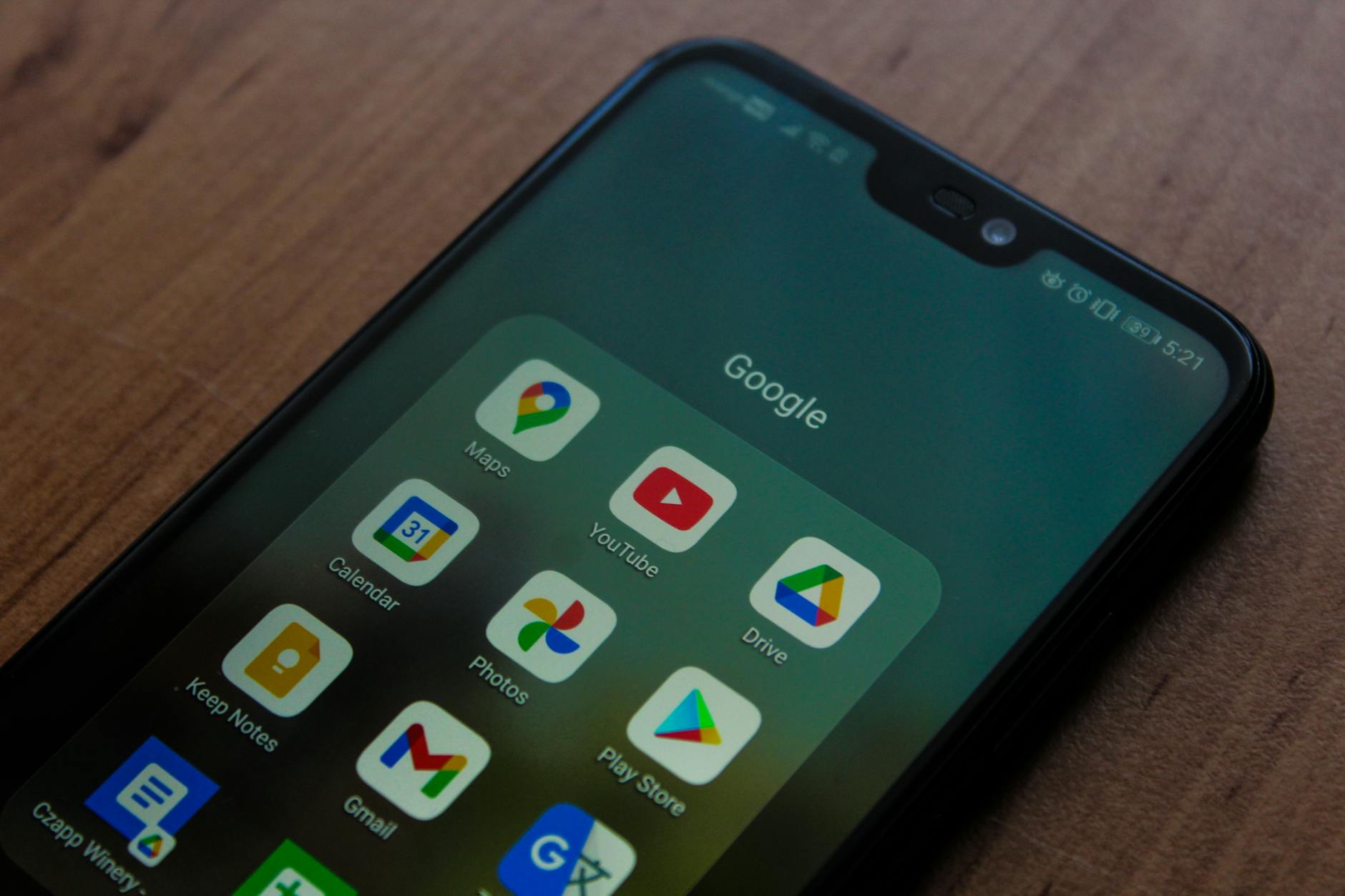
However, I did this to illustrate a point: Whether we like it or not, Google is everywhere. Instead of quitting Google altogether, which would be a bit difficult for me as a longtime Android user, I decided to merely limit how much of Google’s services I use.
- I use a handful of other email addresses for personal use. My primary Gmail account is typically used just for e-commerce these days.
- I largely use DuckDuckGo for my searches.
- My friends roped me into using Discord almost a decade ago, but I rarely use it. If possible, I find it more fun to chat via Signal or IRC.
- I have used my own instance of Nextcloud for years after using Dropbox, the service Google Drive modeled itself after, for the longest time.
- I started using DeepL for occasional translation needs here and there over Google’s offering.
- I took up Waze a while back to replace Google Maps, although this might be inconsequential; I found out a while back that Google currently owns Waze.
- When I need to edit documents, my workplace typically defaults to Google’s apps. If I don’t need to, I tend to prefer LibreOffice apps on my Linux machines or MacBook Air M1 workstation, and I’ll run abandonware versions of Microsoft Office on my Power Mac G5 occasionally.
- While it still uses Chromium for rendering sites, I use Brave as my default browser, previously using Vivaldi for years before, Google Chrome before that, and Firefox for many years prior.
On a side note, there is a bit of an all-or-nothing fallacy I’ve observed from people who use Google. If Google has a little info, these people may think, why not give up and let them know everything? What’s the point of trying to stay away from Google?
Google provides all of its services for free in exchange for how they typically harvest our personal information for their advertising network. I mean, sure, we could go back to the way things were before, writing down calendar appointments and contacts on paper, printing directions on Mapquest, using IRC to chat with more than just a couple of people, picking and choosing from a lot of different search engines, or having a diverse choice of internet browsers.
But Google makes everything so convenient.
When I first tried switching away from Google Calendar and Contacts a while back, I tried to replace it with my Nextcloud setup. I exported all of my contacts and synced them to my phone, but it wasn’t as straightforward as I thought. I had to go out of my way to get a pair of apps on F-Droid, enter a couple of app passwords, and then only eventually did I get everything running.
I wish I could say it was that simple, but it still had its quirks. For instance, when using Google Calendar from a browser, the UI is extremely refined. My Nextcloud Calendar UI, on the other hand, was a usability nightmare. It was part of why I tried to hunt down a good Linux calendar app for quite some time. Despite that, I had some issues trying to subscribe to special interest calendars like Google would easily and readily offer. I recalled having to download a file and import it into Nextcloud Calendar? Or it might have been copying a long URL, pasting it somewhere in Nextcloud Calendar’s UI, and hoping it would read the events. Whatever it was, it worked in a pinch, but I had little confidence in it if there were updates.

If I’m subscribed to a fully-online calendar, I don’t need to worry about not getting updates, but if I had to import a file with events, it would present some obstacles. What if I don’t get an update on how a baseball game was delayed due to weather? If a game gets postponed, the schedule needs to be updated for a future double-header. Google special interest calendars take care of all this for me painlessly. With my Nextcloud server, I have to hope it works or check manually.
It’s not the biggest issue overall, especially if you don’t care about baseball. If you follow any sports at all, however, what about when your team makes the playoffs or post-season? Google’s special interest calendar easily accounts for this, updating weekends in January for football fans, May and June for hockey and basketball viewers, or October for baseball watchers.
Google is especially convenient for the latter-three sports, where a playoff series can take any number of games to determine who moves to the next round. If a baseball wildcard series, a best of 3, is decided in just a 3-game sweep, Google automatically handles removing games 4 and 5 from your calendar for you. If your favorite basketball or hockey team is in a best of 7 series and happens to win in 5, Google removes the following 2 games.
I know this is a bit of a tangent with sports, but this is just another service that Google offers within their calendars that is immensely, say it with me now… convenient, and that’s just for calendar sync. Google kept it dead simple compared to when I tried using Nextcloud for contacts. I have an embarrassing anecdote about a former colleague reaching out to me after I set up my Pixel 9 and didn’t recognize his number because I had only signed in with Google instead of my Nextcloud. I know I could have been a bit more prudent and signed into Nextcloud for my contacts sooner to prevent this, but considering I need to use my Google account at all to set up most new Android phones, it made me wonder. Why should I bother with two redundant contact systems on my phone? The Google-provided one is right there from the start and too convenient to pass up. This is part of why I gave up on Nextcloud for my contacts as well.
Overall, I largely went back to Google’s calendar and contact offerings because of how no-fuss they are, especially now. While I prefer to compartmentalize some data away from Google, it’s too easy to just go with Google sometimes.
What’s the Point of All This?

In modern technology, we almost always sacrifice something for convenience. Whether it’s overall privacy with stock Android, money and control with streaming services, or independence from Google’s ecosystem, they all offer compelling convenience, so compelling that many of us are willing to make sacrifices.
I didn’t even get to go into other examples to further support this idea, either. For instance, I didn’t really discuss Microsoft accounts and the sad, sorry state of present-day Windows. I didn’t explore Amazon’s Kindle eBook store taking away the ability to unlock and backup purchases. I didn’t even explore how search engine results have gotten worse over time while AI prioritizes or summarizes what you might otherwise click. While I joked about it briefly at the start, I didn’t explore how so many of us don’t care about those EULAs and just blindly accept them because we want the convenience first and the data breach later.
If anything, I would argue that the growing demand for convenience has many technology worse in today’s age than in the past couple decades.
What Can We Realistically Do?
Alright, so we live in a time where we sacrifice so much to the altar of convenience: our money, our privacy, and our autonomy. Is there anything we can actually do about it? Or is the only option the nuclear one, moving into a log cabin in the woods to go “off-the-grid”? Or, more confusingly, are we expected to arbitrarily embrace inconvenience in hopes that this issue goes away, now knowing which inconveniences would serve us best?
Thankfully, the solution is a lot simpler than we might believe.
I remembered this video again the other day after first seeing it years ago. While DT is right for the most part, I would argue that knowing more about our technology can be what helps us fix this problem in the first place.
By mindfully and actively choosing to learn more about the technology we use, we can recognize how it works better. By recognizing how it works better, we can discern for ourselves when an inconvenience is worth it.
While I don’t think it’s worth it for me to forego Google Calendar and Google Contacts at this time, I still recognize when an added inconvenience is, like saving hundreds of dollars a year with a streaming server to replace Spotify and Netflix. I’ll have to go through the effort of organizing the shows, movies, and music, but it’s well worth the cost for my needs.
This mindset doesn’t even have to apply to technology alone. If there’s a slightly less convenient way to do something, step back and ask yourself: Would doing this the less convenient way yield more rewarding results? If it does, it’s worth doing. Otherwise, maybe the convenience is worth it. For example, next time you’re hungry and thinking of opening a food delivery app, inflating the price of your takeout, why not see first how much cheaper it would be to pick it up from the restaurant? Better yet, why not check your refrigerator or pantry first to see if there’s anything you can cook? You might recognize that this is less convenient, but both of the alternative choices save at least a bit of money. That itself is rewarding, even if it’s only a few bucks.
What do you think? Do you think I was mistaken or overlooked something? Maybe there’s something else I didn’t account for? (No, seriously, I’m rather receptive if I make a mistake.) While we’re at it, has this made you rethink any conveniences or inconveniences in your own life? Do you also think I used the words “convenient” and “conveniences” an abnormally high amount of times? (What I would give to be paid for each time I typed either of those words; that would be convenient!) Feel free to leave a comment with your thoughts or opinions if you like. I’d love to know what you think of this subject.
 Sudo Science
One response to “When Convenience Works Against Us”
[…] some point, I decided enough was enough. Maybe the unfettered convenience was the real problem. I treated LazyVim as a set-it-and-forget-it, but despite that, I knew quite little of what was […]
LikeLike