

I don’t normally switch terminal emulators often. I stuck with Alacritty for the longest time and just months ago switched over to Kitty for the first time, sure, and I’ve been extremely happy with it, but I know my list of options for terminal emulators on Linux is far and wide like an ocean of excellent choices.
In short, I know there is a copious amount of options out there, but one does stand out for rather interesting reasons.
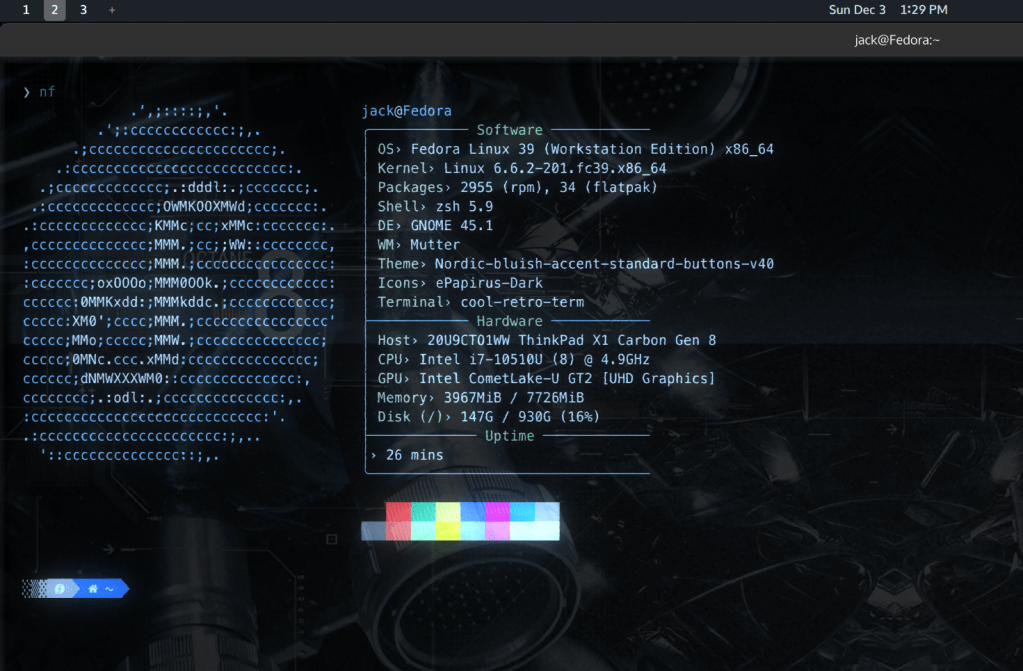
Your eyes do not deceive you. That is indeed burn-in, flickering, CRT blur, a small amount of bloom, some static, and a glow line.
Before you ask: No, I haven’t switched my Fedora system to an external CRT display. Rather, we’re looking at Cool-Retro-Term, a terminal emulator that has a little nostalgic flair.
This app does a fantastic job with little effects in the menu to let you recapture the nostalgia of a bygone era, when dumb terminals were more common, when you would see very simplistic prompts and screens, and when displays were made of curved glass.
When I First Heard of Cool-Retro-Term
I first stumbled across this app an extremely long time ago. In fact, it was either towards the end of my first stint using Ubuntu or my first time trying to switch back to Linux (unsuccessfully) on Manjaro.
Whatever the case, Cool-Retro-Term always did a fantastic job standing out from the competition. How would you like to get cool effects that make you feel like you’re using a terminal in the 1980s? When I first tried it and barely knew what I was doing with Linux, this seemed like the hands-down coolest app ever.
Fast Forward to Now
Now that I actually have some semblance of what I’m doing with Linux, this still seems like such a neat idea. I would hear about Cool-Retro-Term every now and again with reminders that it still existed. Eventually, I was curious enough to try it out again, and that’s exactly what I did. I finally gave it another spin. I tweaked around with it, tried doing several things I would do with Kitty, and put it through a few paces.
How Is It Now?
Honestly, once I’m past the flashy effects, it’s still a solid terminal emulator. It can do almost anything I want a terminal emulator to do. It can run updates just fine, it can browse files through ranger a-okay, it can list directories, and it seems perfectly compatible with Nerd Fonts. In fact, I would go as far as saying it is more than adequate for basic tasks.
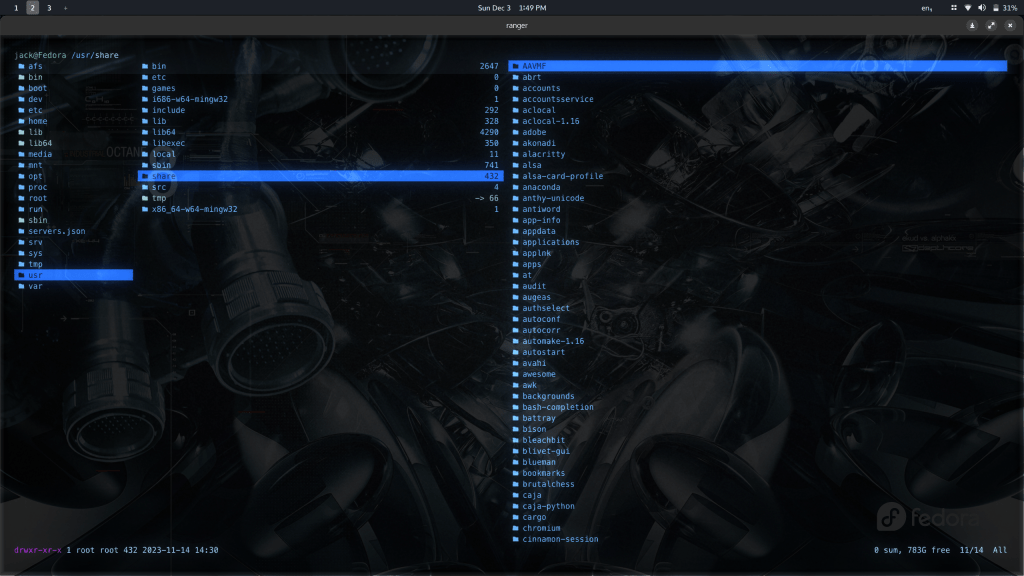
Unfortunately for me, it falls short in a few aspects that are rather minor in the grand scheme of things. For instance, if I decide to open LunarVim with my preferred Nord theme set, I get something like this:
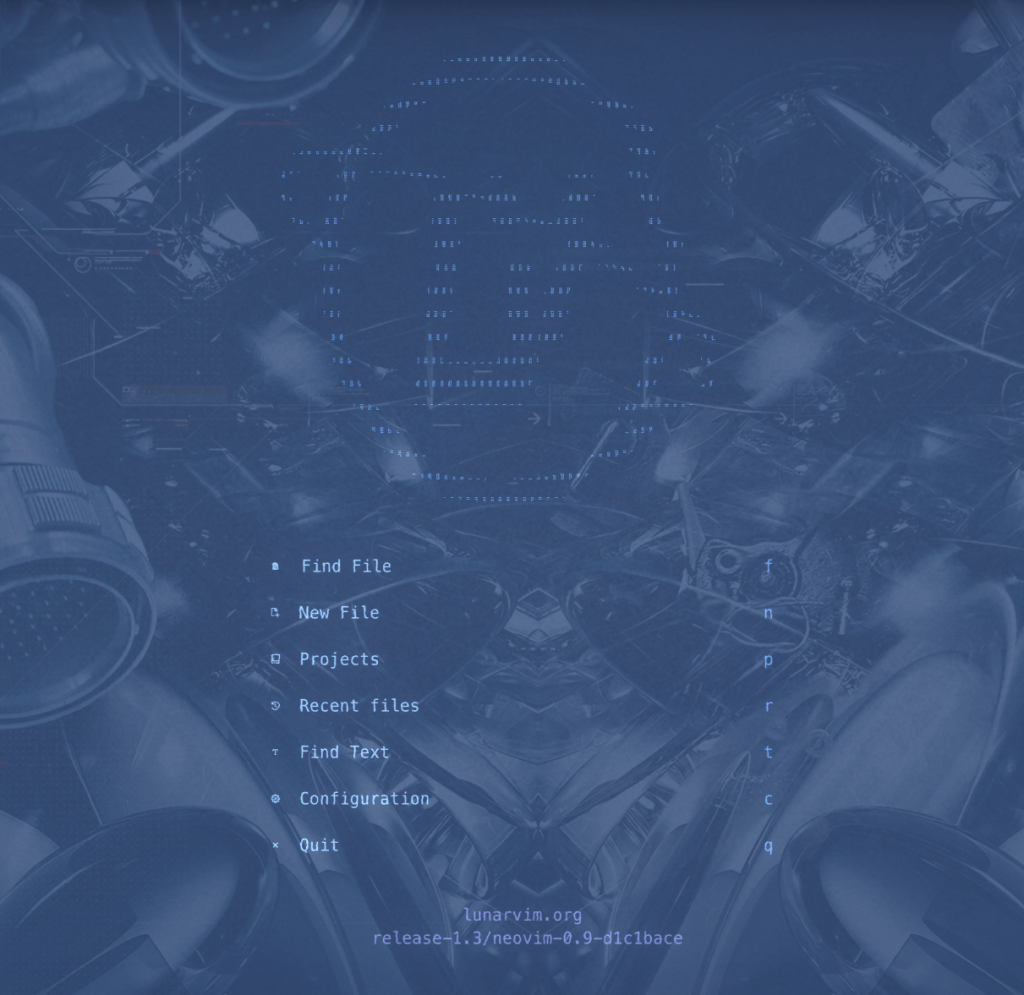
The contrast looks awful, unfortunately. The background, which should look like an icy blue, gets saturated and looks like a different type of blue altogether, making everything an eyesore, to say the least. I’m sure I could fix this by setting LunarVim to something plainer with a pure black background, I guess, as I did see this same poor contrast when I tried a default background color other than black in the settings.
You would have to change colors and settings to really get things usable in something like Vim or Neovim assuming you have a theme for writing your code and providing some much-needed contrast, and I guess it’s possible with enough time and patience. Still, personally, as much as I like what this terminal emulator can do, I’m not really willing to do much of that myself (more on that in a bit).
Another place it falls short is one of the minor reasons I switched from Alacritty to Kitty in the first place, which is how it doesn’t really display the album art within spotify_player. Just take a look:
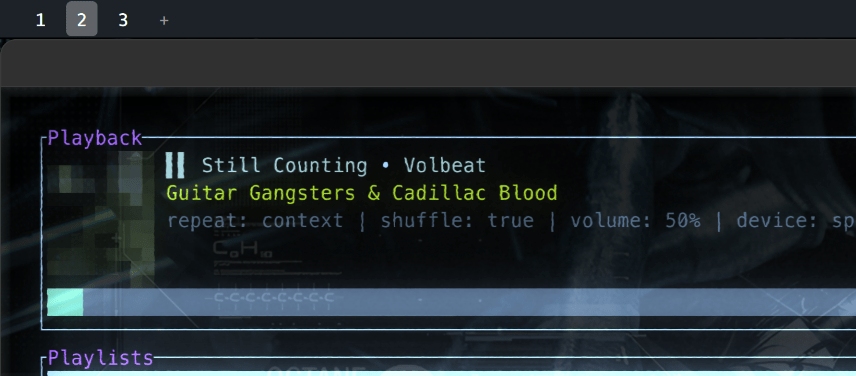
Just like Alacritty, Cool-Retro-Term displays the album art in this command line app as a mosaic mess. After I ditched spotify-tui in favor of spotify_player, I never looked back, and that still remains true to this day, but I’m not really counting this as a strike against Cool-Retro-Term so much as Kitty being awesome and supporting something of a less common feature.

Still, as much as I thought this was a neat terminal emulator nowadays, I found myself not really wanting to use it after realizing something.
When messing around with my settings, I wanted to turn off the screen curvature. Then I wanted to reduce the bloom. I lowered the flickering, reduced this thing, turned down that other thing. Before I knew it, I barely had any effects enabled and inferior overall color choices.
At that point, I knew a plainer, more standard terminal emulator suited my needs far better than what Cool-Retro-Term had to offer. What was the point of using it if I was going to turn down most of the effects that were its main appeal?
That’s why I didn’t really use the app for long and found myself back within the cozy confines of Kitty. If my scenario sounds nothing like yours, then Cool-Retro-Term might be a far better fit for you than it was for me.
I Still Want to Use It. Where Do I Download?
Nice! If that’s the case for you, the Github for this fine terminal emulator shows you everything you need to know. In short, Cool-Retro-Term runs on both Linux and macOS (sorry, Windows users). You can easily install from:
- Standard repos for Ubuntu and Debian (apt), Fedora (dnf), and Arch (pacman)
- An AppImage file (remember to make it executable)
- A dmg file for macOS
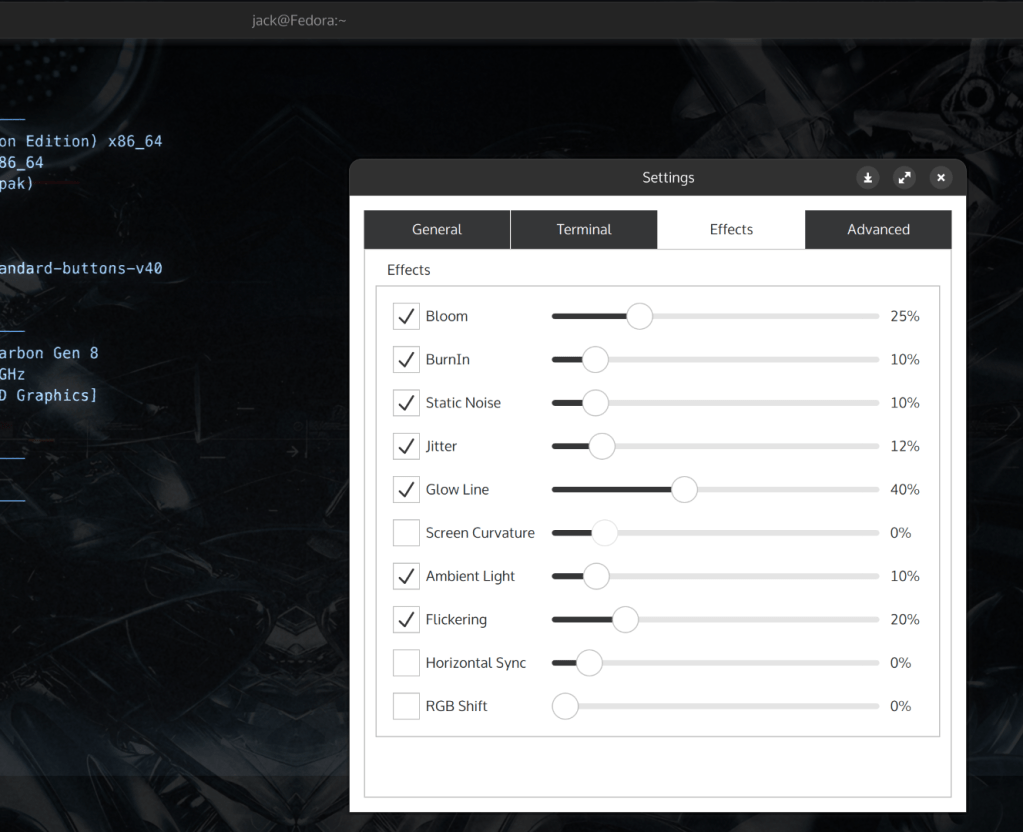
Install as you normally would and that’s it. Accessing and configuring basic settings is also simple and beginner-friendly. Just right click anywhere within the screen select “Settings” to find anything you can configure. No need to tweak a file to make any changes.
From there, you can load the included themes, play around with the effects, and customize your settings to your liking. There are also a handful of user-created themes out there that you can import, although I do find they are few and far between. It might make more sense to just make some of your own by tweaking the settings that Cool-Retro-Term already comes with.
Liking Cool-Retro-Term?
Did you download and try out the terminal emulator for yourself? How do you like it? Did you play around with any of the settings and visual tweaks? If not, what is your terminal emulator of choice? I’m interesting in hearing what you have to say about this.
 Sudo Science