

Like many others, I like YouTube. I recall when the site was brand new in the 2000s and unlike anything we had ever seen before. You could easily upload videos to the site and watch videos from other uploaders from all over the world. I know it seems so commonplace now, but it really was a huge deal to have a new site like YouTube. I even remember the old days when YouTube still had a star rating system and you could send MySpace-like bulletins to people on your friends list.
While classic YouTube was far from perfect, it was charming in its simplicity. Fast forward to now, and it feels like the site has largely become more annoying than ever. Why is it so much harder to just open YouTube on a browser and watch a video without complication?
Whether it’s excessive ads, normalized clickbait, dislikes being hidden, nonsense layout changes, YouTubers trying to convince you with a straight face that Raid Shadow Legends isn’t boring drivel, “shorts” shoved in our faces, or content farms gaming the algorithm, YouTube is not as fun as it once was.
We Can Fix That
Thanks to the simple power of browser extensions, we can alleviate all of these issues. All you’ll need is a Firefox or Chromium-based browser to get started. If you’re using an app on a mobile device, then I’m afraid much of this list will likely not apply, although I am looking into possible solutions for that in a future post.
Enhancer for YouTube
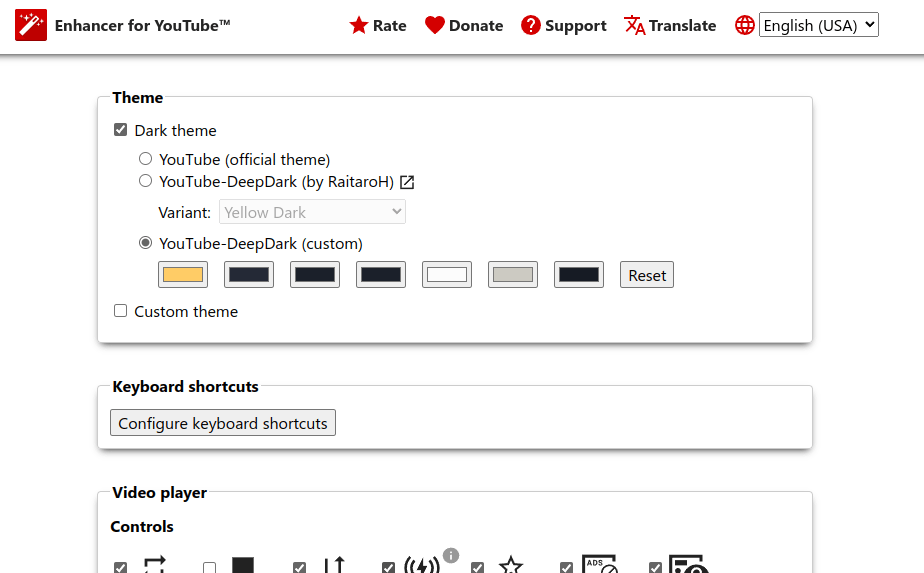
Enhancer for YouTube is an extension I’ve used for a long time.
When installed, Enhancer lets you select and customize dark themes right from the settings. The extension also grants you configurable keyboard shortcuts, ad blocking, playback speed controls, video rotation, custom script support, autoplay disable, a pop-up video player, filters, and so much more.
Other options deeper down the options page include automatically enabling “Theater Mode,” automatically expanding video description boxes, sorting comments oldest to newest by default, hiding comments, hiding chat on previously live videos, and hiding the related videos sidebar altogether.
If you’re also sick of how hard YouTube keeps pushing “shorts” as a form of content to compete with TikTok (annoying for many of us who are not interested in TikTok), then Enhancer has you covered too. You can either block shorts from appearing entirely or at least convert them into actual videos with normal YouTube controls should you desire.
If you only had to install one extension and ignore the rest, make it this one. I cannot recommend it enough.
SponsorBlock
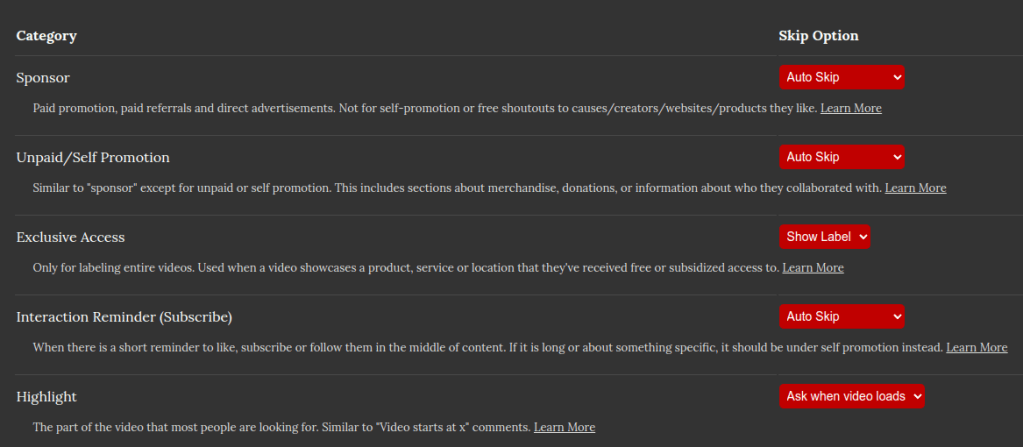
SponsorBlock Home Page and Install Links
What do Raid Shadow Legends, Raycon, Honey, Skillshare, Linode, Manscaped, Squarespace, and the most neutered and ineffective VPN services all have in common?
We’re all sick of YouTubers constantly shilling them.
It’s more irritating when it feels like the YouTuber in question has clearly never used the product. Out of every YouTuber I’ve seen promoting Raid Shadow Legends, I can’t think of a single one who would sincerely want to download the app, let alone play it for more than three minutes.
No more having to drag the video player cursor and guess where the sponsored segment might end. Simply install SponsorBlock and kiss those annoying sponsors goodbye!
Upon install, watch any video with a sponsored segment in it. Thanks to SponsorBlock, the interruption will skip automatically as you watch the video, making the viewing experience seamless.
If the video was very recently uploaded, the sponsored segment may not skip, but you have the option to fix that thanks to crowd-sourcing. Simply use the extension to mark the timestamps of where the segment starts and ends, then submit. Now every SponsorBlock user afterward will have the luxury of auto-skipping the segment you submitted.
The extension lets you track how many segments you’ve submitted and how much time you’ve saved for others using the app. It also lets you see how much of your valuable time you’ve saved from having the extension skip segments for you!
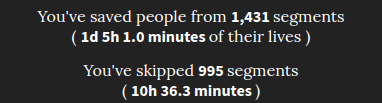
Plus, there’s something immensely satisfying about watching a YouTuber ready to cut to an obnoxious sponsor segment only to see it skip straight back to the action while they’re none the wiser.
To make everything more impressive, you can use it to skip more than just sponsors. SponsorBlock can be configured to skip unpaid self-promotions, repeat reminders to subscribe and like, recaps at the start of videos, end credits, and even filler tangents and unfunny skits that drag on.
I only wish I discovered this extension years ago. It may not do as many things as Enhancer for YouTube, but it does one thing exceedingly well, and that’s save our collective time from the vultures that want us to play Raid Shadow Legends.
DeArrow
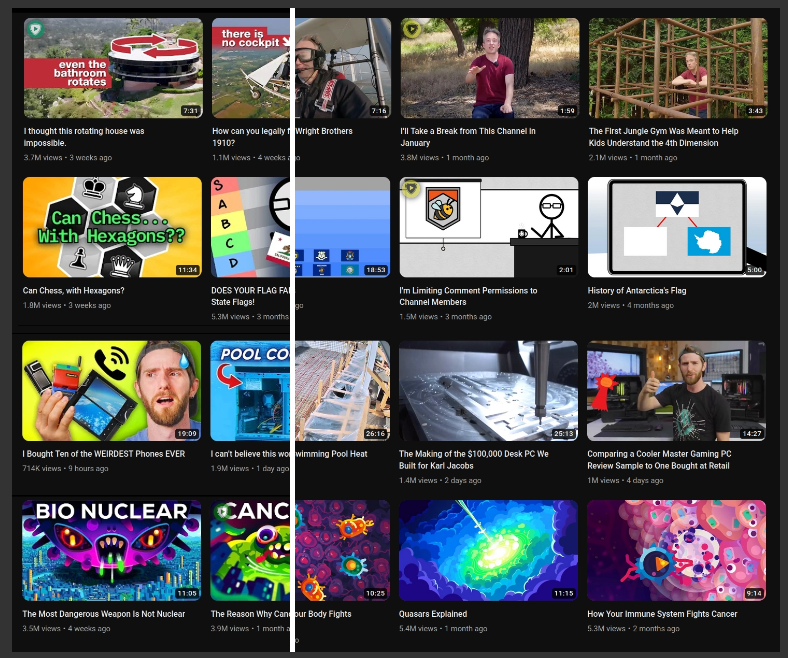
DeArrow Home Page and Install Links
From the fine folks behind SponsorBlock comes DeArrow!
I only heard about this extension relatively recently, but it helps mitigate the constant and commonplace annoyance of clickbait. The demo on the home page (pictured above) demonstrates the app so well that I recommend clicking the link and trying it out with the slider. You can also install it from there if you’re interested.
When installed, you can set the app to replace titles and thumbnails as well as using crowdsourced titles that make videos less clickbaity and obnoxious. A nice option also includes removing emojis from titles! You can also click the little blue circle next to a title to reveal the video’s original info should you desire.
If you find this too jarring to do on every YouTube channel, you can also set up configurations under a “Channel Allowlist,” which essentially functions as a sort of whitelist function with a little more granular control. I can set up certain channels to only replace titles, another set of channels to replace both thumbnails and titles, and so on.
Another nice setting is “Default To Original Video Information,” which lets you see the videos as they were originally uploaded, but lets you click a circular, blue button to see the de-clickbaited titles and thumbnails.
Channel Blocker
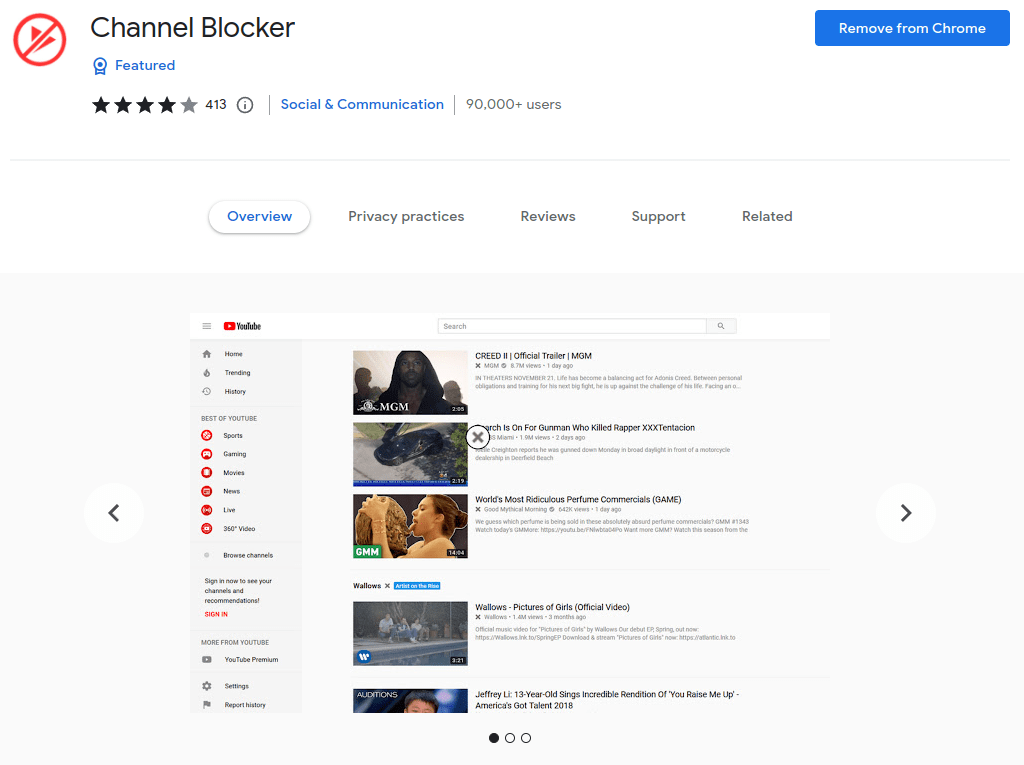
Did you make the mistake of clicking a content farmed AskReddit reading video with a droning TTS dredging through posts, and now you’re being recommended dozens of videos just like it? Maybe you’re troubleshooting your Linux system only to accidentally stumble into yet another unhelpful video made by Roel Van de Paar (ugh). Perhaps YouTube really insists you to watch another sensational, thought-provoking video from the likes of WatchMojo?
Disabling your viewing history only does so much. Take back control and curate your own YouTuber blacklist with Channel Blocker. Upon install, wherever you browse YouTube, you will see a little “X” next to YouTuber names. To block a channel from ever appearing again, simply click the X next to a name and watch them disappear! If you block a channel you like by mistake, you can always go into the settings and unblock them manually.
I was so elated when I first discovered this extension that I immediately donated €20 to the developer from the settings menu. It was worth every penny to finally escape YouTube trying to shove endless AskReddit readings in my face.
Return YouTube Dislike

Return YouTube Dislike Home Page and Install Links
An overwhelming number of users were against removing the dislike button, but YouTube still went and removed it. There were numerous theories on how this was done so major companies, annoying ad campaigns, and “influencers” could collectively gaslight users into thinking that worsening content was acceptable and well-received.
Whether you agree with that sentiment or not, losing the dislike button is annoying, especially for videos that claim to be tech tutorials. How do you know that the file you downloaded from the description is legit and not malware, especially with comments disabled too? Fortunately, the Return YouTube Dislike extension does exactly as the name says: it brings back the dislike counter on any video you watch.
It’s so simple, but effective. Now you can go back to watching “apology” videos filled with interpretive dance and ukulele music just to see what everybody really thinks.
Conclusion
YouTube certainly has become more grating over the years. While the site will always have some imperfections, it’s a good thing we have such talented developers making extensions that let us take back control of our viewing experience.
Did I miss any extensions that you could think of to make YouTube more pleasant? Have you also used any of the extensions on this list? How has your experience with YouTube been? As always, be sure to subscribe to my channel, smash that like button, click the little notification bell to always ensure you’re up to date, and I’d like to make another shoutout to my sponsor! Don’t forget to check out my discount code to get 5% off your first subscription!
 Sudo Science
One response to “Make YouTube Less Annoying”
[…] My friends gave further feedback by saying I should really be more like everybody else, like those blogs or websites stuffed with affiliate links to Amazon, or those YouTubers with obnoxious sponsored segments. […]
LikeLike