

I was browsing AlternativeTo recently, a site I like to check every so often. The cool thing about the site, as the name implies, is how it’s designed to look up information on software and apps along with user-curated alternatives. There are also lists edited and created by the community for given subjects or niches (examples: “best apps to run on macOS,” “best free image edit software,” “must install on fresh Windows machine,” and so on).
Then it hit me: Why don’t I make my own list of apps and services to run as opposed to more popular ones many people use?
Ground Rules
I’m going to start each category listing a popular or mainstream app or service, and then I’m going to bring up at least one alternative I would recommend running instead for one reason or another.
There isn’t much of a consistent theme here. One moment, I might recommend something free and open-source as an alternative, and the next category may have an endorsement for something freemium or closed-source. Rather, these are mostly the apps I use or tend to rely on instead of popular alternatives.
Still, for honorable mentions, I may occasionally mention apps I didn’t really use or only heard good things about in passing. As a whole, I focus on how well they work for me more than anything else. Of course, YMMV.
Desktop Browsers
Popular Choice: Google Chrome
Ever since Google launched their browser in the late aughts, saying it has taken the world by storm is an understatement. It’s gotten to a point where people jokingly called IE, Edge, or Safari a “Google Chrome downloader” on multiple occasions. Despite Chrome’s extensibility and general ease of use, users can certainly do better.

Use This Instead: Vivaldi
I know this one is proprietary, and I know this one is based on the Chromium rendering engine. I don’t care. A great browser is a great browser. Vivaldi is a relative newcomer compared to more established browsers, but was founded by co-founders of the Opera web browser who sought to recapture the glory of old-school Opera (back when it used the Presto engine instead of becoming another Chromium-based browser). Still, Vivaldi has so many features and can be as decked-out or minimal as you like from initial setup. Its adaptable design makes it feel like you can curate your experience to your liking rather than you having to adapt to the browser itself.
Honorable Mention(s): Mozilla Firefox, Microsoft Edge
Firefox seems much more favorable these days considering most browsers on the market are Chromium-based. Mozilla’s offering keeps the market at least somewhat competitive. Although I would argue that Mozilla’s glory days are mostly behind them, it’s still a solid browser and, unlike Vivaldi, is fully open-source. It’s no wonder Firefox is the default browser on most Linux distributions.
I can’t say the same about Microsoft Edge, which is Chromium-based these days, but it’s still a solid enough choice if you know what to expect. Something that does make Edge more compelling compared to the likes of Chrome, however, deals with how Edge users are able to access AI features on Bing search. Plus, I could see users really enjoying Edge if they like synchronizing logins, history, and more with Microsoft accounts in particular.
Office Software
Popular Choice: Microsoft Office 365
Microsoft Office has been a de-facto standard in word processing, spreadsheets, and presentations (for better or for worse) for the longest time. In fact, I’m personally a fan of the “Designer” feature on modern PowerPoint. Still, despite the potential convenience of using it online and synchronizing documents with OneDrive, it can be an expensive option, especially since Office switched to a subscription model. Not to mention (in my experience) the fact that the browser Office 365 apps tend to be painfully sluggish.
Use This Instead: LibreOffice
While I’ve switched around between this one and the honorable mention more than once, I always find myself coming back to LibreOffice. Originally forked from Oracle OpenOffice, LibreOffice has become the new go-to office suite for Linux users looking to edit documents, crunch some numbers, or get a presentation ready. Just like Mozilla Firefox, it’s totally free and open-source and tends to be installed by default on most distributions.
Honorable Mention(s): ONLYOFFICE Desktop Editors
OnlyOffice Desktop Editors is another solid choice if you don’t want to use LibreOffice for one reason or another. Outside of the desktop app, it can be installed on a server as a self-hosted alternative to Google Docs. Going this route lets you set it up with your own Nextcloud server on top of that in case you like to edit documents on the go frequently.
Email Client
Popular Choice: Microsoft Outlook
The Microsoft Outlook app (not to be confused with outlook.com, the online email service) feels like the email client that Microsoft wants users to stick with assuming they’re not checking their email through a browser. Despite that, I remember a time when it cost money to access email through the Outlook desktop app as part of a software purchase of Microsoft Office. Even in the brief time I used the app during the early 2010s, I found it a bit cluttered and overflowing with bells and whistles I didn’t use or need. Even if I came to like the features, there’s the obvious fact that it’s a Microsoft app exclusive to Windows.

Use This Instead: Mailspring
Mailspring may be proprietary, but it’s a solid cross-platform app that focuses on doing one thing well: email. It does tremendous work letting me check and reply to emails alongside having such a great set of keyboard shortcuts to use and configure to my liking. For veterans of Apple Mail, Gmail, Outlook, or Inbox by Gmail, shortcuts for ALL of these apps are fully-supported by the app. If you also don’t like a particular shortcut, you can edit any of them to your liking.
Honorable Mention(s): Betterbird
Why recommend the obvious choice of Mozilla Thunderbird when I can mention Betterbird, the self-purported “Thunderbird on steroids”? While I’m not sure just how deserved that moniker is, I can say for sure that Betterbird does have more features, more quality of life fixes, and small touches that make it more worthwhile than Thunderbird. Still, I can see some users definitely preferring Betterbird because of its additional features and open-source nature. If I wanted my email client to do more than just email, I would have easily switched this option with Mailspring.
Email Service
Popular Choice: Gmail
Gmail is owned by Google and hardly a private email service. I recall back when it launched in the mid-aughts (back when Google was still cool) and how everybody wanted to try it out while it was still invite-only. Much like Google Chrome, this service took over the world as time went on. Sadly, while everybody knew Gmail (and free Google services as a whole) rely on ad revenue to stay running, Google has been shoving more and more ads into Gmail as of late.
Use This Instead: Zoho
Zoho is a smaller, lesser-known company that hosts a rather decent email service and suite of online (mostly business-focused) applications. In addition to email, Zoho is poised to compete with Google’s suite of applications that come bundled with Gmail. Zoho offers Writer, Sheet, and Show as alternatives to Google’s Docs, Sheets, and Slides.
Honorable Mention(s): Kolab Now, Self-Hosting
Kolab Now is another email host that champions free and open-source software use while (claiming) to not sell your data without your consent. The only possible drawback I can think of with this service is that unlike the above two services, Kolab Now is paid. Still, if you don’t mind spending a few Swiss Francs each month for a decent-enough email service, this is a solid choice.
If you’re willing to put in the effort, you can always sign up for a hosting provider of your choice and spin up your own email. Much like Kolab Now, this will cost you money, and it may only cost you time if you have your own hardware, but you will have more overall control of your experience compared to using an existing email service.
Privacy-Focused Email Service
Popular Choice: ProtonMail
ProtonMail is also commonly touted as a privacy-respecting email service, but that’s fiction as discussed by Mental Outlaw in two videos. Oddly enough, it has still managed to keep its reputation for that.

Use This Instead: Tutanota
Free, encrypted, open-source, and no ads. What’s not to love? Of course, while this is a significant step over ProtonMail in terms of privacy, the truth is I would not recommend any email services in general strictly for privacy because email hosts, if they really want to, can always find a way to see what’s going on. Ultimately, you would just have to hope your host respects your privacy, which is never truly guaranteed. Still, Tutanota does accept Monero and cash payments for service, which makes me trust them with privacy matters somewhat more.
Cryptocurrency Management
Popular Choice: Robinhood
I recalled seeing Robinhood explode in popularity around 2020 when the “GameStonks” craze was going on and Dogecoin was suddenly worthwhile. Still, when it comes to managing crypto alone, avoid Robinhood. Period. When Dogecoin values soared to all-time highs back in early 2020, countless users complained they were only able to buy and not sell. It wasn’t a glitch either; Robinhood directly manipulated the market, which left users who wanted to cash out stuck holding Dogecoin until its value regressed. Because Robinhood handled crypto indirectly for its customers (treating crypto like stock instead of letting users transfer them to actual wallets), there wasn’t much users could do. While Robinhood seems to mention the existence of non-custodial wallets these days, the damage was done and I personally no longer trust them.

Use This Instead: Ledger Hardware Wallet
Ledger Live, while it does have to adhere to the usual KYC (Know Your Customer) regulations when it comes to purchasing, is probably some of the best software I’ve found for managing and purchasing crypto. I use Ledger in tandem with their hardware wallets, a Nano S and Nano X. I know they’re making newer, fancier models (including the Ledger Stax, a wallet with an e-ink screen), but the hardware also supports other crypto software interfaces. For instance, I can use my Ledger hardware wallets with Electron Cash to handle Bitcoin Cash, I can use Monero-GUI on Linux to handle XMR, and so on.
Honorable Mention(s): Trezor
Trezor’s hardware wallets always looked like such a solid choice, although during my initial time researching hardware wallets, it became very difficult for me to choose between Ledger and Trezor. In fact, my decision to go with Ledger feels tantamount to a coin toss between the two rather than a strong decision to pick Ledger. However, I haven’t heard anything suggesting otherwise about Trezor’s track record, and their hardware does look impressive.
2-Factor Authentication
Popular Choice: Google Authenticator, Authy
Google Authenticator works well enough, I suppose. I haven’t used it in almost ten years now, and I did hear about how Google Authenticator wasn’t so nice within the past few years. In all honesty, I only switched ages ago when I wanted to have less of my eggs in the Google basket.
While Authy certainly feels like an upgrade from Google Authenticator, I did encounter a small handful of sites that refused to officially support it for one reason or another. Not sure what that’s about, but it did lead me to look for another app. The fact that it’s closed-source doesn’t do it any favors either.

Use This Instead: YubiKey
I bought a YubiKey some time ago and only wished I had gotten one sooner. They’re awesome. Its primary way of authentication is not with a 2FA code, but with a USB key that you plug in. A little disk on the device will flash, prompting you to press it with your finger. That’s all you need to do! Of course, while many apps and services support this, not every app does yet. You can still use the Yubico Authenticator to give you 2FA codes, although you’ll need your physical YubiKey to reveal the codes, adding an extra layer of security. Of course, the biggest drawback here is how losing the YubiKey itself means you’re locked out. You can at least mitigate the risk by buying a spare to keep primarily at home.
Honorable Mention(s): Aegis Authenticator
Before I purchased a YubiKey, Aegis was my go-to authenticator app. It’s fully open-source, free, and doesn’t contribute to an existing tech monopoly and its further growth. It also supports biometric unlock, though I only used my thumbprint reader.
Messaging App
Popular Choice: WhatsApp
I don’t like WhatsApp. There. I said it. Aside from it not being anywhere near as cool as when it first launched, it was officially ruined the instant Facebook bought it. On top of so many scammers using it to prey upon people with phishing texts, it’s a wonder to me why anybody still uses it. The struggle to get friends and family to switch from it is real. While WhatsApp aired bogus ads flaunting how they protect privacy by encrypting all messages, I don’t trust any of my privacy in the hands of Mark Zuckerberg.

Use This Instead: Signal
Signal is the real deal; the app does a tremendous job protecting your privacy without sacrificing on features, even the cutesy cosmetic stuff like stickers. As a pleasant side-effect, I hardly get scam messages on it compared to when I used WhatsApp. Much like WhatsApp, it sports mobile and desktop apps to make messaging your friends and family that much easier, especially if you’re like me and type much faster on a physical keyboard than a touchscreen.
Honorable Mention(s): Beeper
I only list this as an honorable mention because Beeper, despite being a multi-platform messaging app, is still limited to early access and testing at the time I write this. It seems to work well for what I use it for along with many other protocols I don’t use, such as WhatsApp, Slack, iMessage, Messenger, Twitter, and more. Considering I signed up to test the app in January 2021, it took me until June 1st this year to finally be invited to use it. I had forgotten I signed up for it back when I still used iPhone for a year and wanted to use iMessage on non-Apple devices. While I do enjoy using Beeper to message people on both Signal and SMS, it’s hard to recommend the app if people are going to take this long to be invited to use it.
BitTorrent Client
Popular Choice: μTorrent
There was a time when μTorrent was the go-to BitTorrent app anybody would run on Windows. That time is long gone, especially as the company behind μTorrent became greedy and began using the installer to bundle in spyware, adware, and other unwanted garbage. Despite this, it still manages to remain the most widely used BitTorrent client in the world at the time I write this.

Use This Instead: Deluge
Deluge is a cross-platform BitTorrent app that’s free and open-source. It works well, it’s GTK-based, it doesn’t come with adware or any unwanted software, and it more than gets the job done.
Honorable Mention(s): qBittorrent
When I still ran Windows, this was the app I saw everybody recommend the very instant μTorrent was dead to us. Despite how so many recommend it, however, it’s still a solid app. Truth be told, I prefer to use Deluge on my Arch Linux machine over qBittorrent because Deluge is GTK-based while qBittorrent is Qt-based, and I tend to prefer GTK apps over Qt most times. Still, it’s also open-source and even flaunts itself as a suitable alternative to μTorrent on its homepage.
Video Playback
Popular Choice: QuickTime, VLC Media Player
While I haven’t used Windows Media Player in over a decade, I have had to deal with what happens when my girlfriend tries to play a video file on her MacBook Air. QuickTime has to try and open it first, it has to be slow and annoying, and it has to do a mediocre job being remotely bearable if we want to pause or skip around. I really despise this app.
While I’m at it, I’m not much a fan of VLC either, regardless of platform. By the time I actually switched over to Linux, it was too late for me to feel like I could enjoy it. I did give VLC a try a few months ago for the first time in years to try additional features it boasted, but I wasn’t impressed.

Use This Instead: mpv
mpv is my default video player on any platform. Imagine the ability to play anything you throw at it like VLC, but with a minimal UI, stability, great performance, a high degree of customization (through a .conf file), and keyboard shortcuts. Because I can get it on any platform, I’m never using another video player again.
Honorable Mention(s): Daum PotPlayer
Before I discovered mpv and still used Windows, Daum PotPlayer was my go-to media player. Made in South Korea, this media player always did a top-notch job playing any video file I threw its way. Much like mpv does, it can also play partially-downloaded files as well, which is impressive. However, I hated how difficult it was to find a good download for it that wasn’t from some shady third-party trying to bundle it with malware. Whenever I did find PotPlayer with an English UI (I have made the mistake of downloading a Korean-only installer), the skeuomorphic design was always something I welcomed in the 2010s when flat UI reigned supreme.
Cloud Storage
Popular Choice: Dropbox, iCloud, OneDrive
I can’t really discuss my experience with iCloud or OneDrive, but I know they’re owned by Apple and Microsoft respectively. Still, I don’t like the idea of putting too many eggs in one basket, which is why I had used Dropbox for years. Unfortunately, when Dropbox began to implement a limit to the number of devices I could be signed into without paying for a plan, it was time to look for something better.
Use This Instead: Nextcloud
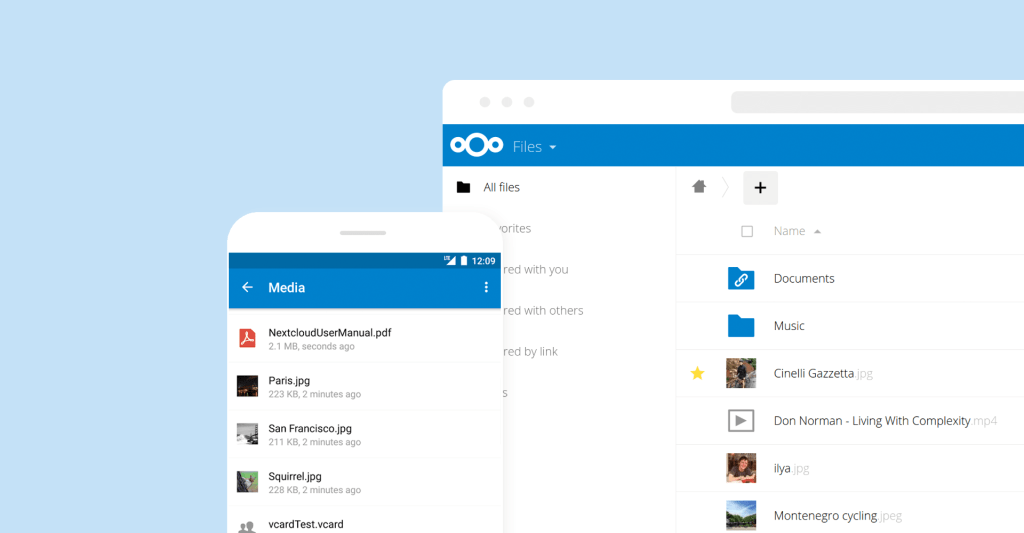
I moved on to Nextcloud. I hosted my own instance and, after wrangling around with my first attempts at being a sysadmin (I feel like I barely did anything well), I was able to have more control of my cloud storage. It also helps that, while Nextcloud may cost money to host each month, at least it has so many extra features you have full control over. For instance, I love the Nextcloud News app and have set it up with several RSS readers on multiple devices. Oh, and Nextcloud is open-source, so what’s not to love?
Honorable Mention(s): Owncloud
I admit I had only heard of this one long after I finished setting up my own Nextcloud instance. If I couldn’t use Nextcloud for one reason or another, however, I would think this is another solid choice. Much like when I tried to decide between Ledger and Trezor, I feel like I could have gone with either choice and still gotten a great experience.
Note Taking
Popular Choice: Evernote, OneNote, Apple Notes
I’ve used all three of these to some extent in one way or another. While I have heard that Apple Notes can work well as a second brain due to its simplicity, I barely ever used it at all. However, I have used both Evernote and Microsoft OneNote, switching between the two apps back and forth in the early 2010s and never being fully satisfied with either. While the idea of Evernote synchronizing all of my notes appealed to me way back, the execution always left a lot to be desired, which eventually led to me giving up on these sort of apps entirely by 2014.

Use This Instead: Obsidian
Years and years later, I was willing to give note-taking apps another try once I discovered what Obsidian could do. In fact, I’m drafting this post (and every other post I’ve put on this site so far) right now. It’s no secret that I subscribe to the idea of building a second brain and am a firm believer in the extensibility and power of Obsidian. The app, while free, does have a paid sync, though I have no issues paying for the convenience and supporting the developers. Consequently, the ease of use and flexibility of Obsidian have made me realize just how much I disliked using Evernote.
Honorable Mention(s): Notion
I had considered using Notion, but Obsidian has been so good to me that I’ve had no real desire to even try it. Still, I can recognize its merits. Notion’s approachable design makes it easy to use, and my girlfriend does like using it on her MacBook Air. Additionally, Notion supports sync to other services (including IFTTT integration if that’s your thing) without additional community plugins. With the AI craze going on, Notion has integrated AI as of late as well, which can really be a convenience for its users. If I had more of a need for these services, I certainly wouldn’t mind switching over.
Operating System
Popular Choice: Microsoft Windows
Windows comes installed on an overwhelming majority of computers that are purchased. It has an overwhelming market share, and support and apps for Windows users is widespread overall. Still, while I’ll always treasure the time I spent running Windows XP and 7, Microsoft has had more duds than winners. 95 was fine, I wasn’t much a fan of 98, I have fleeting memories of ME, 2000 ran alright when I used it on school computers two decades ago, Vista was so bad that I discovered Linux because of it, Windows 8 and 8.1 gambled on a convergence that didn’t happen, and Windows 10 progressively worsened with time. The best thing I can say about Windows 11 is that the brushed acrylic glass look is aesthetically pleasing, although anything is an upgrade from the flat, drab look that dominated 2010s-era Windows. Still, if you want to go any further with customizing the look beyond a Light/Dark theme toggle, an accent color, or a wallpaper, your options are slim picking.

Use This Instead: Linux
You can pick almost any distro and it’ll be a meaningful upgrade from Windows. Pick whatever works for you. Want to run Arch? Do it, it’s easier than ever. Want to use Ubuntu because of the support? Go for it. Want Debian because it’s rock-solid? I’m sure you’ll enjoy the recent Bookworm release. Want to run Fedora? Go ahead and enjoy the latest and greatest from GNOME. Want to give Pop_OS a spin? Give pop-shell’s tiling feature a try; it’s amazing! Want to run Void Linux? Give that package manager a shot and let me know how it is. Want to run Manjaro? Uhh… sure, you do you, but the point is that Linux is so much better to use than Windows. It’s secure, it’s faster, it’s free, it respects your privacy, and you can make it look and feel any way you like.
Honorable Mention(s): macOS (begrudgingly)
I know macOS is proprietary by nature. I know Apple likes to try and force its users into walled gardens. I know macOS doesn’t respect privacy like it used to in its OS X days (I recalled people calling the first macOS 11 “Big Surveillance“). I know that there are a lot of disadvantages to running Apple devices, especially with how difficult it is to repair their hardware. But still, if I were presented with a pair of poisons, I’ll begrudgingly take the Apple-flavored one over whatever Microsoft has. While I really hate how OS X killed support for themes (Mavericks could theme everything in a click or two with the Flavours, an app that hasn’t updated since El Capitan), at least it’s still ultimately a Unix-based OS and I can interact with it via terminal. Besides, I’ve seen what Linux users stuck on M1 or M2 devices have done with their macOS interfaces. They use yabai and sketchybar to turn macOS into tiling window managers to get the advantages of Linux extensibility with the efficiency of Apple Silicon.
Conclusion
These are a handful of the software, apps, and services I use regularly. As I said before, most things I have used, although some of the honorable mentions may only be things I used a little of in passing.
What are your thoughts on apps you would recommend? Did I forget to mention anything you would have recommended? Perhaps you can think of another category I could have covered? Which apps would you use or avoid?
 Sudo Science