

As I discussed in a few previous posts, I’ve made attempts to simplify my life before starting with my smartphone.
Humorously, I remember being a younger Mr. Hyde around 2010 when Android phones were really starting to pick up traction, when the idea of digital convergence was truly exciting. The future looked so bright to me as a college student around that time; phones were going to do more than ever. No more having to carry around multiple devices that do one or two things when our phones could just do all of them for us. Technology was looking up.
But somewhere along the way, phones became a little less interesting to me as a whole. By 2016, I started to notice I didn’t need the latest and greatest, that I didn’t need to run so many apps or be glued to my screen. Instead of being such a promising, novel technology, our smartphones were now ubiquitous. They were just… there.
I also had no idea what was happening with teens during this decade. They were finding themselves more and more addicted to their smartphones for various reasons, be it games with predatory monetization, mindless social media scrolling, letting free thought languish in echo chambers, or simply wanting to use the device for something useful only to be distracted by an unrelated notification.
I’ll be honest: I’m guilty of that final point. I couldn’t tell you how many times I thought about getting a task done, pulled out my phone to do it, and then got sidetracked by a different notification that whisked away my attention. It was more frustrating when I would put the device away and realize that the main task I wanted to do, the whole reason I even checked the phone in the first place, was completely neglected. I lacked mindfulness.
But I’ve noticed there has been a growing “dumbphone” movement since (as far as I can tell) 2018. It seemed others were noticing that smartphones were capable of doing too much, or perhaps they did too many of the wrong things entirely. Some would even go so far as to be nostalgic for the 2000s when T9 phones were still in vogue. Again, I’m guilty as charged, as evidenced by how I bought a Xiaomi Qin F22 Pro.
I know there are many other options out there like the Light Phone and the Wisephone that I could have selected, but I chose the F22 Pro because it was still Android-based and there are still a few smartphone apps I find quite useful that I can’t get from simpler offerings. For instance, I love to listen to Spotify music on my drives, I sometimes need to navigate somewhere with Google Maps, I want to be able to sync my second brain on Obsidian to look notes up, I like saving money on fuel-ups with GasBuddy, and I have an online-only bank that requires me to use their app for transfers and deposits. I would hardly say these particular uses drain my attention span or waste my time.
Despite everything, this “dumbphone” movement seemed so promising, and it led to me looking for new ways to scale back my use of my phone. While I was unable to keep using the F22 Pro due to poor reception in my market, I did use the experience to give another look at how I used my smartphone and how to use what I already have.
What does that mean, exactly? It’s simple: Use the existing smartphone we already have to get a more curated dumbphone-like experience.
But how do we get started if we want to give that a shot? We can perform a few tasks to get started taking control of our smartphone experience and becoming more mindful again.
Quick Aside: Before getting started, I know some of these tips can apply for most people in general, but I’m going to write from the perspective of an Android user, as I haven’t touched an iPhone since 2021. That said, many of these actions should still work except for one.
Purge All Social Media Apps
This one’s a serious no-brainer and I think a lot of people saw it coming. If you want to really scale back your phone, social media has got to go, especially for people who are addicted.
Social media is designed to keep users engaged with algorithms that are more clever than ever. They are designed to foster addiction. There’s a reason that social media CEOs don’t let their own children so much as use their own products.
While you may not need to go nuclear and delete your accounts right away, it could be useful to remove the apps and go a few days without social media. Once the FOMO of social media is gone, deleting the accounts from a web browser on a computer might become a more promising option in the future. This could take some serious adjustment time for anyone who feels addicted, but it’s always possible.
Delete Infrequently-Used Apps
Did you try using some random app just once or twice? I think all of us are at least a little guilty of this. Maybe you installed a shopping or restaurant app you only used once or twice. Maybe you have several unused icon packs sitting there. Maybe you, if you’re anything like me, have a good handful of web browsers despite only ever using one for quick searches.
In the case of uninstalling shopping and restaurant apps, this has another positive effect: You can save money. By removing the apps, you remove some of the temptation to impulse buy or order takeout by clearing such apps, so more money stays in your wallet. It’s cool to be a minimalist in a lot of ways, but I don’t think anybody wants their bank account balance to be minimal.
Whatever the case, get rid of the apps you just don’t use. If you have default apps you don’t like and can’t fully remove (looking at you, Google), you can always go to your app settings and disable them there.
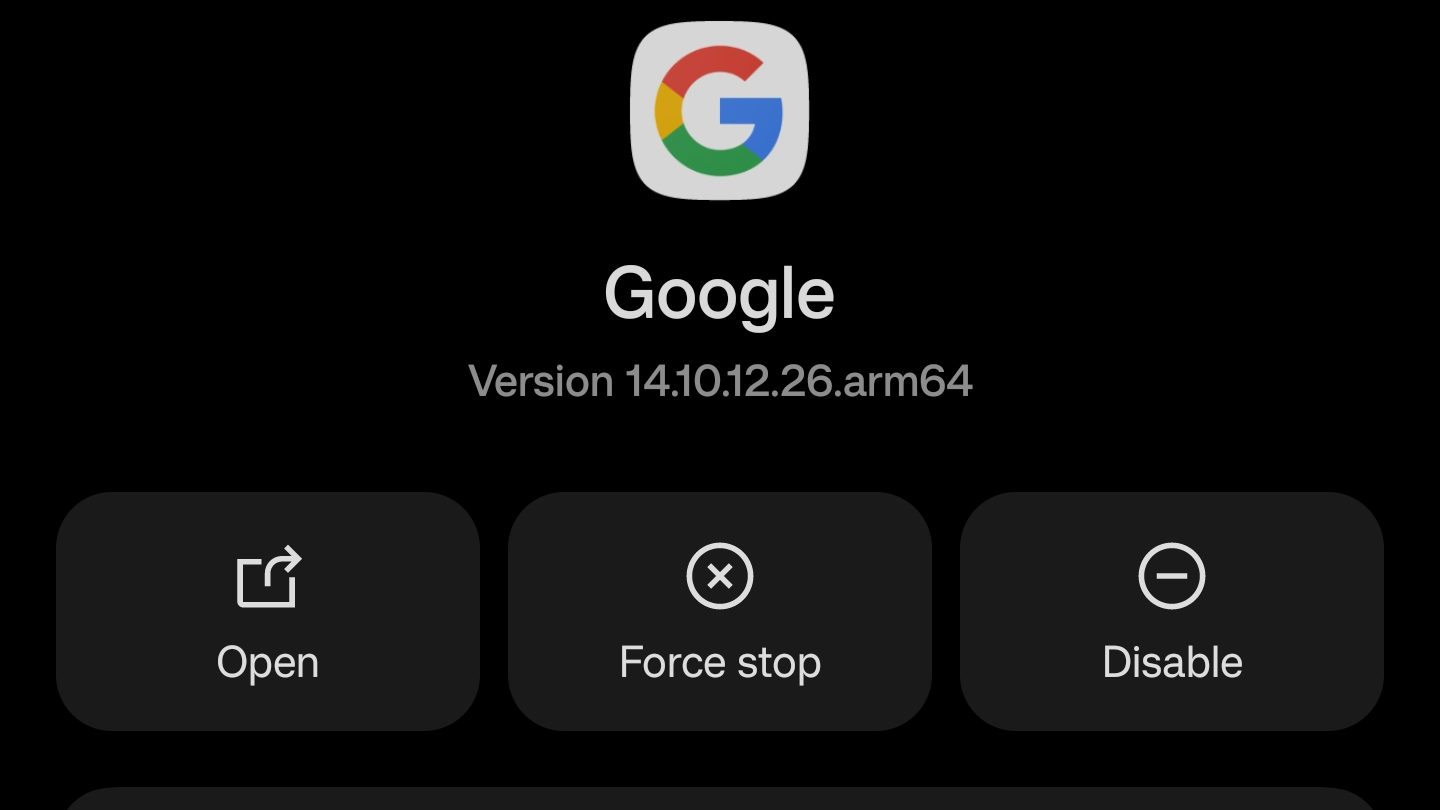
You may have a handful of apps you still don’t use too often, but don’t want completely remove. If your launcher supports the feature (more on that in a bit), you can hide them from showing up as well. This is especially useful if you don’t configure your third-party keyboard frequently (like SwiftKey) but still see it show up as an option in your app drawer.
Disabling Notifications Manually
This one can be a little cumbersome if you choose to do it manually, but it can be worth it. Essentially, if you have non-essential apps that are still sending you notifications in your app drawer and fighting for your attention, then this step is for you.

Head to your app settings and start curating a selection of apps you don’t want notifications from. Once you decide, go into each app and disable notifications for them.
Try A Different Launcher
This one is a game-changer for me. Picking a new launcher that lets you get more control back is a great option to scale back your phone use. You can go for a minimalism aesthetic with something simple like Before Launcher, which also has the added benefits of suppressing notifications without fully disabling them.

Before Launcher does this using a notification drawer that you can reach on the left side of your home screen (pictured above), so you still get the notifications, but they’re just waiting for you there when you’re ready rather than distracting you each time they go off. You can also use it to hide apps that you can’t necessarily uninstall or disable from showing up in your app drawer as well.
There are other similar options I would recommend to people in general like Olauncher or just being creative with the tried and true Nova Launcher, but I do find Before Launcher to be my favorite option that I’ve tried. Nothing else comes quite as close to helping me be more mindful about my phone use while still letting feel like my device is a useful series of tools rather than a weapon of mass distraction.
Go Grayscale
Another popular option I’ve seen is foregoing color altogether. Options to enable grayscale vary from phone to phone, but it seems to be more common on modern phones as a whole, thankfully.

So these are the things I did to make my phone more minimal and get a curated, more mindful experience without having to use a new piece of hardware.
What about you? Did you try turning your existing smartphone into something more minimal? If so, how has it worked out for you? If not, are you thinking about it or not?
 Sudo Science